Finding the right leads for your business can take hours of searching, filtering, and guessing who actually fits your target audience. That’s why we launched Leads by Sbl.so, a simple way to instantly generate free high-quality LinkedIn leads by prompt, based on your ideal customer profile.
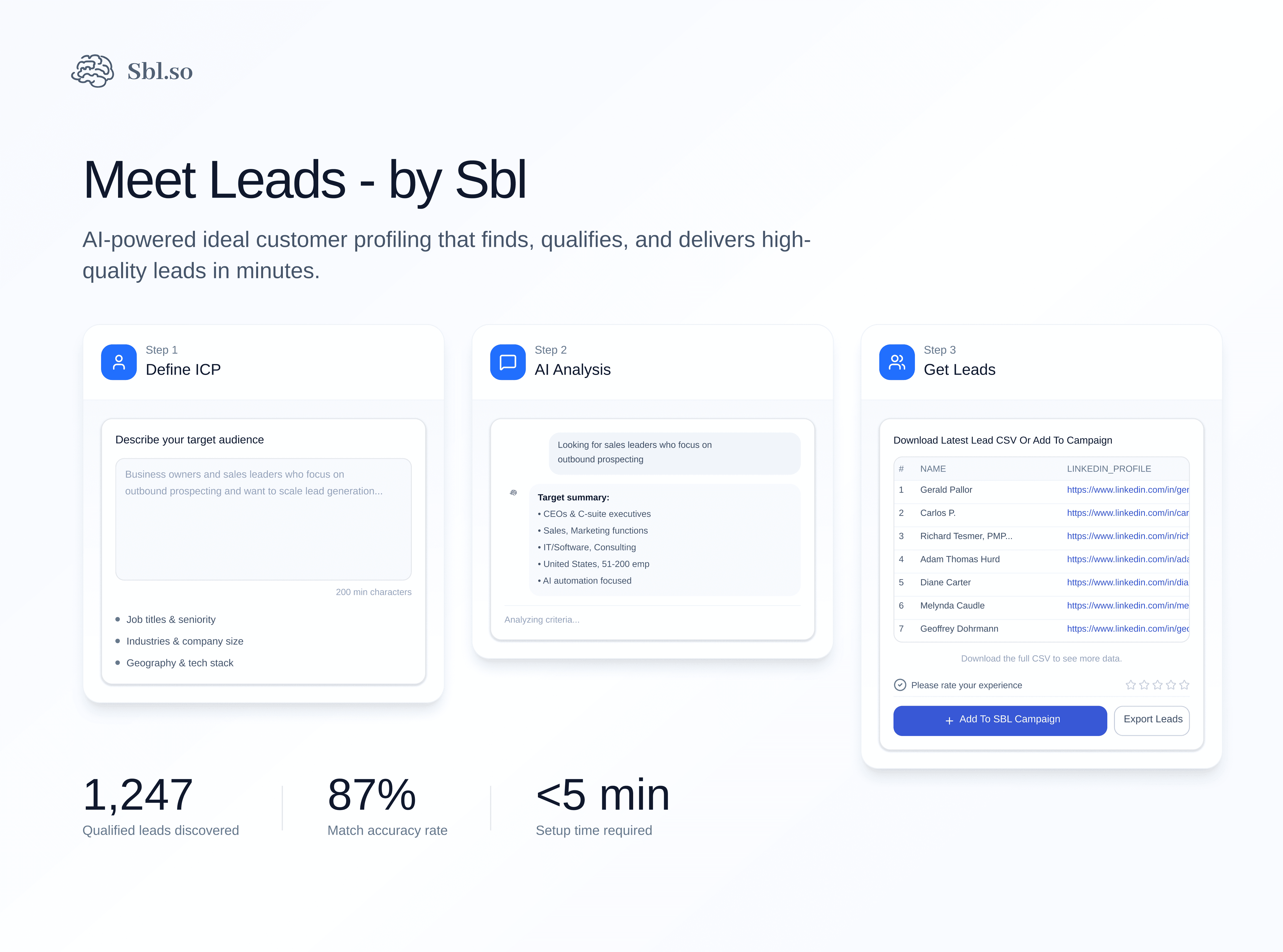
Instead of spending time searching manually, Leads by Sbl.so does the work for you. You describe the kind of people or companies you want to reach, and it automatically finds the leads that match. No filters to configure. No databases to comb through. Just type what you’re looking for and get results.
What Leads by Sbl.so Does
Leads by Sbl.so helps you define your Ideal Customer Profile (ICP), the type of audience that’s the best fit for your business, and then instantly brings you leads that match that description.
For example, you can describe:
“We’re targeting Founders and Marketing Managers from SaaS companies in the US.”
The system then finds relevant leads that fit your description quickly and accurately. No manual filters. No wasted time. Just real, ready-to-connect leads that match your audience.
The prompt-based approach means you don’t need to learn complex search operators or spend time setting up filters. You write what you need in plain English, and the system interprets it. This is particularly useful if you’re running an outbound system and need to move fast.
How It Helps
- Saves time: No more manual searches or list building. Describe your ICP and get results in seconds.
- Finds the right people: Get leads that truly fit your target audience based on your specific criteria.
- Boosts campaign performance: Targeting the right audience improves engagement and conversions. When your leads actually match your offer, response rates go up.
- Works seamlessly with Sbl.so: Instantly add generated leads into your campaigns and start outreach without switching tools.
- Supports multiple workflows: Export to CSV for external use or push directly into campaigns for immediate outreach.
If you’re building a B2B sales strategy, having a reliable lead source that connects directly to your outreach tools removes friction from the entire process.
How to Access Leads by Sbl.so
You can use Leads by Sbl.so in two simple ways:
1. From the Leads by Sbl.so website
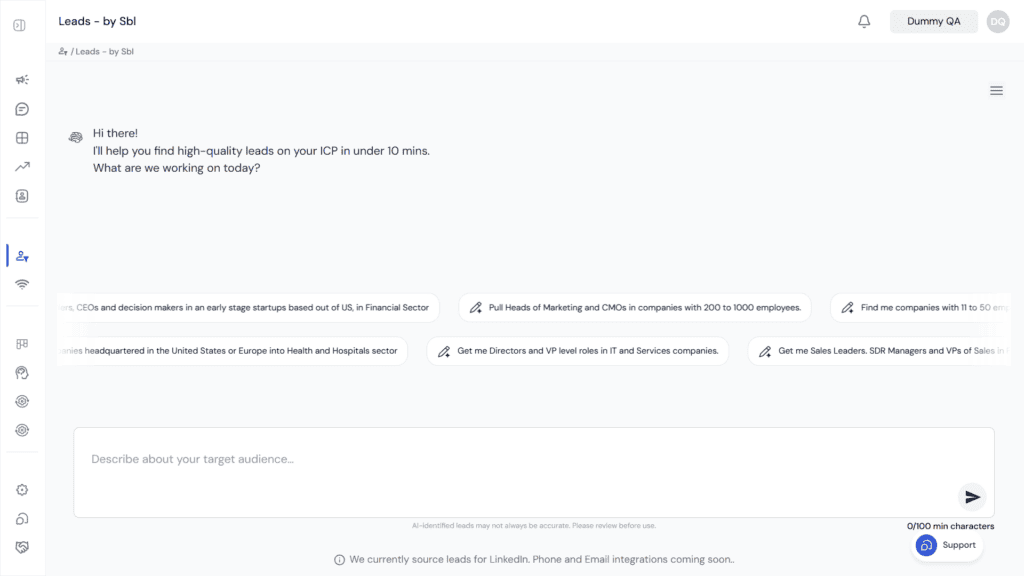
Visit leads.sbl.so to get started. Sign up with your email, verify your account, and start generating leads directly through the app. All new users can extract up to 300 leads per month for free.
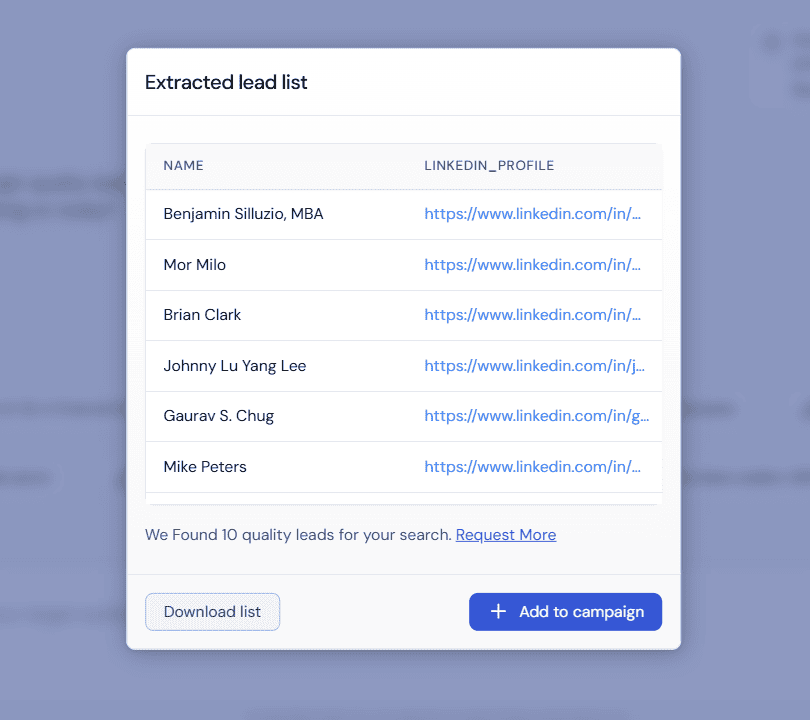
When you log in at leads.sbl.so and generate leads, two options appear: “Export Leads” or “Add to SBL Campaign.”
If you click Add to SBL Campaign, you’ll be redirected to your Sbl.so Dashboard, where a new campaign is automatically created with all the generated leads already added. From there, you can set up your messaging sequence and start outreach immediately.
If you click Export Leads, a CSV file containing all your generated leads will be downloaded directly to your device. This is useful if you’re using another CRM or want to combine these leads with data from other sources.
2. Inside Your Sbl.so Dashboard
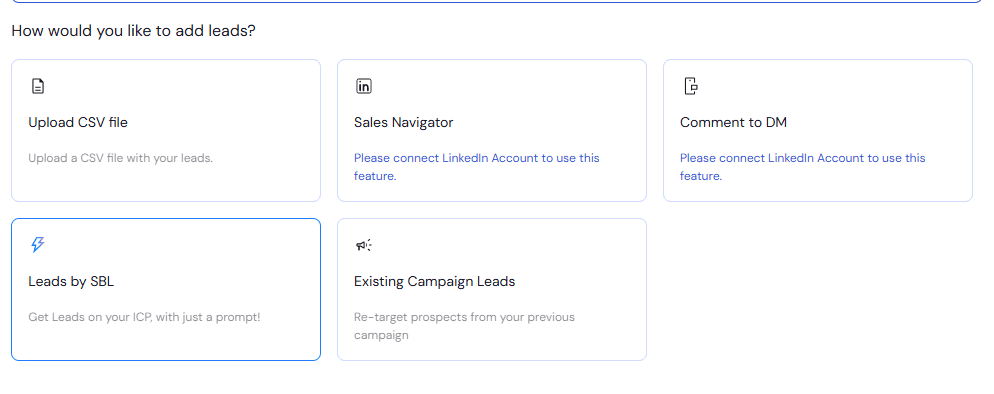
You’ll also find Leads by Sbl.so integrated directly inside your main dashboard. Just go to your Campaigns → Add Leads section, and open the “Leads by Sbl.so” tab to start generating new leads instantly. Here, you can create your ideal profile, generate leads, and add them straight into your campaigns without leaving the platform.
Each plan comes with its own monthly lead limit, which you can easily track inside your account. If you need more leads beyond your plan limit, credit top-ups are available.
Who Can Use It
Whether you’re a founder, agency, or sales team, Leads by Sbl.so is built for anyone who wants to:
- Reach the right people faster without manual prospecting
- Build accurate, qualified lead lists based on specific criteria
- Launch campaigns quickly and effectively with pre-loaded leads
- Connect lead generation directly to LinkedIn outreach automation
Agencies running outreach for multiple clients will find this particularly useful since you can generate targeted lists for different ICPs without switching between tools or databases.
How It Fits Into the Sbl.so Workflow
Leads by Sbl.so isn’t just a standalone lead finder. It’s part of a larger workflow designed to take you from prospecting to pipeline:
Get Leads → Automate Outreach & Chat → Convert to Pipeline
Once you generate leads, you can push them directly into a campaign where Sbl.so handles the outreach and follow-up. When leads respond, the chat automation takes over to qualify them and move conversations forward. This means you’re not just generating leads; you’re feeding them into a system that works them automatically.
For teams using AI SDR tools, this integration removes the gap between finding leads and actually reaching out to them.
Start Finding Better Leads Today
Leads by Sbl.so makes lead generation fast, easy, and precise.
Describe who your ideal customers are, and the system handles the rest. No complex filters. No manual searching. Just a prompt and results.
From generating leads to adding them directly into your campaigns, Leads by Sbl.so is your fastest way to connect with the right audience.
If you’re ready to save time and reach better leads, try Leads by Sbl.so today inside your Sbl.so account or at leads.sbl.so.
Frequently Asked Questions
How many free leads can I generate?
New users can extract up to 300 leads per month for free. Each plan has its own monthly limit, and you can track usage inside your account.
Can I export leads to use in other tools?
Yes. After generating leads, you can download a CSV file containing all the lead data. This works for teams using external CRMs or combining lead sources.
Do I need a paid plan to use Leads by Sbl.so?
No. The free tier gives you 300 leads per month. Paid plans offer higher limits and additional features.
What information do I get with each lead?
Leads include LinkedIn profile data matching your ICP description. The specific fields depend on what’s available from the source profiles.
Can I use this with LinkedIn Sales Navigator?
The Sbl.so platform supports multiple lead sourcing methods including Sales Navigator integration in the broader workflow. For prompt-based generation specifically, you describe your ICP and the system finds matches.