Let me tell you something that took me way too long to figure out. You don’t need to pay for LinkedIn Sales Navigator to get quality leads. I know, I know… everyone’s out here selling you expensive tools and subscriptions. But there are genuinely free ways to get leads from LinkedIn that actually work in 2026.
I’ve spent the last few years testing every method imaginable. Some worked. Most didn’t. And a few got my accounts restricted (not fun, trust me). So here’s everything I’ve learned about getting free leads from LinkedIn without burning cash or getting banned.
Why Free LinkedIn Lead Generation Still Works in 2026
Here’s the deal. LinkedIn has over 1 billion users now. Most of them are decision makers, founders, and people who actually have buying power. The platform knows this, which is why Sales Navigator costs what it does. But LinkedIn can’t lock everything behind a paywall. There’s still plenty of gold in the free tier if you know where to look.
The catch? LinkedIn’s AI monitoring got seriously upgraded in late 2025. They’re flagging bulk profile exports and automated messaging about 40% more effectively than before. So the old scraping hacks? Dead. But manual engagement and smart strategies? Still crushing it.
One thing worth mentioning: LinkedIn’s enforcement varies by region and account age. Newer accounts face stricter scrutiny, while established profiles with consistent activity patterns get more leeway. Keep that in mind as you build your approach.
Method #1: Search Keywords and Build Your List Manually
This is the most basic approach, but it works. And it’s completely free.
Here’s what you do:
- Go to LinkedIn’s search bar
- Type in keywords your ideal customers would use in their posts or headlines
- Filter by “Posts” to find people actively talking about topics in your niche
- Visit their profiles, check if they’re a fit, add them to a spreadsheet
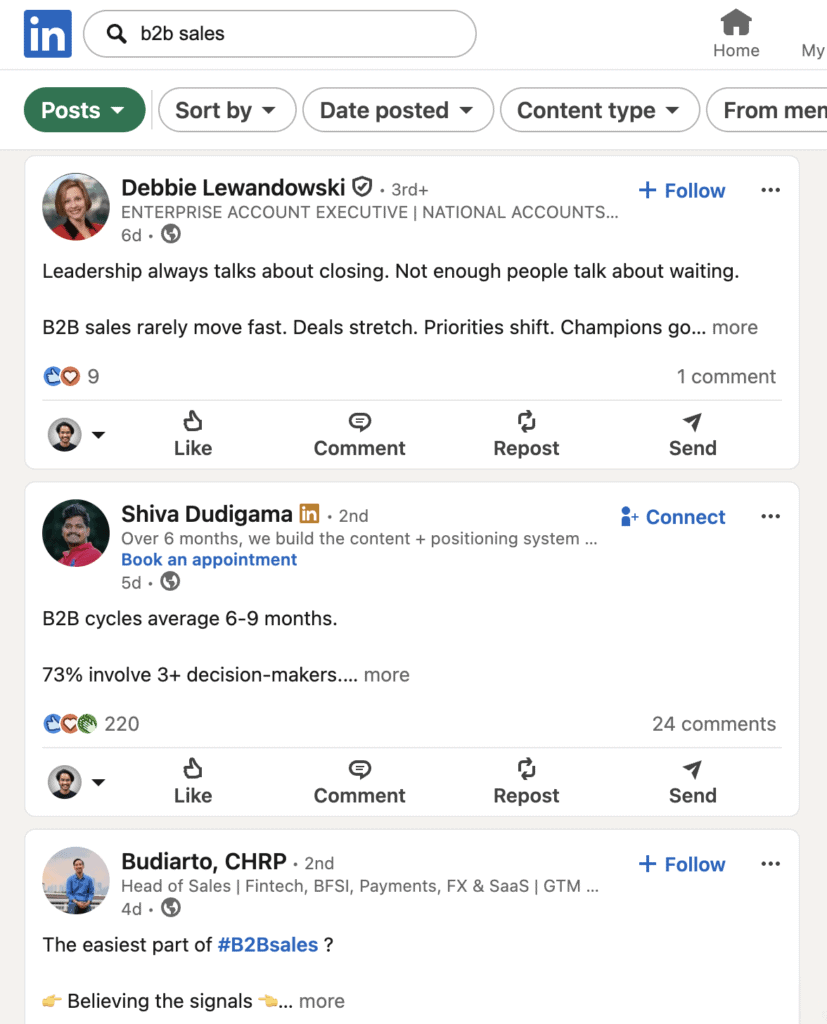
Yeah, it’s manual. Yeah, it takes time. But here’s why this method is underrated… you’re finding people who are ACTIVELY discussing problems you solve. That’s way better than cold targeting someone who might not even care.
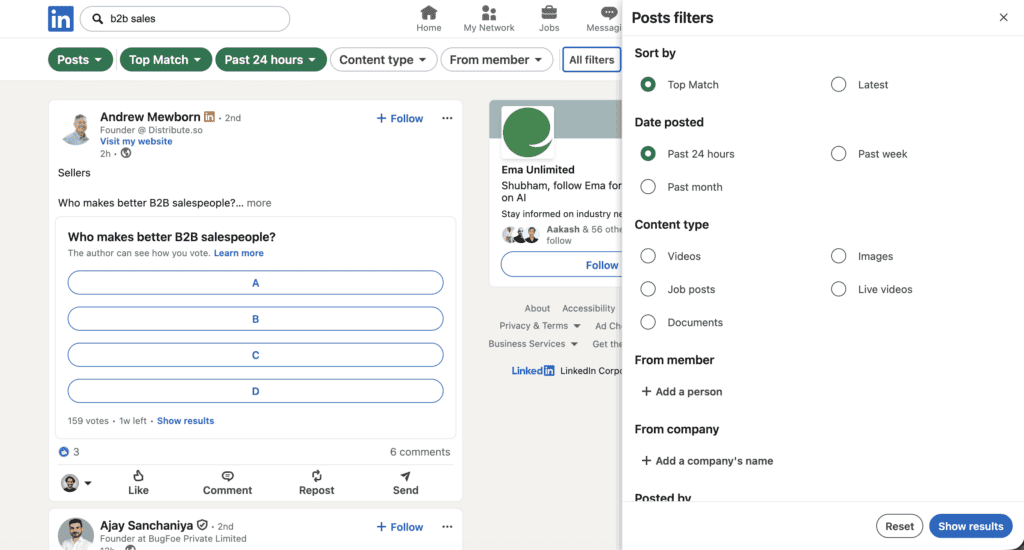
You can even use more filters to narrow down the audience for free!
With a free LinkedIn account, you get roughly 2,500 searches per month. That’s plenty to build a solid list of prospects. The key is consistency. Set aside 30 minutes daily, target 20 to 30 profiles, and you’ll have 400 to 600 quality leads by month end.
A tip that’s helped me: save your best search queries in a doc. LinkedIn doesn’t save filters for free accounts, so having your go-to searches ready saves time and keeps you focused.
Bonus tactic: Use Google X-Ray search to bypass LinkedIn’s commercial use limits. Try searches like site:linkedin.com/in "Founder" "SaaS" to access more profiles from outside LinkedIn. This works surprisingly well and costs nothing.
Method #2: LinkedIn Groups Are Free Lead Goldmines
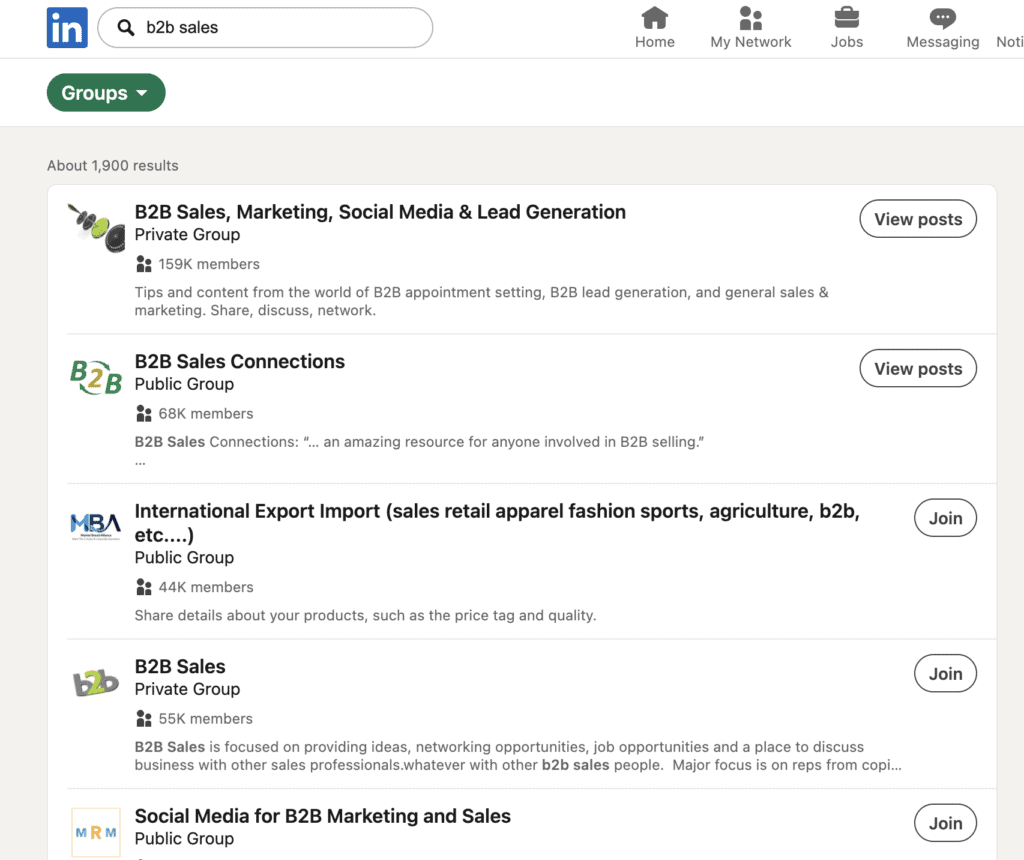
I slept on groups for years. Big mistake.
LinkedIn Groups saw a 25% jump in active participation recently. And here’s the thing most people miss… you can message group members directly without being connected. No connection request needed. No InMail credits. Just straight DMs.
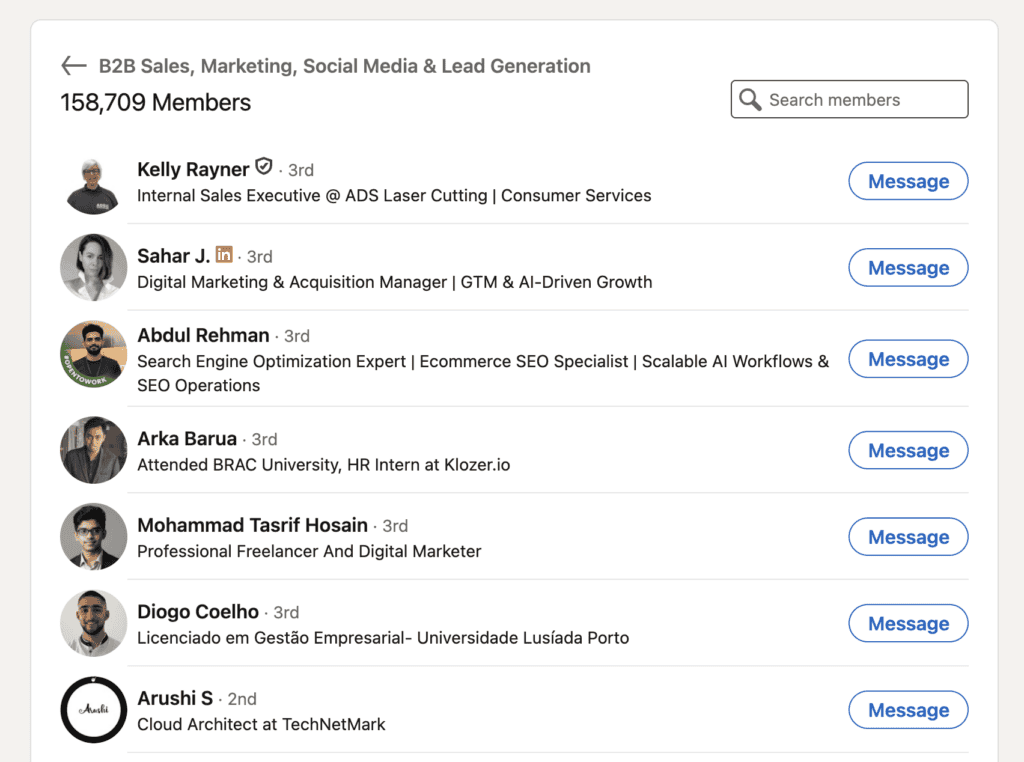
Here’s the strategy that’s working right now:
- Join 30 to 50 groups in your niche (yes, that many)
- Don’t spam promotional posts. Nobody likes that person
- Comment on discussions with actual valuable insights
- After engaging with someone’s post, shoot them a DM
- Reference the group conversation in your message
The leads from LinkedIn groups are typically higher quality because they’ve self-selected into communities around specific topics. These aren’t random people. They’re actively interested in your space.
Pro tip: Look for group discussions where people are asking questions or sharing problems. Those are buying signals in disguise.
Another thing I’ve noticed: groups with 5,000 to 50,000 members tend to have better engagement than massive groups with 500k+ members. The smaller ones feel more personal, and your contributions stand out more.
Method #3: Extract Leads from Post Engagement
This one’s clever and almost nobody does it.
Find popular posts in your niche. Could be yours, could be a competitor’s, could be an industry influencer’s. Doesn’t matter. Now look at who’s commenting and liking. These people are engaged. They’re active. They’re probably your target audience.
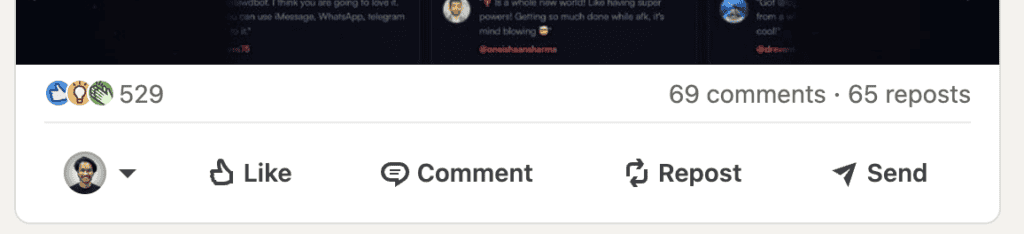
Manually? You visit each profile, check if they’re a fit, note them down. It works but it’s time consuming.
Or… you automate it.
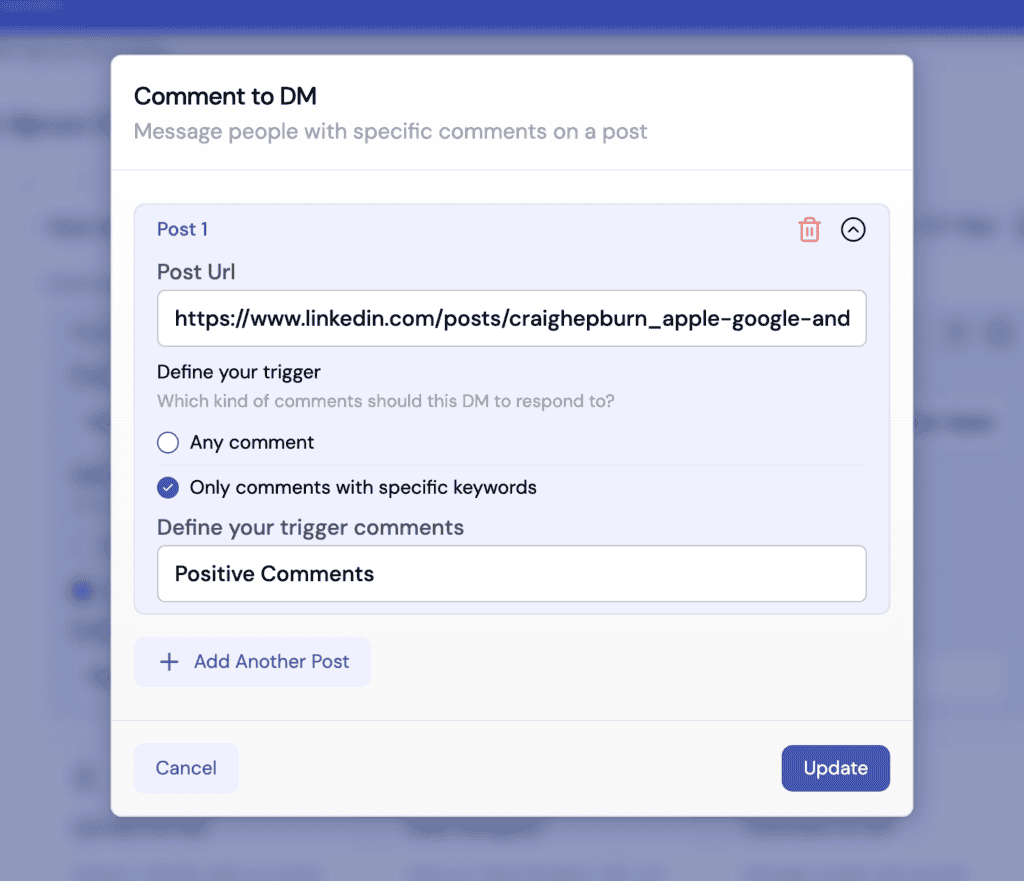
There’s this feature in Sbl.so’s Comment to DM automation that does exactly this. You paste a post URL, set a keyword or intent (like “positive comments” or “comments asking questions”), and it handles the rest. Filters the commenters, sends personalized DMs, adds them to your campaigns. Works on your posts AND competitor posts.
Those “Comment XYZ and I’ll DM you the resource” posts you see everywhere? That’s not manual. People are using automation to capture every single commenter and follow up instantly.
New tools now let you pull likes, comments, and reposts from multiple posts at once and filter by headline. So you can extract only “Founders” or “Head of Growth” from the engagement list. High-intent leads without the noise.
Method #5: LinkedIn Events for Free Messaging
This one flies under the radar. LinkedIn Events give you free access to message attendees without being connected.
Here’s how it works:
- Search for industry-specific events (try “SaaS Marketing” or “B2B Sales”)
- Register for events with 500+ attendees
- Open the Networking tab once you’ve joined
- Browse attendees and message them directly
The context is built in. You’re both attending the same event, so your outreach feels natural instead of random. Position your message around questions or topics being discussed at the event.
This works especially well for webinars and virtual summits where attendance is high and people expect networking.
Method #6: University Alumni Networks
If you went to college, you’ve got a free lead source sitting there unused.
Go to any university page on LinkedIn and click the “Alumni” tab. You can filter by:
- Where they live
- What they do (job function)
- Where they work
- What they studied
The shared alumni connection gives you an instant conversation starter. People respond better to fellow alumni than random strangers. It’s a warm angle on a cold platform.
This works even if you didn’t graduate from a prestigious school. Any shared educational background creates common ground.
Method #7: Use AI Lead Agents (The 2026 Way)
Okay so this one blew my mind when I first tried it.
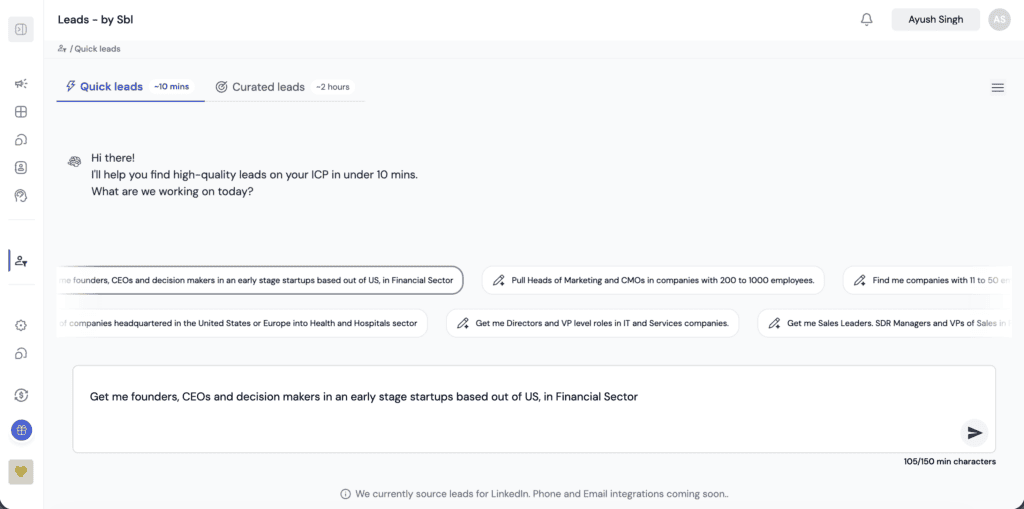
There’s a product called “Leads by Sbl.so” where you literally just type what lead you want. Like “SaaS founders in the US with 50 to 200 employees who recently posted about hiring.” And within 10 minutes, you get a list of high quality LinkedIn leads matching that description.
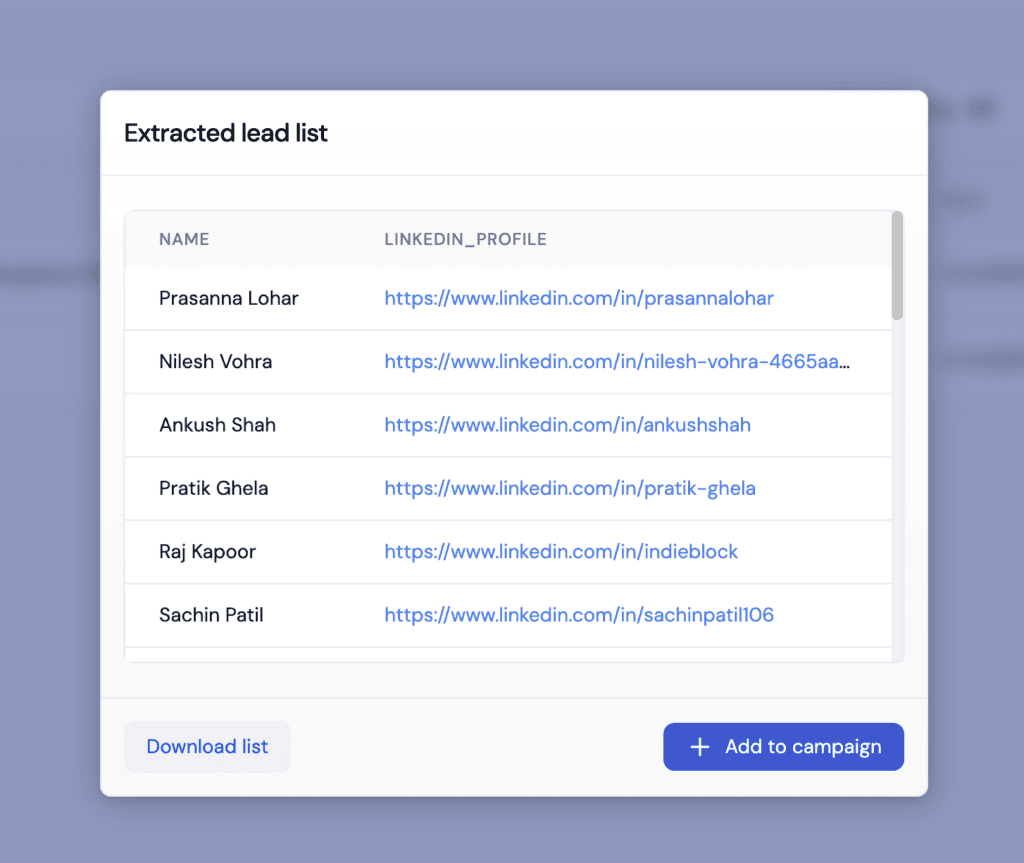
No manual searching. No filters to figure out. No spreadsheet gymnastics. Just describe your ideal customer and get leads.
Is it technically “free”? The basic tier is. And even the paid plans are way cheaper than what you’d spend on Sales Navigator plus a data enrichment tool plus your time hunting leads manually.
What makes this different from other lead gen tools is how natural the input feels. You’re not learning filter combinations or Boolean operators. You’re just describing who you want to reach, like you’d explain it to a colleague.
Bonus: The Sales Navigator Route (Not Free, But Worth Knowing)
Look, I said this post is about free leads. But I’d be doing you a disservice if I didn’t mention Sales Navigator briefly.
If you have budget, Sales Navigator is genuinely powerful. The filters are insane:
- Company headcount growth
- Recent job changes
- Posted on LinkedIn in the last 30 days
- Technologies used
- Seniority level, function, geography… all of it
There’s a 60 day free trial that extended in Q4 2025. Stack that with a free Basic account and you can pull solid leads before deciding if you want to pay.
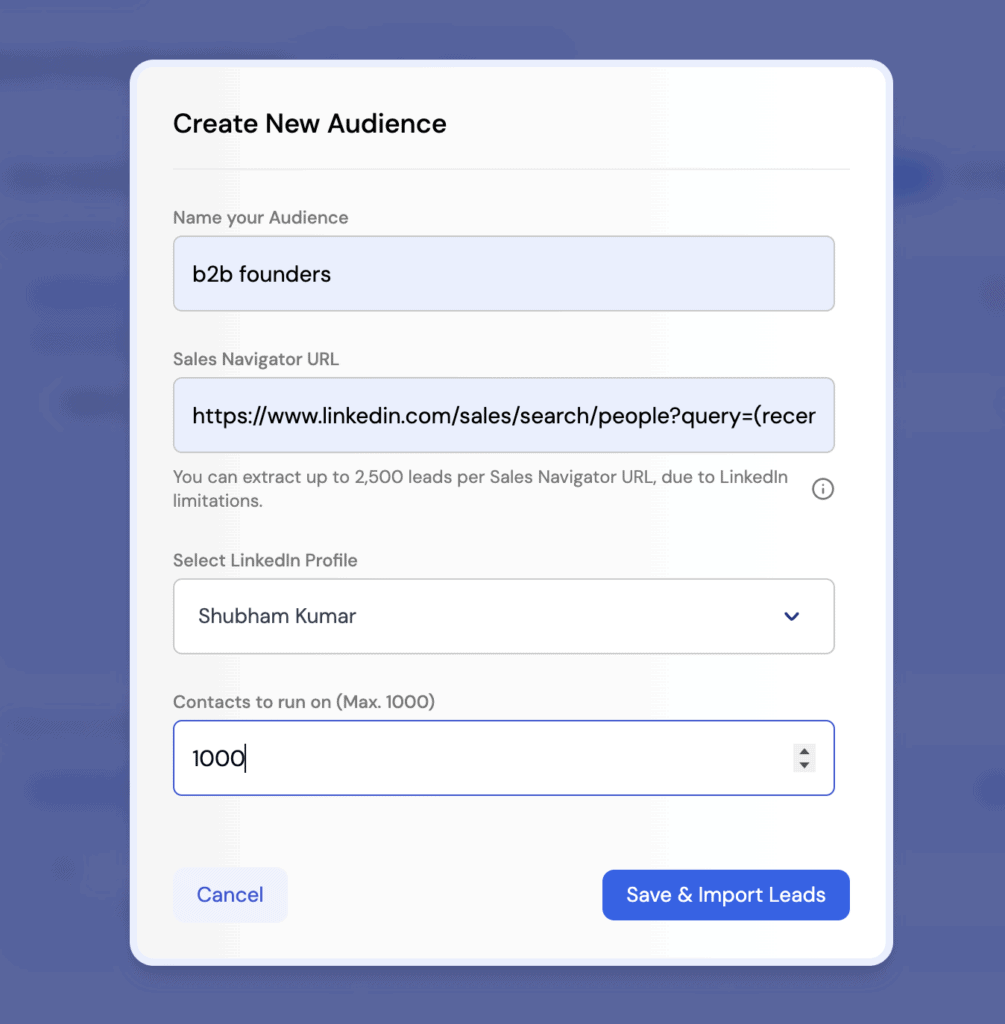
If you DO use Sales Navigator, Sbl.so has a Sales Navigator Extractor that lets you copy your filtered search URL, paste it in, and automatically extract all those leads. No manual downloading. No CSV nightmares. Just paste and go.
For a deep dive on using Sales Navigator filters effectively, check out the Sales Navigator Filters guide.
How to Scrape Leads from LinkedIn Without Getting Banned
I need to be real with you here. Direct scraping is risky in 2026. LinkedIn’s AI detection has improved significantly since 2024. People are getting permanent bans for aggressive automation.
But there are safer approaches:
Manual CSV Export: If you have Sales Navigator (even trial), you can safely export around 100 profiles per day manually. Stay under that and you’re fine.
PhantomBuster Free Tier: 50 hours per month. Automates profile collection from searches and groups. Works but rotate your IP and keep volumes low.
Hunter.io + LinkedIn: Free 50 emails per month. Finds emails from public profile info.
Octoparse Free Plan: Visual scraper, 10k records monthly. Use proxies.
The safest route? Don’t scrape at all. Use lead generation tools that work within LinkedIn’s API limits. Sbl.so’s lead agent does exactly this… you get the leads without the ban risk because it’s not technically scraping.
If you need to understand how to stay safe while scaling outreach, check out this guide on unrestricting LinkedIn accounts. Prevention is better than recovery.
How to Reach Out on LinkedIn (The Right Way)
Getting leads is step one. Actually reaching out without getting ignored is step two.
Here’s the 2026 reality: LinkedIn limits you to about 80 to 100 connection requests per week. The safe range is 15 to 25 per day for established accounts. New accounts or profiles with low acceptance rates should stick closer to 50 to 70 per week. Go higher and you’ll get flagged.
The sequence that works:
- View their profile first
- Like or comment on their recent post (something genuine)
- Send a connection request with a personalized note (155 characters max)
- If they accept, follow up with value. Not a pitch. VALUE.
Mentioning a mutual group or a post they made increases acceptance rates by around 50%. People respond to relevance, not generic templates.
For scaling this without losing your mind, LinkedIn messaging automation tools can help. But pick carefully. Most tools just send templates and stop there. The good ones actually handle replies too.
How to Message Them Hyperpersonally
Generic messages get 5% reply rates. Hyperpersonalized messages get 35%+. The math is obvious.
Here’s my framework:
Step 1: Research (2 minutes per lead)
- Scan their last 5 posts
- Check which groups they’re active in
- Note any recent job changes or announcements
- Identify a pain point they’ve mentioned
Step 2: Craft the Message
Reference something specific. “Saw your post about struggling with outbound” hits different than “Hi, interested in sales services?”
Example that works:
“Hey [Name], saw your comment in [Group] about [specific topic]. We helped [similar company] cut their sales cycle by 30% using [brief method]. Would love to share how. Open to a quick chat?”
Step 3: Add Media
Video messages get 42% reply rates. That’s not a typo. Record a quick 30 second Loom or similar. Mention their name and something specific to their profile.
The video outreach guide goes deeper on how to scale this without recording thousands of individual videos.
What Messages Actually Work Better (2026 Data)
I’ve tested hundreds of message variations. Here’s what the data shows:
Pain Mirror Messages (35% reply rate)
“Struggling with [their exact words from a post]? Here’s how we fixed it for [similar company].”
Works because you’re using their language. Feels personal.
Value First Messages (28% reply rate)
“Hey, put together this free template based on your recent post about [topic]. Thought it might help.”
No pitch. Just help. Builds trust fast.
Question Messages (22% reply rate)
“What’s your biggest challenge with [niche topic] heading into 2026?”
Opens a conversation instead of pitching immediately.
Video + Testimonial Messages (42% reply rate)
Short Loom with a quick UGC clip showing results you’ve achieved.
Authenticity wins. Every time.
Generic Messages (5% reply rate)
“Hi, we offer services that might interest you.”
Instant delete. Spam filtered. Don’t do this.
The Full Stack: From Free Lead to Booked Call
Let me put this all together with what actually works in 2026.
Lead Generation: Use LinkedIn Groups + post engagement monitoring + events + AI lead agents. Stay free or low cost.
Initial Outreach: Hyperpersonalized connection requests referencing their content or shared groups.
Follow Up: Value first messages. Video when possible. No pitching in the first message.
Conversation Handling: This is where most people drop off. They get leads, send messages, get replies… then can’t handle the volume.
Sbl.so’s whole thing is that their AI handles the chat replies. Not just sending templates but actually conversing. If someone asks a question, it responds intelligently. If someone objects, it handles the objection. If someone seems interested, it pushes toward booking a call.
You can monitor every chat, jump in when needed, or let AI run the whole thing. When it hits something it can’t handle, it flags you for “Human Intervention Required” instead of saying something dumb.
For small teams trying to scale without hiring SDRs, check out the sales automation for small teams breakdown.
Multi Channel: Don’t Stop at LinkedIn
Here’s what’s changed in 2026. The best outreach isn’t single channel anymore.
Someone ignores your LinkedIn message? Hit them on WhatsApp. No response there? Maybe email. The key is staying consistent across channels without being annoying.
2025 benchmark data shows using 3+ channels yields roughly 287% more responses compared to single-channel approaches. Combining email and LinkedIn roughly doubles reply rates compared to email alone. The catch is spacing: you need 2 to 3 days between different channel touches to avoid overwhelming prospects.
WhatsApp automation combined with LinkedIn creates a sequence where you’re reaching people where they actually respond. Some people live in LinkedIn. Others check WhatsApp constantly. Meeting them where they are beats hoping they check their LinkedIn inbox.
For a full breakdown of how to build these sequences, the LinkedIn automation multi channel guide covers the details.
The Reality Check
Can you get free leads from LinkedIn? Absolutely.
Will it be as easy as paying for premium tools? No.
Is it worth it if you’re bootstrapped or testing a new market? 100%.
The methods I outlined… keyword searches, groups, post engagement, events, alumni networks, AI lead agents… they all work. Some take more time than others. Some require tools that have free tiers. But none of them require paying for Sales Navigator.
The bigger question is what you do with those leads once you have them. Getting a list is step one. Converting them into conversations and then customers is the real game.
Now go get those leads. And maybe stop paying for tools that just give you a prettier spreadsheet.
FAQs: Free LinkedIn Lead Generation in 2026
How many free searches can I do on LinkedIn without getting restricted?
With a free LinkedIn account, you get roughly 2,500 searches per month. Spread these across weeks rather than burning through them in a few days. Consistent activity looks more natural to LinkedIn’s monitoring systems.
Do LinkedIn Groups still let you DM members without connecting in 2026?
Yes. This still works and it’s one of the most underused free features. You can message fellow group members directly without a connection request or InMail credits. Just don’t spam them or you’ll get reported.
What’s the safest free alternative to scraping LinkedIn?
Tools that work within LinkedIn’s API limits, like Sbl.so’s lead agent, give you leads without the ban risk. If you must use other tools, PhantomBuster’s free tier with IP rotation is relatively safe at low volumes.
How many connection requests can I send per week without getting flagged?
Stick to 80 to 100 per week for standard established accounts, with 15 to 25 per day as a practical cap. New accounts or those with low acceptance rates should stay around 50 to 70 per week. Quality over quantity always wins here.
Can I use AI tools to generate free LinkedIn leads without Sales Navigator?
Yes. Sbl.so’s basic tier lets you describe your ideal customer in plain language and get matching leads. It’s not dependent on having Sales Navigator, though combining them gives you more filtering power.
What free LinkedIn automation tools actually have usable free plans?
Waalaxy has a permanent free plan with roughly 80 connection requests per month and basic templates. Apollo.io has a free-forever starter plan focused on data. PhantomBuster offers limited free hours. Most other tools only offer time-limited trials rather than permanent free tiers.
Is direct LinkedIn scraping still viable in 2026?
Technically possible but risky. LinkedIn has improved its detection significantly and aggressive scraping is explicitly against their terms. Safer approaches use official APIs, low-volume automation with strict limits, and focus on engagement-based sourcing rather than bulk exports.