Let me tell you something weird that happened last month. We sent a meme to a prospect who had ghosted us for 47 days. Not a clever follow-up. Not a discount offer. A meme. He replied in 11 minutes with “okay that was good, let’s talk.” Meme outreach on LinkedIn sounds ridiculous until it works, and then you wonder why you spent so long writing those polished, boring messages nobody reads.
This post is going to break down exactly how to send personalized AI memes on LinkedIn, when meme follow-ups actually make sense, and how to do this at scale without looking like you’re running a meme page instead of a business. By the end you’ll know how to use humor strategically to revive dead conversations and boost your reply rates.
Why Meme Outreach on LinkedIn Actually Works in 2026
Here’s the thing. LinkedIn has changed. The platform that used to be all corporate speak and humble brags has evolved into something more… human. People are tired of the templated “I hope this message finds you well” nonsense. They’ve seen a thousand of those this week alone.
Memes cut through that noise. Recent data shows meme posts on LinkedIn generate roughly 3 to 4x more shares than standard text posts. Industry-specific memes get 2.1x higher comment rates because they signal insider knowledge. You’re not just some random person pitching. You’re someone who gets it.
But here’s where most people mess this up. They think meme outreach means sending random internet humor to cold prospects. That’s not strategy. That’s spam with a laugh track.
The Psychology Behind Meme Follow-ups
When a prospect ghosts you, they’re not sitting there thinking about your product. They’re drowning in 47 other things. Your follow-up email about “circling back” gets buried with all the other noise.
A meme does something different. It creates what I call a pattern interrupt. Your prospect expects another boring sales message. Instead they get something that makes them exhale through their nose. Maybe even smile. That emotional shift changes everything.
One sales consultant put it bluntly: memes are “without a doubt” the best follow-up messages for warm DMs. Not the first touch. The follow-up. There’s a reason for that timing.
When Meme Follow-ups Work
- Warm prospects you’ve already talked to
- Conversations where humor was established
- SMB owners, founders, startup folks
- Final touch before you stop reaching out
When to Avoid Meme Outreach
- First outreach to cold prospects
- Enterprise buyers in compliance-heavy industries
- Strictly formal threads
- Serious decision moments like contract negotiations
The core principle here is simple. Meme equals final nudge, not chase strategy. You’re not pestering someone with jokes. You’re giving them a low-pressure reason to re-engage after they’ve gone quiet.
How to Create Personalized AI Memes for LinkedIn
Okay so you’re convinced memes might work. But how do you actually make them? You’re not hiring a graphic designer for every follow-up message.
This is where AI meme generation has gotten genuinely useful. Tools like MarketMeme.ai, Supermeme.ai, and others can take your product details or a specific pain point and generate relevant memes automatically.
The process looks something like this:
- Identify the insight or pain point first. What frustrates your prospect? Bad CRMs? Cold outreach fatigue? Pipeline pressure? Start there.
- Match a meme template that fits the emotion. Expectation vs reality formats work great. So do reaction memes tied to industry struggles.
- Keep meme text under 15 words. Seriously. People scroll fast. If they can’t get the joke in 2 seconds, it’s not working.
- Check mobile readability. Most people see LinkedIn on their phones. If your text is tiny, forget it.
- Add context in the caption. When posting to feed, pair the meme with a question or insight that invites comments.
For personalized AI memes in DMs specifically, you want to take it a step further. The best approach combines AI image generation with dynamic personalization, like adding your prospect’s name or company logo to the image.
Sending Personalized AI Memes at Scale
Here’s where it gets interesting. You can’t manually create custom memes for every prospect when you’re reaching hundreds or thousands of people. That defeats the purpose of AI sales automation.
The workflow most teams use now combines a meme or image generator with a LinkedIn automation platform that supports rich media. You create the base visual, then use personalization tokens to overlay prospect-specific details.
So imagine a meme about “when your boss asks about pipeline” and the prospect’s company name appears on a whiteboard in the background. Or their face photoshopped onto a stressed office worker. That level of personalization feels custom even when it’s templated.
Tools like Expandi support personalized videos, images, and GIFs in outreach with dynamic overlays. Skylead offers similar image personalization in sequences. Both let you send pattern-interrupt visual content that stands out from text-only messages.
Rich Media Outreach Beyond Just Memes
Worth noting that meme outreach is really a subset of rich media outreach more broadly. The same principle applies to personalized images, GIFs, short videos, even voice notes. Anything that breaks the wall of text most prospects see all day.
SBL.so takes this approach pretty far. It supports sending images, PDFs, documents, and even voice notes (including cloned voice) directly in LinkedIn chat. The AI handles the conversation after sending, which means you can send a meme follow-up and then let automation handle the back-and-forth if they reply.
What makes this different from just blasting images is the AI conversation layer. You’re not sending a meme and hoping for the best. You’re sending a meme as part of a structured campaign flow where the system knows what to say next based on how they respond.
The Step-by-Step Process for Meme Follow-ups on LinkedIn
Let me walk you through exactly how this works in practice. This is the process that’s been generating replies from prospects who had completely ghosted us.
Step 1: Define Your Target and Pain Points
Before you touch any meme generator, you need to know what frustrates your audience. This is the same principle behind any personalized cold outreach. Generic humor falls flat. Industry-specific humor lands.
For SaaS founders, common pain points might be endless meetings, broken integrations, or churn. For sales teams, it’s probably pipeline anxiety, quota stress, or CRM hell. Find the specific frustration your product solves and build memes around that.
Step 2: Generate Memes Using AI Tools
Use an AI meme generator to create 5 to 10 variations around your key pain points. I’d recommend starting with MarketMeme.ai or Supermeme.ai for quick generation. If you want more control, use something like ZSky AI to create custom images, then add meme text in Canva.
Keep overlay text short. Under 15 words is the rule. If you need more explanation, that goes in your message caption, not the image.
Step 3: Build Your Follow-up Sequence
Your meme isn’t the first touch. It’s positioned later in your sequence, usually as a final follow-up for prospects who haven’t responded to 2 or 3 previous messages.
The sequence might look like:
- Connection request with brief note
- Initial value message if accepted
- Follow-up sharing a relevant resource
- Meme follow-up for non-responders
That fourth message is where the meme lives. It’s the “alright, I’ve tried being professional, let’s see if humor works” touch.
Step 4: Configure Smart Follow-ups
If you’re using a platform that supports smart follow-ups, you can automate this entire flow. Automated messages on LinkedIn can include rich media now, which means your meme follow-up sends automatically when a prospect hasn’t replied within your specified window.
In SBL.so specifically, you’d use the ATTACH action keyword in your Chat Flow to instruct when to send the meme. Something like: “If prospect hasn’t replied in 5 days and showed initial interest, ATTACH the pricing meme as a follow-up.” The AI handles the timing and delivery.
Step 5: Monitor and Jump In When Needed
Here’s the thing about meme outreach. It works better when there’s a human ready to take over the conversation once the prospect re-engages. You’ve gotten their attention with humor. Now you need to actually have a conversation.
Most platforms give you a unified inbox where you can see all responses. When someone replies to your meme, you can jump in immediately or let the AI continue the conversation depending on your setup.
What Actually Happens When You Send AI Meme Follow-ups
I want to be real with you about what to expect. Meme outreach on LinkedIn is not a magic bullet. It’s one tactic in a broader B2B sales strategy.
What we’ve seen:
- Reply rates increase by roughly 15 to 25% on follow-up sequences when memes are included
- Most positive responses come from founders, marketers, and sales people. More formal buyers (legal, finance, enterprise procurement) tend not to engage
- The quality of replies is usually better because humor filters for people who don’t take themselves too seriously
The best results come from memes that are genuinely funny AND relevant to your prospect’s situation. Generic internet humor does nothing. Industry-specific pain point humor gets attention.
A Real Example That Worked
We had a prospect, CMO at a Series B company, who stopped responding after asking for pricing. Three follow-ups got nothing. On day 47 we sent a meme. It was a “this is fine” dog-in-fire image with custom text about “when marketing says the leads are qualified.”
He replied asking if we could talk that week. The meme gave him permission to re-engage without the awkwardness of explaining why he’d gone dark. Sometimes people just need an easy way back into the conversation.
Common Questions About Meme Outreach on LinkedIn
Will memes hurt my professional reputation?
Maybe, if you use them wrong. The key is balance. Memes should be 10 to 30% of your content and outreach, not your entire personality. And they need to be relevant to your industry, not random internet jokes.
If your entire feed is memes, people might not take you seriously. If your memes show you understand their challenges while making them laugh, that’s different.
Can I send memes to enterprise buyers?
I’d be careful here. Compliance-heavy industries (finance, healthcare, legal) tend to be more formal. You might test with lower-stakes contacts first before sending memes to the VP of Procurement at a Fortune 500.
That said, people are still people. Even enterprise buyers appreciate pattern interrupts. You just need to read the room based on your previous interactions.
How personalized do AI memes need to be?
More personalized than you think, but less than you fear. You don’t need a completely custom meme for every prospect. You need memes that feel relevant to their situation.
A meme about sales pipeline stress works for all sales leaders. A meme about integrating with a specific CRM they use is even better. The goal is recognition, not one-to-one personalization.
What tools actually support meme sending in LinkedIn DMs?
Most LinkedIn automation tools now support image and GIF sending. For meme generation, look at MarketMeme.ai, Supermeme.ai, or manual tools like Canva plus Imgflip.
For actual LinkedIn delivery with AI chat handling, SBL.so supports rich media in conversations including images, PDFs, and attachments. The system can send meme images as part of follow-up sequences and then continue the conversation with AI if they reply.
Setting Up Meme Outreach in Your LinkedIn Automation Stack
Let me get specific about how to actually implement this. Most teams will need two things: a way to create memes and a way to send them at scale.
The Meme Creation Layer
Pick one or two meme generation tools and stick with them. I’d suggest:
- MarketMeme.ai for marketing-focused memes that are ready to post
- Supermeme.ai for quick generation with template library
- ZSky AI plus Canva for more custom visuals with full control
Create a library of 10 to 20 memes around your core pain points. You don’t need infinite variety. You need a few that are genuinely good.
The LinkedIn Sending Layer
For sending memes in DMs, you need a LinkedIn automation tool that supports rich media. Most modern tools do, but the implementation varies.
Some tools just let you attach images. Others support dynamic personalization where prospect details appear on the image itself. A few, like SBL.so, integrate AI chat handling so the conversation continues naturally after your meme gets a response.
The setup typically looks like:
- Connect LinkedIn accounts to your automation platform
- Import leads from Sales Navigator, CSV, or engagement signals
- Build a sequence that includes a meme follow-up step
- Configure timing (usually 4 to 7 days after no response)
- Let it run and monitor responses
Integrating With Comment to DM Workflows
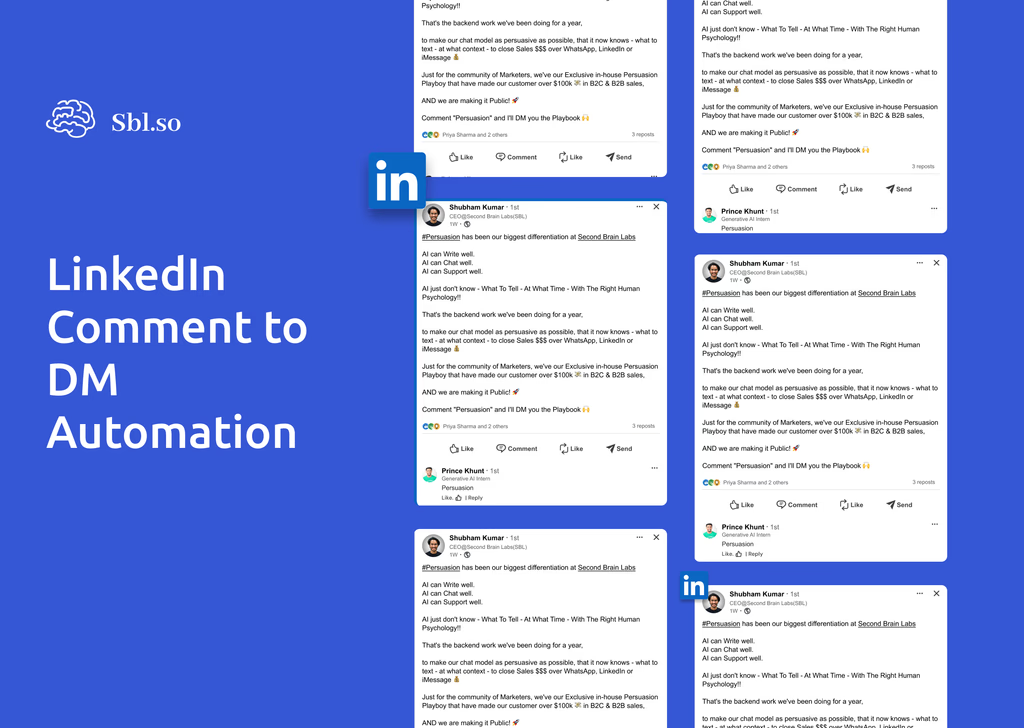
There’s another angle here that combines meme content with comment to DM automation. You post a meme on your feed with a CTA like “comment MEME and I’ll DM you the full collection.” When someone comments, automation sends them a DM with the resource and starts a conversation.
This works because your meme post attracts people who appreciate that type of content. They self-select by engaging. Then your DM automation continues the relationship from a position of demonstrated value.
The Balance: Humor Without Losing Authority
Here’s where I need to pump the brakes a little. Meme outreach on LinkedIn can absolutely work. But it can also backfire if you overdo it or misread your audience.
The best practitioners use humor as seasoning, not the main course. Their feed is mostly insights, case studies, and genuine expertise. Memes appear occasionally as a breath of fresh air. That contrast is what makes them effective.
If every piece of content you post is a joke, people stop taking you seriously. If you send meme DMs to cold prospects before any relationship exists, you seem unprofessional.
The sweet spot is memes as pattern interrupt after you’ve established credibility. Use them to re-engage warm prospects, break tension in stalled conversations, or humanize your brand after showing competence.
What’s Next for AI Meme Outreach
This space is evolving fast. A year ago, sending any rich media in LinkedIn DMs was unusual. Now it’s becoming standard practice for teams doing outreach automation.
The direction things are heading: more AI-generated personalization, better integration between content creation and delivery, and smarter systems that know when humor is appropriate based on conversation context.
Platforms are getting better at analyzing prospects’ profiles, their recent posts, their communication style, and adjusting accordingly. The meme that lands with a startup founder might not work for a corporate buyer. AI systems are learning to make those distinctions.
For now, the teams winning at meme outreach are combining good judgment with automation. They know their audience. They create genuinely funny, relevant content. And they use AI to handle the scale and timing while staying ready to jump into conversations that need a human touch.
Try it on your next ghosted prospect list. Pick your 5 most stale conversations. Send something that makes them smile. See what happens. Worst case, you learned something. Best case, you’ve got meetings booked with people who thought they’d never hear from you again.