I spent months grinding through LinkedIn outreach the hard way. Sending connection requests one by one. Writing follow-ups manually. Losing track of who replied and who ghosted me. Then I started automating and made every mistake possible. Burned through accounts. Sent the same message 400 times. Got restricted twice in one month.
So let me share what actually works now that I’ve figured it out. These aren’t generic tips like “personalize your messages” because obviously you should do that. These are specific efficiency moves you can apply today to cut your LinkedIn outreach time in half while getting better results.
TL;DR: LinkedIn Lead Automation Efficiency Tips
The five efficiency moves that actually matter: batch your campaign setup by ICP segment instead of one massive campaign, use smart variables beyond first name and company, build a reply-triage system so you know which conversations need human attention, optimize send timing based on your prospect’s timezone not yours, and automate follow-ups conditionally so you stop wasting effort on dead leads. LinkedIn automation tools can handle most of this if you set them up right.
Tip 1: Batch Campaign Setup by Micro-Segment
Here’s what most people do wrong. They export 2,000 leads from Sales Navigator, dump them into one campaign, and write a single message template. Then they wonder why their reply rate is 3%.
The efficiency hack is batching by micro-segment before you ever write a message.
Instead of one campaign with 2,000 leads, create five campaigns with 400 leads each. Each batch should share something specific: same industry, same company size, same trigger event, same pain point.
Why does this matter for efficiency? Because now your message template works harder. When every prospect in a batch is a Series A SaaS founder who just posted about hiring struggles, your message can reference that exact context. No custom research needed for each individual. The segment does the personalization work for you.
I tested this with a client last quarter. Their single-campaign approach was getting 4.2% positive reply rate. We split the same list into seven micro-segments based on job-change signals, hiring activity, and recent funding. Same total effort. Reply rate jumped to 11.3%.
The time investment is front-loaded. You spend maybe 30 extra minutes segmenting upfront. But you save hours later because you’re not trying to write messages that work for everyone and end up working for no one.
Tip 2: Use Smart Variables That Actually Create Variation
First name and company name are not smart variables. They’re basic variables. Every automation tool since 2018 has supported them. Your prospects know it.
Smart variables are the ones that create genuine message variation while still being automated. Here’s what I mean:
- Recent activity variables: Pull their most recent post topic or a comment they made. Not to mention it specifically but to inform your angle.
- Company context variables: Headcount growth, tech stack, industry vertical. Things that change your value proposition.
- Timing variables: How long they’ve been in role, when their company last raised, their team’s hiring velocity.
The efficiency gain comes from building these into your campaign once. You set up the data enrichment, create the variable logic, and every message benefits without additional work per prospect.
Most LinkedIn messaging automation tools support custom fields. The question is whether you’re using them beyond basic mail merge.
One variable that’s worked surprisingly well: company employee count range. “Saw you’re at around 50 people now” hits different than a generic opener. It shows you actually looked. And it takes zero manual research if you pull it during list building.
Tip 3: Build a Reply-Triage Workflow
This is where most automation setups waste the most human hours. You get 50 replies. Some are interested. Some are polite rejections. Some are wrong person. Some are spam. Some are questions you need to answer. Some are ready to book.
Without a triage system, you treat them all the same. You read every single one, decide what to do, craft a response. That’s maybe 3 to 5 minutes per reply. Fifty replies means 3 to 4 hours of inbox work.
The efficiency fix is categorization before response.
Build a simple system that sorts incoming replies into buckets:
- Hot: Expressed clear interest or asked about next steps. Priority response within 2 hours.
- Warm: Asked a question, wants more info. Respond within 24 hours with the answer.
- Neutral: Polite but noncommittal. Queue for follow-up sequence.
- Not now: Timing issue, ask again later. Tag and set reminder.
- Dead: Clear rejection or wrong person. Remove from campaign, no further action.
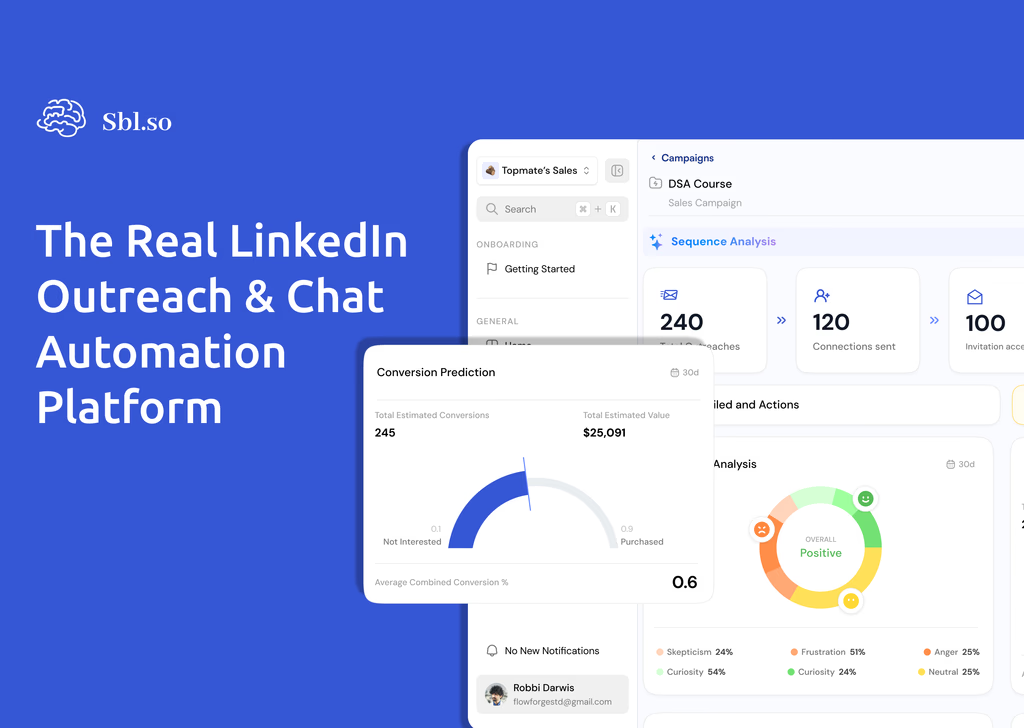
Some tools handle this automatically now. SBL.so does reply classification and can handle objections without human input for the routine stuff. The AI flags conversations that need human intervention so you’re only spending time on the ones that actually require your brain.
But even if you’re doing manual triage, the categorization step takes 30 seconds per reply instead of 3 minutes. You scan, tag, move on. Then you batch your responses by category. All hot leads in one session. All warm leads in another.
Tip 4: Optimize Send Timing Based on Prospect Timezone
I used to think send timing was overrated. Then I ran a split test.
Same message. Same audience. Same everything except send time. Campaign A went out at 9am my timezone which meant 4am for West Coast prospects. Campaign B went out at 9am prospect local time.
Campaign B had 34% higher connection acceptance rate and 28% higher reply rate.
The efficiency angle isn’t just about better results though. It’s about not wasting outreach volume on bad timing. If you’re limited to 50 to 75 connection requests per day because LinkedIn restricts aggressive sending, every wasted request is opportunity cost.
Most automation platforms support timezone-aware sending now. Use it. If yours doesn’t, batch your campaigns by geography so you can at least control send windows manually.
There’s also the weekday question. I’ve tested this extensively and honestly it varies by audience. But the one consistent finding: Monday mornings are terrible. Everyone’s inbox is slammed. Tuesday through Thursday mid-morning tends to work best for B2B.
The meta-efficiency tip here is to test once and apply forever. Run your timing tests, find what works for your ICP, then bake those settings into every future campaign. One week of testing saves you from suboptimal timing on every campaign after.
Tip 5: Automate Follow-ups Conditionally
Here’s the thing about follow-ups. They work. Most deals happen after the fifth touchpoint. All the data supports this.
But unconditional follow-ups are a waste of everyone’s time. If someone connected with you three weeks ago and never responded to your first two messages, sending message three probably isn’t going to change their mind. You’re just annoying them and burning goodwill.
Conditional follow-ups are the efficiency play.
The logic should be:
- If no response after message 1 and they viewed your profile, follow up.
- If no response and no profile view, try a different angle not another push.
- If they responded with “not now” or timing objection, queue for later follow-up with a reminder or relevant trigger.
- If they responded negatively, stop immediately.
- If they engaged with your content but didn’t reply to DM, reference that engagement in follow-up.
The efficiency gain is twofold. First you’re not sending messages that won’t work. Second you’re concentrating your limited daily outreach capacity on the prospects most likely to convert.
Most LinkedIn automation tools support basic conditional logic. But the advanced version is using engagement signals to inform follow-up timing and content. Someone who liked your recent post is warmer than someone who’s been silent for a month. Your follow-up should reflect that.
How Long Should You Wait Between Follow-up Messages on LinkedIn?
This is one of the most common questions I get about linkedin lead automation tips. And the answer is frustratingly it depends.
For cold outreach to people who don’t know you: 3 to 5 days between touches works well. You want to be persistent without being annoying.
For warm leads who’ve engaged: 1 to 2 days is fine. They’re already interested so faster follow-up is appreciated not pushy.
For re-engagement after a long silence: wait longer. If someone went cold a month ago, reaching back out the next day won’t help. Give it 2 to 4 weeks minimum.
The efficiency hack is setting these delays once in your automation rules and letting the system handle timing. You shouldn’t be manually deciding when to follow up with each prospect. That’s exactly the kind of decision-making overhead that automation should eliminate.
What’s the Best Way to Handle LinkedIn Message Limits?
LinkedIn’s limits are a real constraint. If you’re running efficient linkedin outreach at any scale, you’re going to hit them.
Current safe limits are roughly:
- 20 to 30 connection requests per day for newer accounts
- 50 to 75 for established accounts with good health
- 200 messages to first-degree connections per day
The efficiency strategies for working within limits:
Account rotation. Instead of pushing one account to its limits, spread outreach across multiple sender profiles. If you’re running agency campaigns or have a sales team, this is essential. Fractional SDR profiles can help here if you don’t have enough internal accounts.
Prioritize by intent. When you can only send 50 requests today, make sure those 50 are your highest-quality prospects. Don’t waste limited capacity on low-probability leads.
Warm up gradually. New accounts or accounts that haven’t been active shouldn’t jump straight to max volume. Start at 10 to 15 requests per day and build up over 2 to 3 weeks.
Mix activity types. Connection requests, messages, profile views, post engagement. Spreading your activity across types looks more natural and may give you more total touchpoints.
Should You Use AI to Handle LinkedIn Replies?
This is where linkedin automation efficiency gets interesting. The biggest time sink in LinkedIn outreach isn’t sending messages. It’s handling replies.
When someone responds, you need to:
- Read and understand their message
- Decide the appropriate response
- Write something relevant
- Send it promptly enough that they’re still engaged
That’s 3 to 10 minutes per reply depending on complexity. At scale this becomes a full-time job.
AI reply handling can automate the routine stuff. Questions you’ve answered before. Objections with standard responses. Scheduling requests. Simple qualification questions.
The key is having clear escalation rules. AI should handle the 60 to 70% of replies that are predictable. Humans should handle the complex stuff: pricing negotiations, unusual use cases, strategic accounts, anything that feels off.
I’ve seen teams cut their inbox time by 80% with good AI reply systems. But I’ve also seen AI make embarrassing mistakes when it wasn’t trained properly. The efficiency gain only works if the AI knows its limits.
How Do You Know If Your LinkedIn Automation Is Actually Working?
Lot of people measure the wrong things. Connection request volume. Messages sent. These are activity metrics not outcome metrics.
The efficiency metrics that matter:
- Connection acceptance rate: Target 30 to 50% for cold outreach, higher for warm.
- Positive reply rate: Interested responses divided by messages sent. Target 5 to 15% depending on your offer.
- Meeting booked rate: The actual outcome you want. Track meetings from outreach not just conversations.
- Human hours per meeting: How much time are you actually spending to book each call?
If your connection acceptance is high but reply rate is low, your opening message is the problem. If reply rate is decent but meetings aren’t booking, your qualification or conversation handling needs work.
Track these weekly. Build a dashboard if you have to. The efficiency gains come from identifying bottlenecks and fixing them not from blindly sending more volume.
What’s the Fastest Way to Set Up a New LinkedIn Campaign?
If you’ve followed the other tips, campaign setup should take under 15 minutes:
- Import your pre-segmented prospect list. 2 minutes if you’ve already done the filtering.
- Select your message template for this segment. 1 minute if you’ve built a template library.
- Configure smart variables. 2 minutes if your enrichment is automated.
- Set timezone-aware send windows. 30 seconds.
- Configure conditional follow-up rules. 2 minutes if you’re using saved sequences.
- Review and launch. 2 minutes.
The setup time shrinks because you’re reusing components. First campaign might take an hour. Fifth campaign takes 10 minutes. Twentieth campaign takes 5.
That’s the real efficiency gain from LinkedIn automation. Not just sending faster but building systems that compound over time.
Common Mistakes That Kill LinkedIn Automation Efficiency
Let me be honest about what doesn’t work. I’ve made most of these mistakes myself.
Using one massive campaign. Already covered this but it’s worth repeating. Smaller segments with tailored messaging beat mass blasts every time.
Sending too fast from new accounts. LinkedIn will restrict you. I’ve seen accounts get suspended after two days of aggressive sending. The short-term efficiency isn’t worth the long-term cost.
Ignoring negative signals. If someone says not interested, stop messaging them. If they haven’t engaged with anything in 30 days, deprioritize. Continuing to push wastes your limited outreach capacity.
Over-automating. Some conversations need human judgment. Strategic accounts, unusual objections, pricing discussions. Build escalation into your workflow.
Not tracking outcomes. You can’t improve what you don’t measure. If you’re just sending and hoping, you’re definitely leaving efficiency on the table.
Treating automation as set-and-forget. Even the best campaigns need optimization. Review performance weekly. Tweak messages. Adjust targeting. Automation handles execution but humans should drive strategy.
The Stack That Works
After testing dozens of combinations, here’s what I’ve landed on for efficient linkedin outreach:
Prospect sourcing: Sales Navigator with saved searches for your ICP segments. Export to your automation tool.
Enrichment: Add context variables during or after export. Company data, hiring signals, funding data, recent activity.
Outreach execution: Automation tool with timezone sending, conditional follow-ups, account rotation if needed.
Reply handling: Either AI-powered classification and response or a solid manual triage system.
CRM sync: Make sure conversations and outcomes flow into your sales system. You shouldn’t be manually logging activities.
The fewer tools the better honestly. Context switching between platforms kills efficiency. If you can find a LinkedIn automation tool that handles most of the workflow in one place, that’s usually better than stitching together five specialized tools.
What These Tips Actually Save You
Let me give you rough numbers from implementing these changes.
Before optimization: 4 hours daily on LinkedIn outreach. That includes list building, message writing, sending, reply handling, follow-ups, tracking.
After implementing batched campaigns, smart variables, reply triage, optimized timing, and conditional follow-ups: 45 minutes to 1 hour daily.
That’s 3+ hours saved per day. 15+ hours per week. And the results were better because the system was smarter not just faster.
Your numbers will vary. But the principle holds. Efficiency in LinkedIn automation comes from working smarter on the setup so execution becomes almost automatic.
The goal isn’t to spend more time on LinkedIn. It’s to spend less time while getting more qualified conversations. These five tips are the foundation for that.