By the end of this post, you’ll know exactly why LinkedIn bans accounts, what the platform actually cares about when it comes to automation, and which tools let you automate LinkedIn outreach safely in 2026 without waking up to a restricted inbox. I’ve tested 47 tools over the past two years and watched 3 accounts get nuked in the process. So yeah, I’ve learned some things the hard way.
Why LinkedIn Bans Accounts (It’s Not What You Think)
Here’s the thing most people get wrong. LinkedIn doesn’t hate automation. They hate bad automation.
Let me explain what I mean. LinkedIn makes money when people stay on the platform, engage with content, and have real conversations. What they don’t want is their platform turning into a spam wasteland where every DM is a pitch and nobody trusts anyone.
So when their algorithm flags your account, it’s not because you used a tool. It’s because your behavior looked like a robot pretending to be human. The detection systems in 2026 are way smarter than they were even two years ago. They use machine learning now to spot patterns that don’t match human behavior. Things like sending messages at 3 AM consistently, using the exact same template 200 times, or jumping from 5 connection requests to 100 overnight.
The triggers that get accounts banned include:
- Exceeding daily connection limits (20-30 is the safe zone now, not 50)
- Acceptance rates dropping below 30%
- Using browser extensions that LinkedIn can easily detect
- Skipping the warm-up period and going full throttle immediately
- Sending messages with obvious template patterns
Browser-based tools now carry a 60% higher ban risk than cloud-based alternatives. That stat alone should change how you think about tool selection.
What LinkedIn Actually Wants From Automation Users
I had a conversation with someone who works in LinkedIn’s trust and safety department at a conference last year. Obviously couldn’t quote them directly, but the gist was interesting.
LinkedIn’s problem isn’t with people using tools to be more efficient. Their problem is with people destroying the user experience for everyone else. When someone gets 50 identical pitch messages in a week, they stop checking their inbox entirely. That hurts LinkedIn’s engagement metrics. That’s what they care about stopping.
So the question becomes: can you automate in a way that actually improves the experience? That means personalization that feels real. That means respecting limits. That means warming up accounts properly.
The 2026 safe automation thresholds look like this:
- 20-30 connection requests per day maximum
- 14-day manual warm-up before any automation
- Acceptance rates must stay above 40%
- Variable delays between actions (not robotic timing)
- Never exceed 50 automated messages daily, even with high SSI scores
The Safest LinkedIn Outreach Tools in 2026 (Ranked)
After testing dozens of platforms and watching what happens to accounts over time, here’s my honest ranking of the best safest LinkedIn outreach tools in 2026. I’m ranking these based on account safety first, features second.
#1 Sbl.so
I’m putting Sbl.so at the top for a specific reason. It’s the only tool I’ve used that actually handles the conversation after someone replies. Most tools send messages and then leave you hanging. Sbl’s AI takes over the chat, handles objections, and pushes toward your goal, whether that’s booking calls or qualifying leads.
The safety features are what matter here though. Cloud-based architecture means LinkedIn can’t detect it through browser permissions. Automatic account rotation when profiles hit limits. Smart delays that mimic actual human behavior. They’ve been quietly building since 2023 and their approach to sending automated messages on LinkedIn is fundamentally different.
What makes it safer than alternatives is the behavioral science layer. The system doesn’t just blast templates. It actually understands conversation flow, which means your messages look and feel human. That’s what keeps acceptance rates high and ban risk low.
You can connect unlimited LinkedIn accounts to one workspace, and all chats appear in a unified inbox. If you’re scaling with multiple profiles, that’s how you scale LinkedIn outreach with fractional SDR profiles without losing track of conversations.
#2 Expandi
Expandi has been around for a while and they’ve invested heavily in safety features. Cloud-based, dedicated IP addresses for each account, and smart limits that adjust based on your account’s history.
The downside? It stops at sending messages. When someone replies, you’re on your own. For teams that have SDRs ready to jump in, that’s fine. For solo founders trying to automate the whole process, it creates a bottleneck.
Their warm-up features are solid though. The system gradually increases activity over time, which is exactly what LinkedIn wants to see. If you’re comparing options, the Expandi alternatives landscape has gotten more competitive, but Expandi still holds up for safety-focused users.
#3 Waalaxy
Waalaxy combines LinkedIn and email in one sequence, which is useful for multi-channel outreach tactics. Their safety approach focuses on realistic delays and daily limit management.
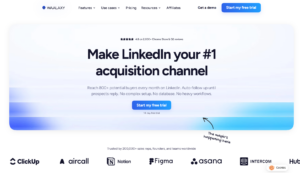
The Chrome extension version carries more risk than their cloud option. If you’re using Waalaxy, stick with the cloud-based plan. The price difference isn’t worth the ban risk.
One thing I like is their response detection. Campaigns automatically pause when someone replies, which prevents the awkward situation of sending a follow-up after someone already said yes. The Waalaxy alternatives worth considering depend heavily on whether you need that email integration or not.
#4 Dripify
Dripify positions itself as a safe automation tool with smart sequences. Cloud-based, proper limits, and decent analytics. It does what it says.
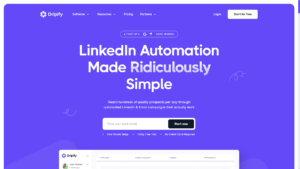
The limitation is similar to others in this category. It’s a sequencing tool, not a conversation tool. You set up your if-then logic, launch campaigns, and handle replies manually.
For agencies managing multiple clients, the workspace structure works well. You can see how different campaigns perform across accounts. If you’re exploring the market, check out the Dripify alternatives to see what else fits your workflow.
#5 HeyReach
HeyReach is newer to the scene but has built a reputation for account safety. Their approach focuses on sender rotation and realistic activity patterns.
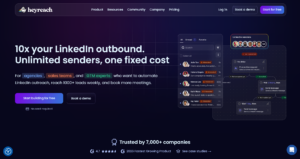
The interface is clean and the learning curve is low. For teams new to LinkedIn automation, that matters. You can be running campaigns within an hour of signing up.
Where it falls short is the same place everyone except Sbl falls short. No chat automation. When your prospect asks a question, you’re handling it yourself. The HeyReach alternatives comparison really comes down to whether you need deeper AI capabilities or simpler sequencing.
The 3-Week Warm-Up Protocol That Actually Works
I mentioned warm-up periods a few times. Here’s the exact process I use before launching any automated campaign on a new or dormant account.
Week 1: Manual profile views only. 20-30 profiles per day. Just viewing. No connection requests, no messages. This establishes baseline human activity in LinkedIn’s eyes.
Week 2: Engagement without outreach. Like posts from your target audience. Comment on content in your niche. Join a few relevant groups. Still no connection requests.
Week 3: Light automation at 40% of safe limits. This means 10-15 automated connection requests daily. Monitor your acceptance rate daily. If it drops below 40%, pause and adjust your targeting.
After week 3, you can gradually scale up. But the keyword is gradually. Jumping from 15 to 50 requests overnight is exactly the kind of pattern that triggers flags.
How to Monitor Account Health (And When to Pause)
Most people don’t realize their account is in trouble until they’re already restricted. Here are the warning signs to watch for when you automate LinkedIn outreach safely in 2026:
Acceptance rate below 30%: This is your primary health indicator. If less than a third of your connection requests get accepted, LinkedIn sees you as irrelevant or spammy. Pause immediately and fix your targeting.
Sudden engagement drops: If your posts or messages were getting responses and suddenly they’re not, something might be wrong. LinkedIn may be reducing your visibility as a soft warning.
Connection request throttling: If you try to send a request and get told to try again later, you’ve hit a limit. This isn’t a ban, but it’s a yellow flag.
SSI score declining: Your Social Selling Index matters more than people think. Scores above 40 give you more headroom. Below 40, stay conservative with limits.
The best approach is daily monitoring. Check your acceptance rate every morning. Look at your campaign analytics. Treat it like checking your bank balance. Small problems become big problems when ignored.
Cloud-Based vs Browser Extensions: The Safety Math
Let me be direct about this. Browser extensions are cheap and easy, but they carry significantly higher risk in 2026.
LinkedIn can see when something is accessing your account through browser permissions. They can detect automation scripts running in the page. The 60% higher ban rate for browser tools isn’t a made-up number. It’s what we’re seeing across thousands of accounts.
Cloud-based tools run from external servers. They use proper proxies. LinkedIn sees the activity as coming from a regular web session, not from an automation layer sitting on top of their page.
The price difference is usually $20-50 per month. That’s nothing compared to the cost of getting your primary LinkedIn account restricted and losing years of network building.
Using Multiple Accounts to Scale Safely
If you need higher volume than one account can safely provide, the answer isn’t to push limits harder. It’s to use multiple accounts with proper rotation.
This is where tools like Sbl.so shine. You can connect 50 accounts to one workspace, and the system automatically rotates between them. When one profile hits LinkedIn’s daily limit, the next takes over. All conversations appear in one unified inbox.
The math works out to 40,000+ reach-outs per month at email-level scalability, but on LinkedIn. That’s LinkedIn outreach scaled at email level without the ban risk that comes from overloading single accounts.
Some teams use fractional SDR profiles for this. Real people who lend their accounts for outreach in exchange for a monthly fee. It’s a legitimate way to scale without creating fake profiles.
The Message Personalization That Keeps You Safe
Template messages get flagged. Personalized messages don’t. It sounds obvious, but most people still send the same generic pitch to everyone.
What works in 2026:
- References to specific content they’ve posted
- Mentions of mutual connections (if genuine)
- Comments on recent company news or role changes
- Questions that could only apply to them
What gets you flagged:
- “Hi {first_name}” as the only personalization
- Identical message bodies across hundreds of sends
- Generic compliments that could apply to anyone
- Pitch-first messages with no context
The LinkedIn outreach chat automation approach works because it treats each conversation as unique. Not just the opening message, but the entire thread.
When Automation Should Hand Off to Humans
I think a lot about when AI should handle things versus when humans need to step in. Even with great automation, some situations require human judgment.
Complex objections need human touch. If someone raises a specific concern about your pricing or approach, a human can address nuance that AI might miss.
High-value prospects deserve personal attention. If someone from your dream account replies, maybe don’t let the bot handle the whole conversation.
Confusion or misunderstanding signals need intervention. When the conversation goes sideways, a human can course-correct faster.
Sbl’s approach handles this well. The system flags conversations that need “Human Intervention Required” instead of fumbling through with wrong information. You can jump into any chat at any time. Turn off the AI toggle and take over manually.
The Data Quality Foundation
Safe automation starts before you send anything. It starts with clean data.
Outdated job titles mean your targeting is wrong. Inactive profiles waste your daily limits. Wrong company information makes your personalization look sloppy.
Before running any campaign, verify:
- Employment information is current
- Contact is still active on LinkedIn
- Company data matches your ICP
- Recent activity shows they actually use the platform
The best B2B data enrichment tools can handle this verification automatically. Spending an hour on data quality saves you days of wasted outreach.
Coordinating With Broader Marketing (This Actually Matters)
Here’s something that surprised me when I first learned it. Outreach works better when it’s not the first touch.
If someone has seen your content, engaged with your posts, or clicked your ads before getting your connection request, acceptance rates go up significantly. They recognize your name. You’re not a stranger.
The highest response rates happen when social selling on LinkedIn is part of a bigger strategy. Content warms people up. Ads create familiarity. Then outreach converts.
This doesn’t mean you need a huge marketing budget. Even basic content posting and engagement can warm up your target audience before automation kicks in.
The Future of Safe LinkedIn Automation
I think we’re heading toward a world where the tools that survive are the ones that actually make LinkedIn better, not worse. The spam tools will keep getting detected and banned. The tools that respect limits and create genuine conversations will keep working.
LinkedIn’s API doesn’t offer deep outreach controls officially. That’s not changing anytime soon. So third-party tools will continue to exist. But the ones that prioritize account safety and user experience will win long-term.
If you’re building an outreach system in 2026, invest in tools that think about safety first. The best safest LinkedIn outreach tools in 2026 aren’t the ones with the flashiest features. They’re the ones that keep your account alive while getting results.
And honestly? The best tool is one that handles the boring parts so you can focus on the conversations that actually matter. Whether that’s AI sales automation for prospecting or just basic sequencing, choose something that won’t get you banned next month.
Start slow. Monitor daily. Scale gradually. That’s how you automate LinkedIn outreach safely in 2026 without becoming another cautionary tale.