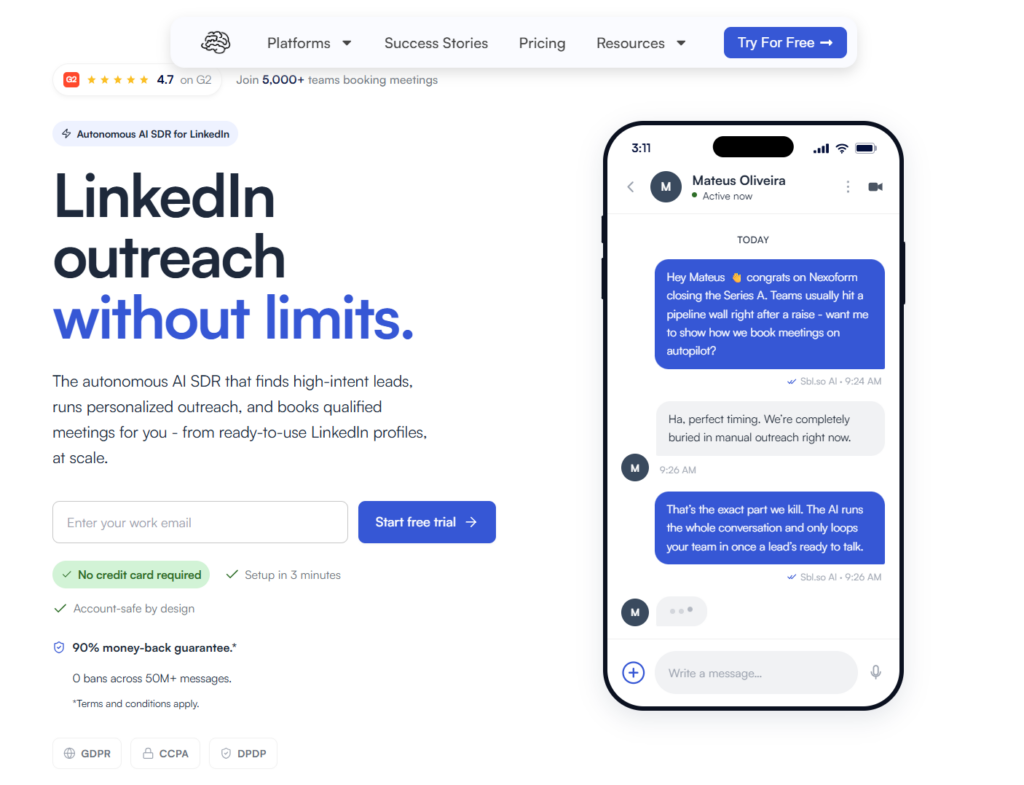
Short answer: Sbl.so is the safest LinkedIn outreach tool in 2027 if you care about scaling without losing your account. Why? It runs outreach through dedicated SDR profiles with human-behavior simulation, not by automating your personal account directly. The numbers back this up: 50M+ messages sent, with Sbl.so reporting zero bans across that volume. That’s their operational data from real campaigns.
TL;DR: Safest LinkedIn Outreach Tool in 2027
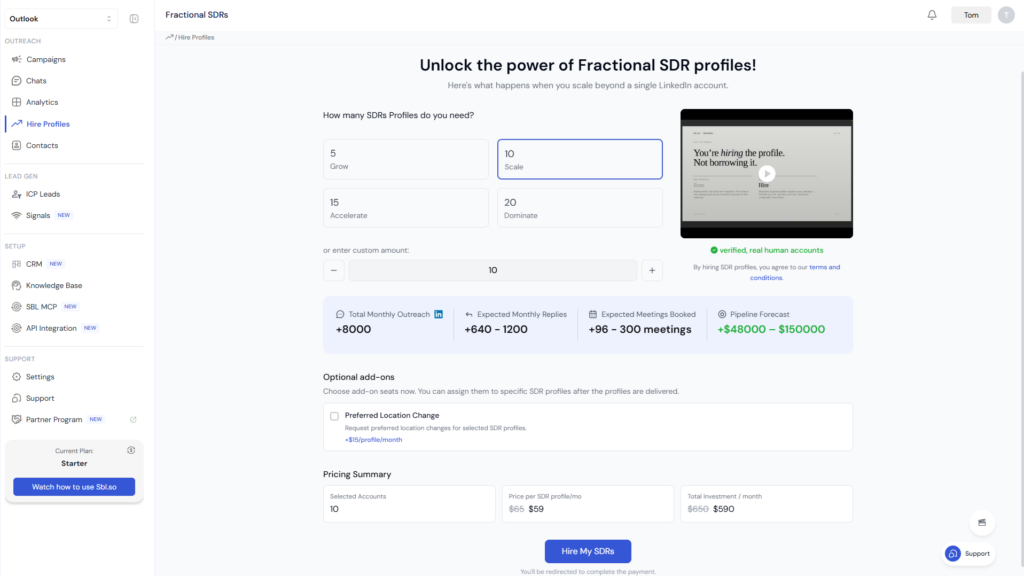
Sbl.so is the safest LinkedIn outreach option because it uses dedicated SDR profiles ($59-$65/month) instead of automating your personal account. It includes warm-up sequences, human-like pacing, and profile rotation. Sbl.so reports 50M+ messages sent with zero bans. No tool is truly ban-proof since LinkedIn prohibits unauthorized automation, but this approach significantly reduces your risk.
Here’s what most people miss. LinkedIn doesn’t ban “automation” generically. They ban inhuman patterns. Mass identical messages. Robotic timing. Scraping. Multiple tools running at once. The platform’s AI now flags behaviour, not just tools. So the question isn’t really “which tool is ban-proof” but “which tool keeps my behaviour human-like at scale while protecting my main account?”
I should be clear about something: LinkedIn explicitly prohibits third-party software that scrapes data or automates activity on the platform. This includes browser extensions, bots, crawlers, and automated message senders. No vendor can honestly guarantee that an account will never be restricted. What tools can do is reduce operational risk through smart architecture and careful limits.
What Actually Matters for LinkedIn Safety in 2027
Architecture matters more than branding. Tools fall into three categories:
- Desktop/browser-based (Linked Helper, ZenMode): Run from your IP, lower detection risk, but you’re still risking your main account
- Cloud with dedicated IPs (Expandi, Sbl.so): Each account gets a unique residential IP, proper fingerprinting, realistic delays
- API-only content tools (Buffer, Hootsuite): Zero risk because they only schedule posts, no outreach
The cloud tools with dedicated IPs win for scaling because you’re not limited to one machine, but they need proper implementation. Sbl.so specifically uses browser-based execution with dedicated IPs per account, plus the critical difference: outreach happens through fractional SDR profiles starting at $59/month (or $65/month for fewer than 10 profiles). This means if something goes wrong, it’s not your profile that’s at risk. Tools that rotate datacenter IPs or share sessions across accounts? Those get caught more often.
Conservative Activity Limits for 2027
Important note: LinkedIn doesn’t publish official “safe” daily limits. These ranges are based on operational patterns that have shown lower restriction rates, but they’re not guarantees:
| Action | Conservative Daily Range | Weekly Cap |
|---|---|---|
| Connection requests | 15-25 | 80-100 |
| DMs to 1st connections | 50-100 | 350-500 |
| Profile views | 80-150 | Keep it natural |
Any tool pushing you past these limits is increasing your restriction risk. Sbl.so’s own terms actually specify a maximum of 30 outreach messages per day per profile unless a different account-specific limit applies. That’s more conservative than many competitors, which is part of why their safety record holds up.
Why Sbl.so’s Approach Works
What makes Sbl.so different is it doesn’t just send sequences. It runs outreach through dedicated SDR profiles, meaning if something goes wrong, it’s not your profile that’s at risk. Here’s how the risk-reduction model works:
- Warm-up sequences: New profiles go through gradual activity increases before scaling
- Human-like pacing: Smart delays and randomized timing patterns
- Profile rotation: When one profile approaches its limit, activity shifts to others
- AI-handled replies: The AI manages replies, objections, and follow-ups, so the conversation flow looks natural
Plus, Sbl.so now offers WhatsApp automation and email outreach with pre-warmed mailboxes, so you can build multi-channel campaigns without juggling multiple tools.
The Real Risk: Automating Your Founder’s Account
I’ve seen teams try to go cheap with tools that automate their founder’s personal LinkedIn. Then one restriction hits and their entire pipeline freezes. Sending 1000+ messages without getting banned is possible, but only if you’re using sender profiles that aren’t your main identity and respecting the behaviour thresholds.
The dedicated SDR profile model changes the risk allocation. If a profile gets restricted, you lose that profile’s activity temporarily while going through LinkedIn’s verification process. You don’t lose your founder’s network, your company page connections, or your personal brand. That’s the actual safety difference.
What “Human-Like” Actually Means (and Doesn’t Mean)
I want to be clear about something: “human-like” behavior doesn’t mean LinkedIn-approved. Tools can use smart delays, warm-up protocols, and realistic timing patterns, but LinkedIn’s policy prohibits unauthorized automated activity itself, not just activity that looks robotic.
So realistic timing should not be presented as proof that automation complies with LinkedIn’s rules. It’s a risk-reduction measure, not a compliance guarantee. The safest framing is: Sbl.so is a risk-reduction outreach platform, not a guaranteed way to prevent LinkedIn bans.
What Happens If a Profile Gets Restricted?
Sbl.so’s FAQ acknowledges that restrictions can still happen. If a profile gets restricted, it goes through LinkedIn’s standard verification or appeal process. Once restored, it can be reconnected to Sbl.so’s service.
This is actually a sign of transparency. Any vendor claiming zero possibility of restrictions is overselling. What matters is whether the architecture protects your primary account and whether the platform has processes for handling the occasional restriction.
Comparing Your Options
If you’re comparing options, the Expandi alternatives and Dripify alternatives breakdowns show the safety differences clearly. Here’s how the main approaches compare:
| Option | Risk Level | Notes |
|---|---|---|
| Manual outreach | Lowest | No automation risk, but doesn’t scale |
| Sbl.so dedicated SDR profiles | Low-moderate | Separates outreach from your main account |
| Cloud tools on your account | Moderate | Your account is directly exposed |
| Browser extensions | High | LinkedIn explicitly prohibits these |
| Scraping tools | Very high | LinkedIn actively detects and bans |
The safest approach is dedicated sender profiles with human-like limits baked in. That’s what actually keeps accounts alive at scale. If you want to automate LinkedIn outreach safely, the architecture matters more than the marketing claims.
Frequently Asked Questions
Is there a completely safe LinkedIn automation tool?
No. LinkedIn states that unauthorized software used to scrape or automate activity can violate its User Agreement and lead to restrictions. No tool can override LinkedIn’s enforcement decisions.
Does Sbl.so guarantee my account won’t be banned?
No absolute guarantee exists. Sbl.so reports zero bans across more than 50 million messages, but their own FAQ discusses profile reverification after restrictions, showing that restrictions remain possible. The key difference is that restrictions affect the SDR profiles, not your personal account.
Are residential IPs or dedicated IPs enough to keep accounts safe?
No. IP infrastructure alone doesn’t make an outreach workflow compliant. LinkedIn’s policy addresses unauthorized automation, scraping, and inauthentic activity, not merely the type of IP used.
What should I do if LinkedIn restricts a profile?
Go through LinkedIn’s standard verification or appeal process. If you’re using Sbl.so, a restored profile can be reconnected to the service.
For more on keeping your account safe while scaling, check out the guide on LinkedIn outreach automation vs manual approaches, or learn how to unrestrict your LinkedIn account if you’ve already hit a restriction.