Black Friday 20% off your first 3 months on any plan.

0 Days
:
00 Hours
:
00 Mins
:
00 Secs
Claim 20% off →
G24.7 on G2Used by 5,000+ teams

AI Lead Finder · SBL Leads

AI B2B Lead Finder: Describe Your ICP, Get a LinkedIn Lead List in Minutes.

Skip the filter-heavy search screens and boolean strings. Type who you sell to in plain English and the AI B2B lead finder in SBL builds a list of matching LinkedIn leads, built to land in under 10 minutes. Then message them from the same workspace.

  • 7-day free trial
  • Leads sourced from LinkedIn
  • Outreach in the same workspace
AI Lead FinderIllustrative
Describe your ideal customer
Get me Sales Leaders, SDR Managers and VPs of Sales in Financial Services companies with 200 to 1000 employees, based in the US. Skip staffing agencies.
152 characters · minimum 100 Find leads
Example resultsReview before use
PNPriya Nair · VP SalesAcme Ledger · Fintech · 420 employees · USin
DMDaniel Moss · SDR ManagerNorthwind Capital · Asset management · 650 · USin
ARAisha Rahman · Head of SalesBrightpath Pay · Payments · 310 · USin
TOTom Okafor · Sales DirectorRidgeway Lending · Lending · 880 · USin
Sourced from LinkedIn3 selected · Add to campaign
5,000+
teams use SBL across 1,000+ companies
50M+
messages sent through the platform
$38.5M
in pipeline created by customers
0
account bans, with a 99.7% safety rate

The problem

Why Building a B2B Lead List Still Eats Your Week

Most lead tools hand you a filter panel and wish you luck. You end up translating your ICP into their categories, exporting, cleaning and re-importing before a single message goes out.

The usual way

5 steps, 2+ tools
  1. 1Stack filters in a lead database
  2. 2Guess the right job-title keywords
  3. 3Export a CSV and clean it
  4. 4Import it into a separate sequencer
  5. 5Write the messages yourself

With SBL Lead Finder

3 steps, 1 workspace
  1. 1Describe your ICP in a few sentences
  2. 2Review the leads the AI found
  3. 3Launch outreach from the same screen

The prompt is the filter. If your ICP fits in a sentence you would say to a new SDR, it fits in the box.

How it works

How Does the AI B2B Lead Finder Work?

Three steps. No filter trees, no exports, no second tool.

1

Describe your ICP in plain English

Write who you want the way you would brief a new SDR: roles, company size, industry, region, and who to leave out. The prompt needs at least 100 characters, which pushes you to be specific enough for a useful list.

New lead searchPrompt
Pull Heads of Marketing and CMOs in companies with 200 to 1000 employees. B2B software only, North America and UK, ignore agencies and consultancies.
Character check passed155 / 100 min
2

The AI builds your ICP lead list

SBL reads the prompt, works out the roles and company profile, and searches LinkedIn for people who match. The Lead Finder is built to return leads on your ICP in under 10 minutes, so you can run a few versions of a prompt in one sitting.

Finding leadsTarget: under 10 min
Reading your ICPRoles, company size, industry, regionDone
Matching LinkedIn profilesPeople who fit the roles you namedDone
Applying exclusionsAgencies and consultancies removedRunning
Preparing your listReady for reviewQueued
3

Review, then start outreach

Check the list before you use it. AI-identified leads may not always be accurate, so the app asks you to review them. Keep the good ones, drop the rest, and add them to a campaign in the same workspace.

Review leadsExample
PNPriya Nair · VP SalesAcme Ledger · Fintech · 420 employees · USin
DMDaniel Moss · SDR ManagerNorthwind Capital · Asset management · 650 · USin
ARAisha Rahman · Head of SalesBrightpath Pay · Payments · 310 · USin
Add 2 to LinkedIn campaignRemove 1

Inside the app

The Lead Finder Prompt Screen, As It Looks Today

No mock-up here. This is the screen you land on when you open Leads in SBL.
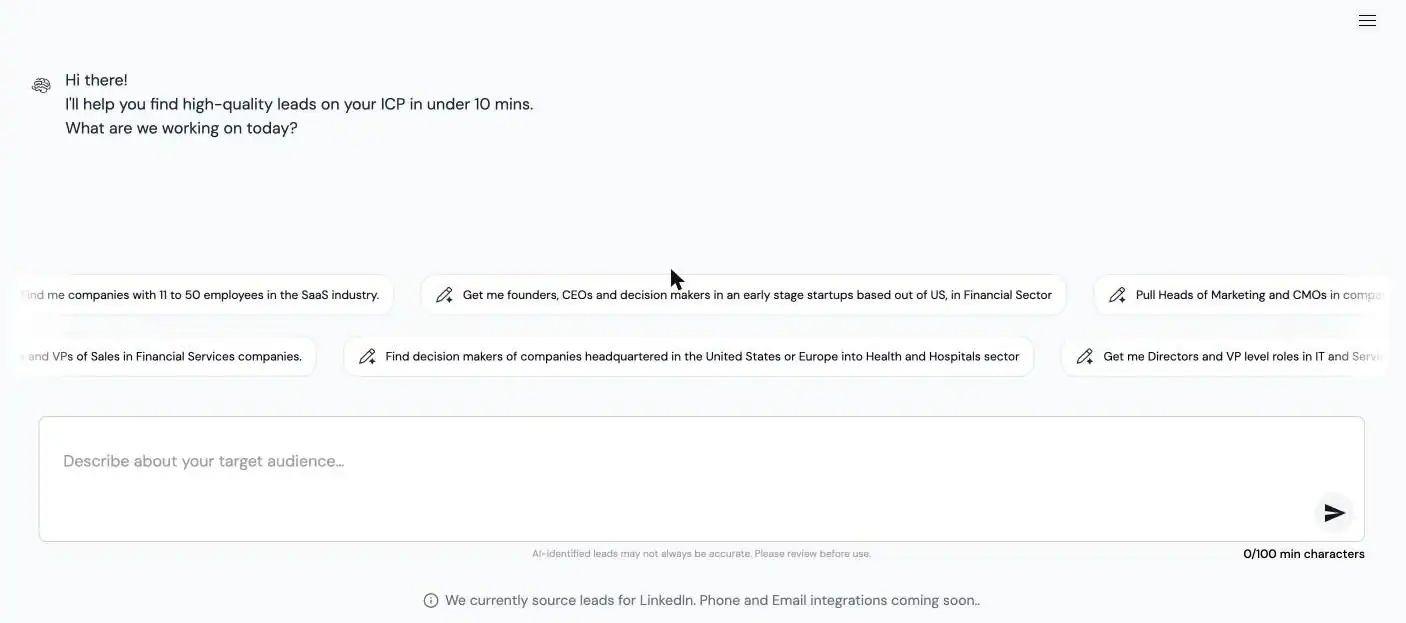
Leads · AI Lead Finderapp.secondbrainlabs.com
SBL AI Lead Finder screen with a natural-language ICP prompt box and example prompts
The ICP prompt box in SBL, with the example prompts the app suggests.

Example prompts

ICP Lead List Prompts You Can Copy

These four starting points come straight from the Lead Finder. Use them as a base, then add detail until you clear the 100-character minimum.

“Find me companies with 11 to 50 employees in the SaaS industry.”
Example prompt from the app
“Get me founders, CEOs and decision makers in early stage startups based out of US, in Financial Sector”
Example prompt from the app
“Pull Heads of Marketing and CMOs in companies with 200 to 1000 employees.”
Example prompt from the app
“Get me Sales Leaders, SDR Managers and VPs of Sales in Financial Services companies.”
Example prompt from the app

What a good prompt includes

Four parts cover most B2B ICPs:

  • Roles: Name the titles and the seniority. “VPs of Sales and SDR Managers” beats “sales people”.
  • Company profile: Headcount range, industry, and stage. “200 to 1000 employees, B2B software”.
  • Geography: Countries or regions you can actually sell into.
  • Exclusions: Who to leave out: agencies, competitors, existing customers by type.
Turning an example into a full promptExample
STARTING POINT · 84 characters
Get me Sales Leaders, SDR Managers and VPs of Sales in Financial Services companies.
READY TO RUN · 152 characters
Get me Sales Leaders, SDR Managers and VPs of Sales in Financial Services companies with 200 to 1000 employees, based in the US. Skip staffing agencies.

What you get

Find B2B Leads With AI, Then Reach Them in the Same Workspace

A lead list is only useful once someone replies. SBL keeps the list, the outreach and the replies in one place across LinkedIn, email and WhatsApp.

Plain-English ICP search

One text box replaces the filter panel. Change a word, run it again, compare lists.

LinkedIn leads, clearly sourced

Every lead comes from LinkedIn today. Phone numbers and emails are marked as coming soon, so we do not promise them.

Review before you send

The app tells you plainly that AI can get leads wrong. You approve the list before anyone gets a message.

Straight into a campaign

Add reviewed leads to a LinkedIn campaign without exporting a CSV. You can still upload your own CSV lists for any channel.

AI that replies and books

SBL writes personalized messages, replies to prospects, handles objections, qualifies and books meetings. It flags “Human Intervention Required” when it should not guess.

Public API and MCP server

Trigger campaigns and pull leads from your own tools, or run SBL from Claude through the MCP server.

Compare

LinkedIn Lead Finder vs. Doing It by Hand

How the SBL Lead Finder stacks up against the two ways most teams build lists today.

SBL AI Lead FinderManual LinkedIn searchFilter-based lead database
How you describe your ICPA plain-English promptKeyword and filter combosDropdown filters per field
Time to a first listBuilt to return leads in under 10 minutesHours of scrolling and copyingDepends on how well filters map to your ICP
Source of leadsLinkedIn (phone and email coming soon)LinkedInVaries by vendor
Outreach after the listSame workspace: LinkedIn, email, WhatsAppSeparate toolExport, then import elsewhere
AI replies and meeting bookingYes, with human hand-offNoUsually not included

Three ways to find leads

Pick the Lead Source That Fits the Job

The Lead Finder is one of three tools in SBL Leads. All three source leads from LinkedIn today and feed the same campaigns.

You are here

AI Lead Finder

Start from a description of your ICP. Best when you know who you want and need a list fast.

Buying Signals

Signal Agents watch for job changes, funding, hiring and competitor engagement, and add new leads every 24 hours.

Explore Buying Signals

Pricing

One Plan for Leads and Outreach

Lead Finder sits inside your SBL plan, next to LinkedIn, email and WhatsApp outreach. Every plan starts with a 7-day free trial. Pay quarterly and save 20%.

Starter

$99/ month

$79.20 a month when billed quarterly.

Pro

$189/ month

$151.20 a month when billed quarterly.

Agency

$499/ month

Limited-time price. $399.20 a month when billed quarterly.

Plan limits and what each tier includes are listed on the pricing page.

Compare SBL plans and limits

FAQ

Frequently Asked Questions

It is a tool that turns a written description of your ideal customer into a list of matching people. In SBL you type your ICP in plain English, the AI works out the roles and company profile, and it returns LinkedIn leads you can review and add to a campaign.

The Lead Finder is built to return leads on your ICP in under 10 minutes. Very broad or very narrow prompts can change what you get back, so it is worth running two or three versions of a prompt.

Short prompts produce vague lists. The 100-character minimum makes you include the parts that matter: roles, company size, industry, region and who to exclude.

Not yet. Leads are sourced from LinkedIn today. Phone and email are marked as coming soon in the app, so plan your first campaigns on LinkedIn.

No tool gets every lead right, and SBL says so in the app. AI-identified leads may not always be accurate, so review the list and remove anyone who does not fit before you start outreach.

Lead Finder results are LinkedIn leads, so they go into LinkedIn campaigns. For email and WhatsApp you can upload your own leads by CSV and run them from the same workspace and unified inbox.

Lead Finder starts from a description of who you want. Buying Signals starts from an event, such as a job change or funding round, and adds new leads every 24 hours. The Lookalike Company Finder starts from companies you already sell to.

Lead Finder is part of your SBL plan. Plans are Starter at $99 a month, Pro at $189 a month and Agency at $499 a month for a limited time. Quarterly billing saves 20% and every plan starts with a 7-day free trial.

Describe Your ICP. Get Your First Lead List Today.

Write one good paragraph about who you sell to, review the LinkedIn leads SBL finds, and start a campaign from the same screen. The trial is 7 days.

7-day free trial · LinkedIn leads · Review before use
Lead Generation Guides

"Best LinkedIn Tool for Converting Engagement to Sales Leads - 2560x1440px, large white headline (72-80px bold) centered on image, minimalist LinkedIn icon with connecting arrows symbolizing engagement to leads, soft cloudy gradient background blending #3657D5 royal blue, light periwinkle, and deep navy, dreamy atmospheric aesthetic, 80px padding from all sides, NOT transparent, clean modern design --ar 16:9"

What is the best LinkedIn tool for turning post engagement into sales leads?

What is the best LinkedIn tool for turning post engagement into sales leads?
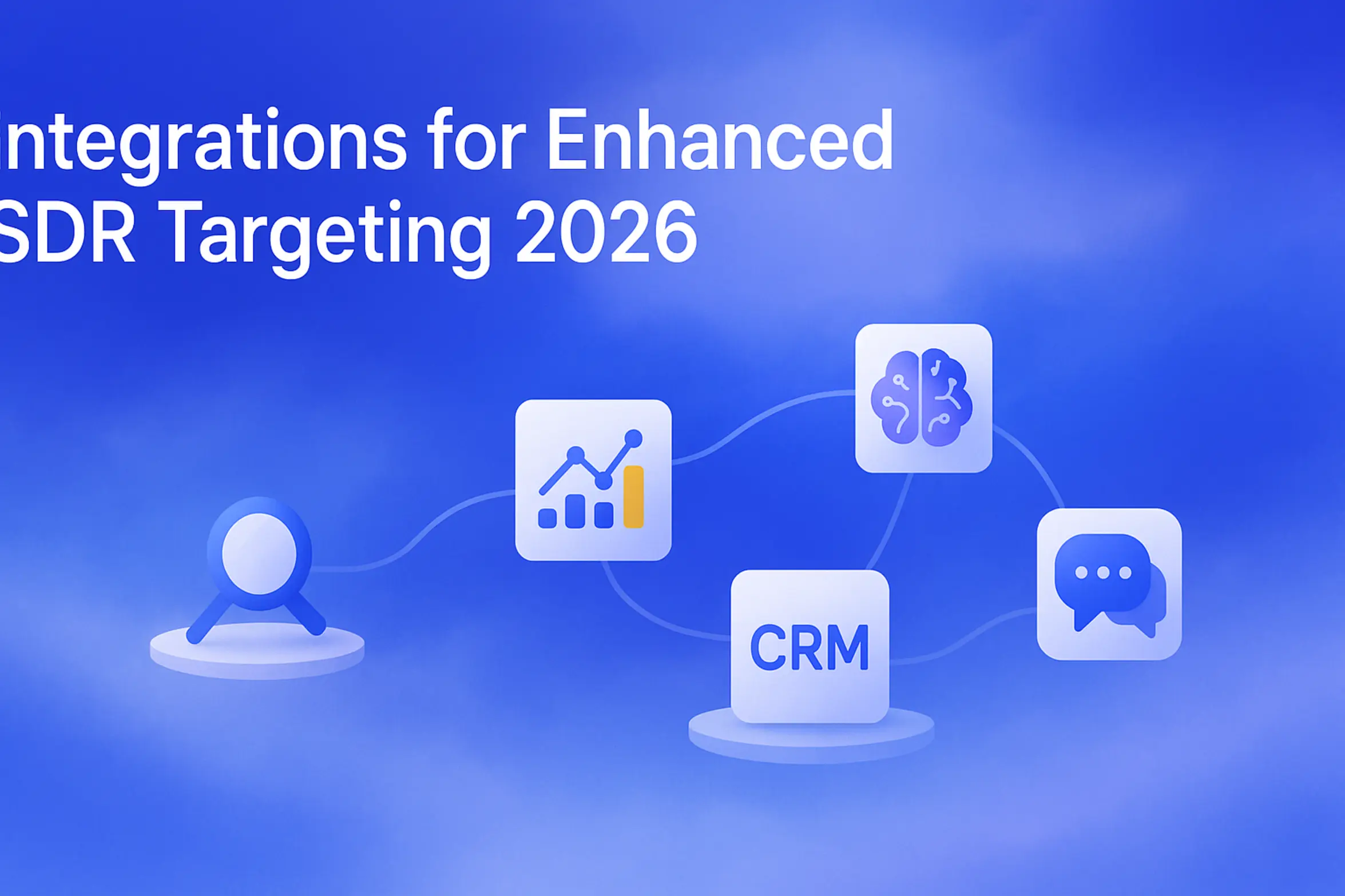
**Prompt for Image Generation**: "SDR Targeting Integrations 2026 - 2560x1440px, large white headline (72-80px) at the top left: 'Integrations for Enhanced SDR Targeting 2026', soft cloudy gradient background blending #3657D5 royal blue, periwinkle, pale azure, and deep navy tones, simple illustration of interconnected floating tech icons indicating integrations (magnifying glass, data chart, AI brain, CRM, and messaging bubbles), dreamy atmospheric aesthetic with 80px padding from all sides for clean composition, NOT transparent, depicting a network of enhanced targeting and lead optimization methods --ar 16:9"

Which integrations improve SDR targeting lead quality and conversion in 2026?

Which integrations improve SDR targeting lead quality and conversion in 2026?
"Best LinkedIn Lead Generation Tool 2026 - 2560x1440px, large white headline (72-80px bold) on left reading 'LinkedIn Lead Tool 2026', single large white LinkedIn icon centered with smaller tech icons (magnifying glass, network diagram) orbiting around it, dreamy atmospheric aesthetic, soft gradient blending #3657D5 royal blue, periwinkle, and light sky blue, with 80px padding from all sides, NOT transparent, clean, modern abstract composition --ar 16:9"

What is the best tool to find high-intent leads on LinkedIn in 2026?

What is the best tool to find high-intent leads on LinkedIn in 2026?
**Style E - Centered Icon Minimal:** "Competitor Engagement on LinkedIn: Find Ready-to-Buy Prospects - 2560x1440px, 'Sbl.so' text branding (32px, white, top left), large white headline 'Competitor Engagement: Find Ready-to-Buy Prospects' (72-80px bold) centered for impact, centered minimalistic LinkedIn icon with a magnifying glass to signify engagement and prospecting, dreamy atmospheric aesthetic, soft cloudy gradient blending shades around #3657D5 with sky blue, periwinkle, and navy, 80px padding from all sides, NOT transparent, clean modern composition --ar 16:9"

Competitor Engagement on LinkedIn: Find Ready-to-Buy Prospects

Competitor Engagement on LinkedIn: Find Ready-to-Buy Prospects
Scroll to Top
Exclusive: Top 1% onlyJoin our Community (for FREE)