You’re probably here because you’ve narrowed down your LinkedIn automation options and Linked Helper keeps showing up. Maybe you’ve seen the 4.9 star Trustpilot rating and thought, okay this looks legit. Or maybe someone in a Slack community mentioned it saves them hours every week. Either way, you want the real story before you commit.
I get it. I spent way too much time digging through G2, Capterra, Reddit threads, and Trustpilot comments to figure out what Linked Helper actually delivers versus what the marketing pages promise. This is the breakdown you need if you’re comparing LinkedIn automation tools and want honest user feedback, not affiliate fluff.
What Is Linked Helper And Who Is It For?
Linked Helper is a desktop based LinkedIn automation tool. Not cloud. Desktop. That distinction matters and I’ll explain why later.
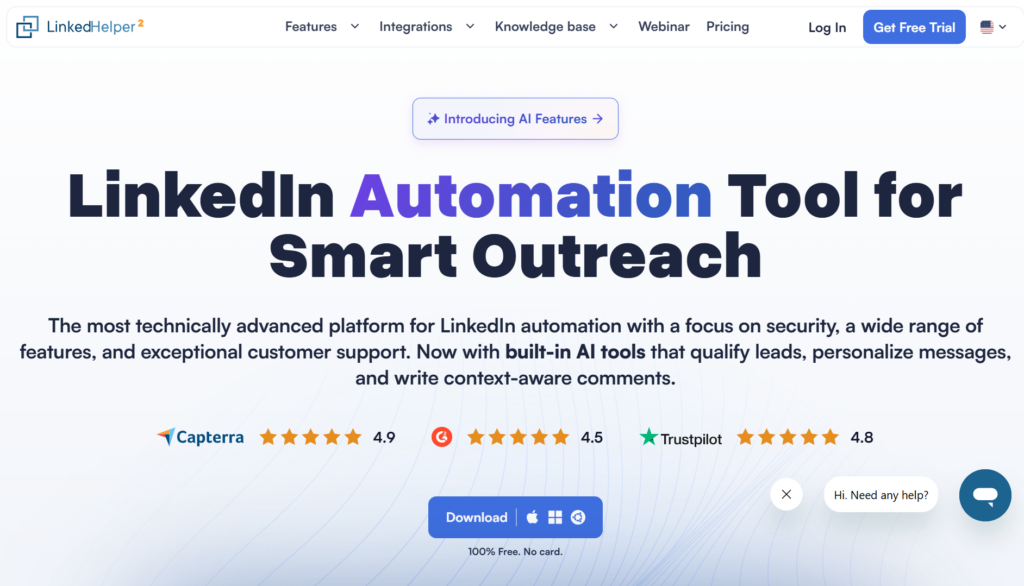
It handles the usual stuff: automated connection requests, follow up message sequences, profile visits, skill endorsements, and data scraping. Think of it as your LinkedIn grunt work machine. Sales teams, recruiters, agencies running outbound campaigns, freelancers trying to grow their network. That’s the target audience.
The tool has been around for years and has built a solid reputation for being one of the more feature complete options in the space. But feature complete and actually useful are two different things, right?
Linked Helper Pricing In 2026: What You’ll Actually Pay
Let me break down the real numbers because pricing pages can be confusing.
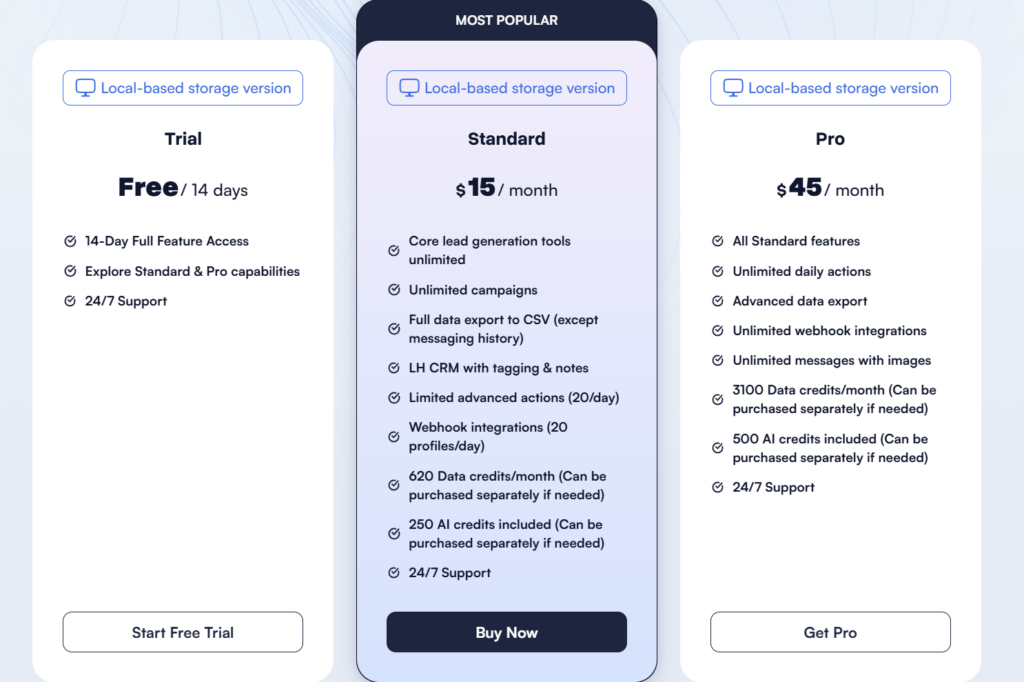
Standard Plan: $15 per month on monthly billing. If you pay annually, it drops to around $8.25 per month. This gets you basic automation like connection requests, simple sequences, and profile visits.
Pro Plan: $45 per month, or about $24.75 if you commit to annual. This unlocks everything. Advanced personalization, complex sequences, higher limits, the full toolkit.
Both plans come with a 14 day free trial with no credit card required. One license covers one LinkedIn account. If you’re an agency managing 10 clients, you need 10 licenses. That math adds up fast.
Here’s the thing most reviews don’t mention: the hidden costs. You’ll probably need a VPS or dedicated machine running 24/7 if you want campaigns to actually execute while you sleep. That’s another $20 to $50 per month depending on your setup. And if you want better search results, you’re likely pairing this with Sales Navigator which is another $100 plus monthly.
What 500+ Paid Users Actually Say About Linked Helper
I pulled patterns from Trustpilot, G2, Capterra, and Reddit threads going back through 2025 and 2026. Here’s what keeps coming up.
The Praise (What Users Love)
Time savings are real. This is the most consistent positive feedback. Users report saving 2 to 4 hours daily on manual LinkedIn tasks. Connection requests, follow ups, profile visits. All the repetitive stuff that burns out SDRs.
The price is hard to beat. At $15 per month for Standard, it’s genuinely affordable compared to cloud tools charging $79 to $199 monthly. For solopreneurs and small teams, this matters.
Depth of LinkedIn features. Unlike tools that bolt on LinkedIn as an afterthought, Linked Helper goes deep. Group messaging, event invites, company page invites, skill endorsements. It covers edge cases most competitors ignore.
Support is responsive. Multiple Trustpilot reviews specifically call out fast, helpful support. When you’re dealing with LinkedIn automation, having someone who actually responds matters because things break.
The Complaints (Where Users Struggle)
Desktop dependency is frustrating. This is the number one complaint. You need your computer running or pay for a VPS. In 2026, people expect cloud based tools that just work. Having to babysit a desktop app feels dated.
Learning curve is steep. The interface isn’t intuitive. Multiple Reddit threads mention spending hours just configuring safety limits and campaign logic before sending a single message. If you’re not technical, expect frustration.
LinkedIn restrictions still happen. Even with safety settings, users report warnings and temporary blocks when pushing limits. The tool can’t magically bypass LinkedIn’s detection. It just tries to look more human.
No real AI or chat automation. This is where things get interesting. Linked Helper sends messages. That’s it. When someone replies, you’re back to manual work. The sequences stop at delivery, not conversation.
Linked Helper Pros And Cons: The Honest Summary
Pros:
- Affordable starting at $15 per month
- Deep LinkedIn feature coverage including groups, events, endorsements
- Mature safety settings with delays and randomization
- 14 day free trial with full access
- Responsive customer support
- Strong for pure LinkedIn operations
Cons:
- Desktop app requires always on machine or VPS
- Complex setup with significant learning curve
- No cloud dashboard or team collaboration features
- LinkedIn only, no multichannel outreach
- No AI chat handling, replies are manual
- CSV exports for integrations, limited native CRM connections
Is Linked Helper Safe For Your LinkedIn Account?
Let me be direct here. Every LinkedIn automation tool violates LinkedIn’s terms of service. Linked Helper included. Using any of these tools carries risk.
That said, Linked Helper does things to reduce that risk. Time delays between actions, randomized behavior patterns, daily caps you can configure. It simulates human activity rather than blasting requests at machine speed.
The users who get warnings or restrictions typically admit to pushing aggressive limits. 100 plus connection requests daily, rapid fire messaging, that sort of thing. If you stay conservative, maybe 30 to 50 connections per day with realistic delays, most users report no issues.
But I’ve also read accounts of people doing everything right and still catching restrictions. LinkedIn’s detection evolves constantly. There’s no guaranteed safe automation. Anyone telling you otherwise is selling something.
Linked Helper vs Cloud Based Alternatives
The biggest limitation with Linked Helper is the desktop architecture. In 2026, most teams want cloud tools that run without babysitting.
Cloud alternatives like Heyreach, Expandi, and Dripify let you set campaigns and walk away. Team dashboards, shared inboxes, activity logs accessible from anywhere. For agencies managing multiple clients, this is often the deciding factor.
The tradeoff is price. Most cloud tools start at $79 to $99 per month per seat. Linked Helper’s $15 to $45 range is significantly cheaper. If you’re a solo operator comfortable with the desktop setup, the savings add up.
For a deeper dive into options, check out this comparison of B2B LinkedIn automation tools.
Does Linked Helper Work With Sales Navigator?
Yes, and most serious users pair them together. Linked Helper can pull leads from Sales Navigator search results, which gives you better targeting than basic LinkedIn search.
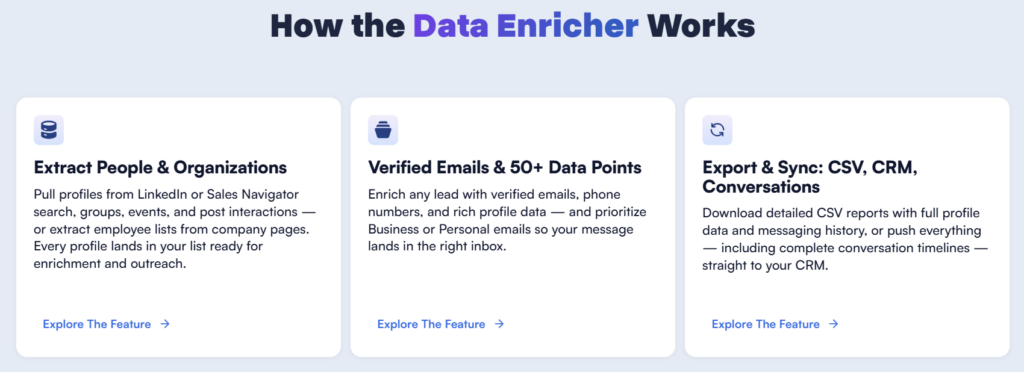
The workflow looks like this: run your filtered search in Sales Navigator, then point Linked Helper at that search URL. It scrapes the results and adds them to your campaign queue. Works smoothly once configured.
Just remember Sales Navigator is a separate LinkedIn subscription. You’re looking at an additional $100 plus monthly on top of Linked Helper’s cost and your potential VPS expense. The total stack isn’t as cheap as the base pricing suggests.
Can Linked Helper Handle Reply Conversations?
This is where Linked Helper stops and you start. The tool sends your sequence messages. Connection request, first follow up, second follow up, whatever you configure. But when someone actually replies? That lands in your LinkedIn inbox and waits for you.
No AI chat automation. No smart responses. No objection handling. You’re doing all the actual selling manually.
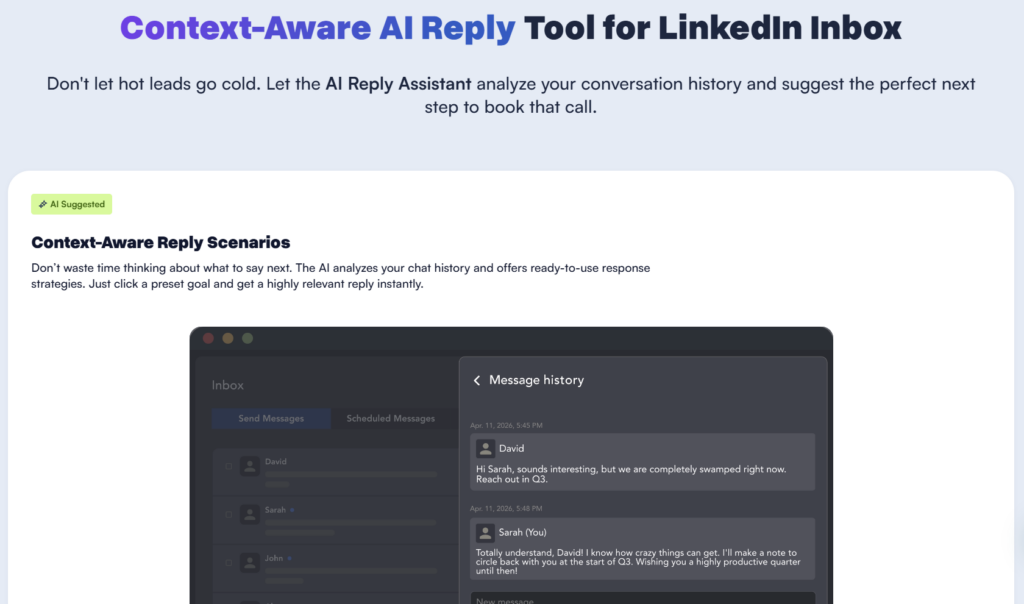
For high volume outreach, this becomes a bottleneck. You might send 500 connection requests, get 100 acceptances, send 100 first messages, and now have 30 conversations waiting. If you don’t have SDRs handling those replies promptly, leads go cold.
This is why some teams are moving toward tools that handle both outreach and conversation. Platforms like SBL.so offer AI chat automation that keeps conversations going toward a booked call without manual intervention. Different approach, different price point, but worth considering if reply handling is your bottleneck.
How Many LinkedIn Accounts Can You Run?
One license equals one LinkedIn account. Period.
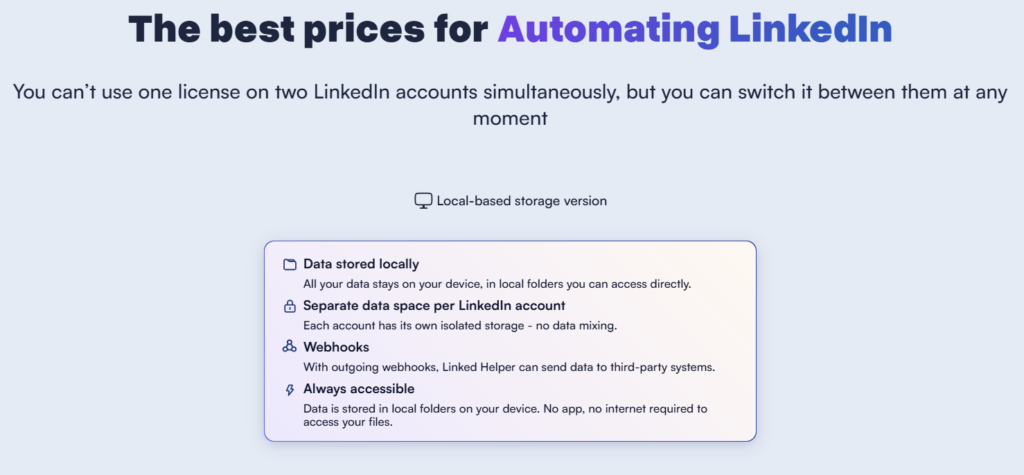
For agencies or teams wanting to scale LinkedIn outreach across multiple profiles, this means multiple licenses. Five accounts means roughly $75 to $225 per month depending on which plan you choose.
You can technically run multiple Linked Helper instances on different machines or virtual environments, each with its own license. Some agencies do this with VPS setups. It works but adds complexity and cost.
What About Data Export And CRM Integration?
Linked Helper’s integration story is basically CSV export. You can scrape profile data and download it. Name, title, company, LinkedIn URL, whatever fields the tool captures. Then you manually import that into your CRM or email tool.
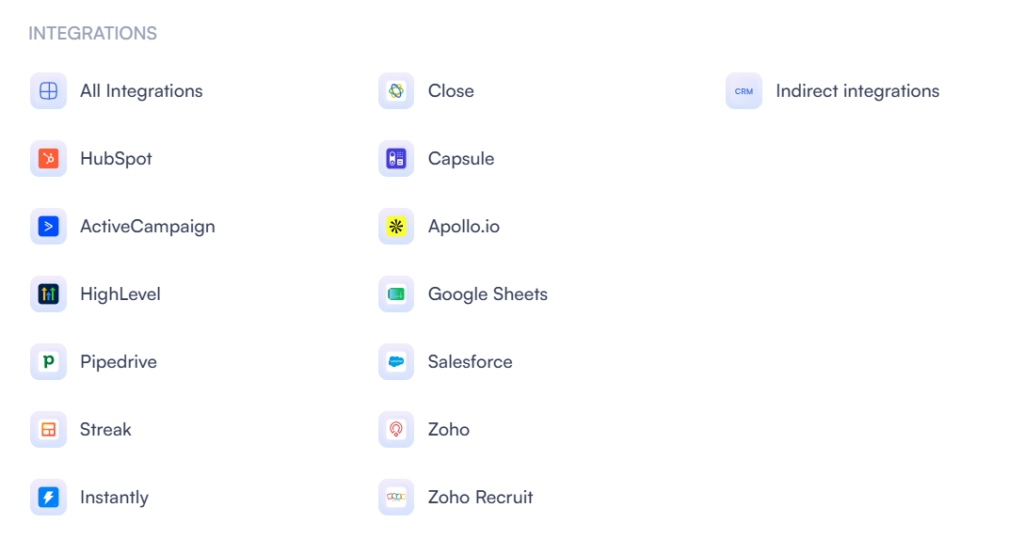
No native Salesforce integration. No HubSpot sync. No Zapier automation built in. Some users have rigged up workarounds with webhooks or third party connectors, but it’s not plug and play.
If seamless CRM integration matters to your workflow, cloud tools generally handle this better with native connectors and real time syncing.
Linked Helper vs SBL.so: The Difference That Matters
Let me draw a clear comparison because these tools solve different problems.
Linked Helper is a message sending machine. You configure sequences, it executes them, you handle everything else. Strong for teams who want control and don’t mind manual reply management.
SBL.so is built around AI conversation handling. It doesn’t just send messages, it responds when prospects reply. Handles objections, answers questions, pushes toward booking calls. The goal is replacing SDR labor, not just automating sends.
If you have dedicated people managing LinkedIn inboxes, Linked Helper’s lower price makes sense. If reply handling is killing your team’s time and you want AI sales automation that actually converts, that’s where SBL fits.
Different tools for different stages of scale.
Common Questions About Linked Helper
Is Linked Helper worth $15 per month?
For basic LinkedIn automation needs, yes. The Standard plan covers connection requests and simple sequences at a price that’s hard to argue with. If you’re testing LinkedIn outreach without big budget, it’s a reasonable starting point.
Can Linked Helper bypass LinkedIn connection limits?
No. It works within LinkedIn’s limits, not around them. The tool uses throttling to stay under typical thresholds, but you’re still bound by LinkedIn’s weekly connection caps which vary by account age and activity.
How long does setup take?
Expect 2 to 4 hours for initial configuration if you’re new to the tool. Campaign creation, safety limit tuning, template setup. Once configured, daily operation is mostly monitoring.
Does Linked Helper work on Mac?
Yes, there’s a Mac version. Desktop app runs on both Windows and Mac, though some users report smoother performance on Windows.
What happens if LinkedIn detects Linked Helper?
Typically a warning first, then temporary restrictions on certain actions. Rarely an immediate ban unless you’ve been extremely aggressive. Most users who follow conservative settings don’t report major issues.
Should You Buy Linked Helper In 2026?
Here’s my honest take after reviewing hundreds of user comments.
Buy Linked Helper if: You’re a solopreneur or small team with budget constraints. You’re comfortable with desktop software and technical setup. You primarily need LinkedIn connection automation and don’t mind handling replies manually. You want deep LinkedIn features like group messaging and event invites.
Skip Linked Helper if: You need cloud based always on operation. You want team collaboration and shared dashboards. Reply management is already overwhelming your capacity. You need multichannel outreach combining LinkedIn with email. You want AI to handle conversations, not just sends.
The tool does what it promises well. The question is whether what it promises matches what you actually need in 2026.
For teams drowning in reply management or agencies wanting to scale without adding headcount, exploring tools with chat automation capabilities might be the better path forward.
Whatever you choose, start conservative with your limits. LinkedIn isn’t getting more permissive about automation. The accounts that survive long term are the ones that prioritize looking human over maximizing volume.