Let me tell you something that took me way too long to figure out. Building an AI sales funnel isn’t about buying 15 different tools and duct-taping them together. It’s about understanding the actual journey from stranger to booked call and then letting AI handle the boring parts.
I’ve seen founders spend months setting up elaborate funnels with hundreds of Zaps, multiple CRMs, and three different email tools. And you know what? Their conversion rates were worse than someone just cold calling from a spreadsheet.
The game has completely changed. We’re not talking about basic automation anymore. We’re talking about AI systems that can actually talk to your prospects, understand objections, and guide conversations toward booking calls. Real conversations. Not those cringe ‘if they say X, send Y’ chatbots from 2022.
So let’s break down exactly how to build an AI sales funnel automation system that actually works. No fluff. Just the blueprint that’s booking calls for founders right now.
What Even Is an AI Sales Funnel in 2026?
Let’s get something straight first. An AI sales funnel isn’t just a regular funnel with some ChatGPT slapped on top.
A real AI sales funnel handles:
- Lead generation across multiple channels automatically
- Lead scoring based on behavior, intent signals, and actual conversation content
- Personalized outreach at scale (LinkedIn, email, WhatsApp)
- AI-powered conversations that respond to replies intelligently
- Automated follow-ups that don’t sound robotic
- Call booking without human intervention
The old model was: generate leads, put them in a sequence, hope they reply, then manually handle everything. The new model? Generate leads, let AI handle the entire conversation within defined boundaries, show up to take the call.
That’s a massive shift. Most people aren’t ready for it.
What’s different now is that AI systems don’t just fire off messages. They maintain stateful memory across every interaction, referencing prior channel touches, time since last contact, and any preferences the prospect expressed. The AI knows if someone said “email only” on LinkedIn and respects that in future outreach.
The strongest current practices focus on human-supervised AI outreach, especially during initial deployment. Modern funnels are designed as controlled systems with four properties:
- Relevant — they contact the right accounts and people
- Contextual — they remember previous interactions and respect preferences
- Measurable — every stage has a defined conversion and quality metric
- Governed — humans, permissions, policies, and escalation rules remain part of the system
The LinkedIn Lead Generation Foundation
Look, I know everyone talks about being ‘omnichannel’ these days. But let me be real with you. If you’re in B2B, LinkedIn automation should probably be your starting point. Not because it’s the only channel. But because the intent signals are insane.
Someone’s job title is right there. Their company size. Recent job changes. Posts they engage with. It’s basically a pre-qualified lead database that updates itself.
But here’s where most people mess up their LinkedIn lead generation strategy.
They blast generic connection requests to everyone. ‘Hey [First Name], I noticed we’re both in [Industry]…’ Yeah, so did 47 other people this week.
How to Actually Find High-Quality LinkedIn Leads
First, stop thinking about volume. Think about signals.
The best leads aren’t just people with the right job title. They’re people showing buying intent. What does that look like on LinkedIn?
- Recently promoted or changed jobs (new budget, new initiatives)
- Engaging with competitor content or industry pain points
- Posting about challenges your product solves
- Company just raised funding or expanded
- Attending or registering for relevant webinars and events
- Commenting on thought-leadership posts in your space
Most LinkedIn automation tools just let you filter by title and company size. That’s table stakes. The smart play is combining Sales Navigator filters with behavioral signals.
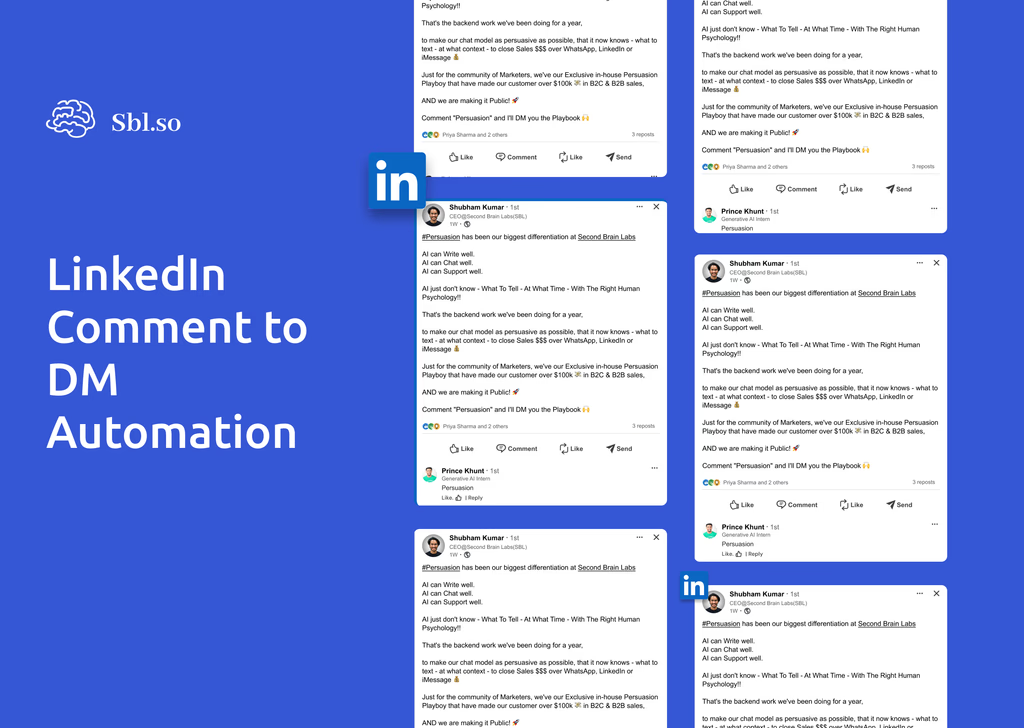
And here’s a trick that works stupidly well. Instead of cold outreaching everyone, set up comment to DM automation. Someone comments on a relevant post? That’s intent. That’s engagement. That’s a warm lead hiding in plain sight.
Event-based automation is another angle that’s underused. Auto-DM webinar registrants with resources before or after the event. You’re reaching people who’ve already raised their hand on a topic you care about.
Important note on LinkedIn compliance: LinkedIn’s official policy does not permit third-party software or browser extensions that scrape data or automate activity on its website. When building your funnel, prefer human-led workflows and officially supported integrations. Treat account restrictions as a real operational risk, not merely a technical inconvenience.
The Outreach Stack That Actually Books Calls
Alright, you’ve got your leads. Now what?
This is where 90% of people drop the ball. They set up some basic sequence like:
Day 1: Connection request
Day 3: If accepted, send pitch
Day 7: Follow up
Day 14: Follow up again
Day 21: Give up
And then they wonder why their response rate is 2%.
The problem isn’t the timing. It’s that this approach treats outreach as a broadcast, not a conversation. Real sales doesn’t work like that. Real sales is messy. People have objections. They ask questions. They need to be persuaded.
Why AI Chat Automation Changes Everything
Here’s what made me rethink this entire approach. What happens after someone replies?
In most setups, the sequence stops. Now you need a human to jump in, read the message, figure out what to say, and respond. By the time that happens, the prospect has moved on. Momentum killed.
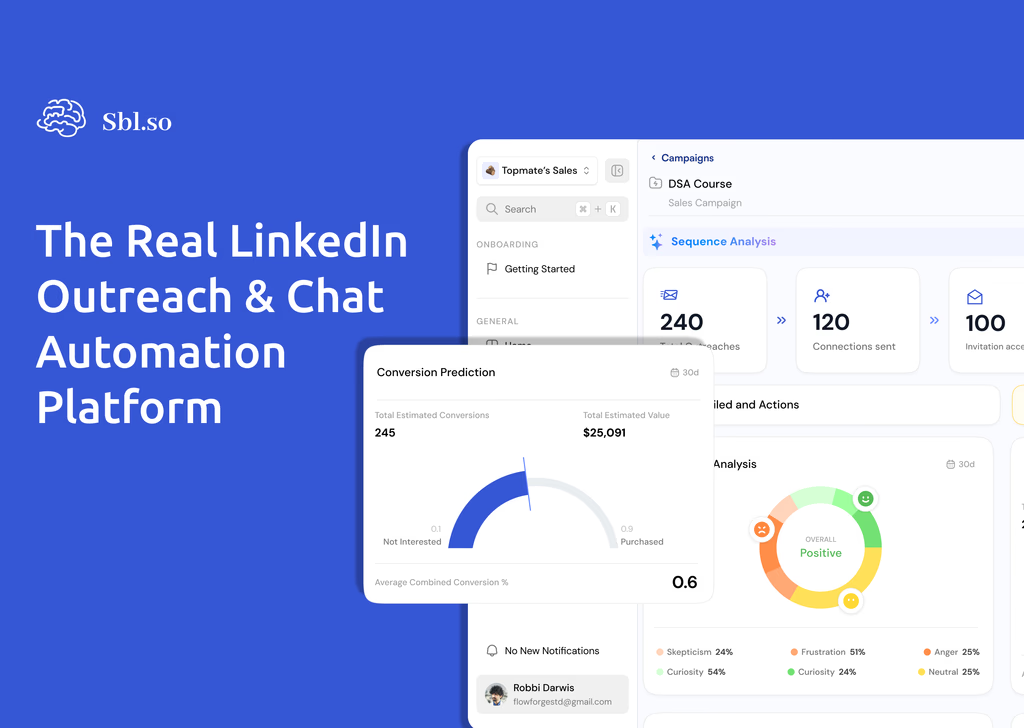
With proper LinkedIn outreach chat automation, the AI doesn’t just send the first message. It handles defined conversation classes: objection handling, qualification questions, and scheduling. All within approved boundaries.
I’m not talking about those terrible chatbots that say ‘I didn’t understand that, can you rephrase?’ I’m talking about AI that can actually read context, understand what the prospect is really asking, and respond appropriately.
This is where tools like Sbl.so come in. They’ve built AI chat capabilities that don’t just respond, they guide conversations toward your goal. If your goal is booking calls, the system knows how to get there. If a prospect objects on price, there’s a framework for handling that. And if the AI genuinely doesn’t know how to respond? It flags it for human intervention instead of saying something dumb.
The best AI systems now have tight calendar integration built in. The agent checks your free/busy time, offers two or three concrete slots, books the meeting, and sends confirmation plus reminders. No back-and-forth about scheduling.
Building Your Multichannel Funnel (LinkedIn + Email + WhatsApp)
Okay so LinkedIn is great. But relying on one channel is risky. People check different platforms at different times. Some prefer email. Some live on WhatsApp. Some check LinkedIn once a week.
A proper AI sales funnel doesn’t force prospects into one channel. It meets them where they are.
The Channel Strategy That Works
LinkedIn: Initial touch and relationship building. Best for B2B decision makers. Higher response rates than cold email but requires careful compliance with platform policies.
Email: Follow-up channel and longer-form content. Good for nurturing and sending resources. Cold email isn’t dead but it’s definitely harder in 2026 with all the spam filters. Domain warming, DMARC/SPF/DKIM correctness, and list hygiene are now non-negotiable.
WhatsApp: High engagement channel for warmer leads who have opted in. WhatsApp automation is still underutilized by most B2B companies. More funnels are using official WhatsApp Business APIs to stay compliant on template usage and opt-ins.
Critical WhatsApp requirement: WhatsApp’s policy states that a business may contact people only when the person has provided their mobile number or username and given opt-in permission to receive subsequent messages. A phone number alone is not sufficient permission. Don’t treat WhatsApp as a fallback channel for unresponsive prospects.
Website Chat: AI chat embedded on pricing and solution pages acts as an always-on SDR. It can continue conversations started via LinkedIn or email, keeping context across channels.
The key is sequencing these correctly. You don’t want to hit someone on all three channels the same day. That’s just annoying.
A better flow looks like:
- LinkedIn connection + personalized note
- If no response in 5 days, LinkedIn follow-up
- If connected but no reply, try email (if you have it)
- If lead has explicitly opted in to WhatsApp, use it as an additional touch
The magic is having all this in one system so the AI knows the full context. If someone replied on LinkedIn saying ‘not now, maybe Q2,’ your email shouldn’t pitch them again. It should reference that conversation.
Lead Scoring Across Channels: Who Deserves Your Attention?
Here’s a question nobody asks early enough: how do you know which leads are actually worth pursuing?
Not all replies are equal. Someone saying ‘tell me more’ is very different from someone saying ‘we’re actively looking for a solution.’ Both replied. One is much closer to buying.
This is where AI-powered lead scoring becomes essential. And I don’t mean those basic point systems from 10 years ago. ‘Opened email = 1 point. Clicked link = 3 points.’ That’s outdated.
Modern lead scoring has shifted from behavior-based to conversation-aware. The AI analyzes what prospects are actually saying in messages:
- Intent signals: What are they actually saying in conversations?
- Engagement depth: Are they asking detailed questions or just being polite?
- Timing indicators: Did they mention urgency or a timeline?
- Fit signals: Do they have budget, authority, need?
- Language patterns: Phrases like “We’re evaluating options this quarter” or “Can you send pricing?” get flagged as high intent
Understanding the difference between MQLs and SQLs is crucial here. Just because someone engaged doesn’t mean they’re sales-ready. Your AI should be qualifying throughout the conversation, not just at the end.
The most advanced setups stream every conversation to a model that outputs buyer stage, estimated urgency, and likelihood to book. The AI then upgrades or downgrades scores in real-time and triggers routing to human reps or nurture sequences accordingly.
A practical scoring framework can include four separate dimensions:
| Dimension | What it measures |
|---|---|
| Fit | How closely the account and contact match the ICP |
| Intent | Evidence of an active business need or evaluation |
| Engagement | Depth and recency of meaningful interaction |
| Readiness | Whether a human or meeting action is appropriate now |
A lead shouldn’t be routed to sales solely because its total score is high. Add hard rules like minimum fit threshold, at least one credible intent signal, no active opt-out, and no disqualifying account characteristic.
The AI Tools Stack for End-to-End Funnel Automation
Okay let’s get practical. What tools do you actually need to build this?
I’ve tested probably 50+ tools over the past two years. Most of them are honestly mid. They do one thing okay but don’t integrate with anything else. Here’s what a proper stack looks like:
Layer 1: Lead Generation
You need a way to find and capture leads. Options:
- Sales Navigator for LinkedIn prospecting (still the gold standard for B2B)
- Data enrichment tools to find emails and phone numbers
- Lead scraping tools for specific use cases
- Intent data providers for tech usage, hiring signals, and funding events
Layer 2: Outreach and Automation
This is where most of the LinkedIn automation tools for B2B sales live. But like I said earlier, most of them just send messages. They don’t actually automate the conversation.
If you want true automation that handles replies, objections, and booking, that’s a much smaller list. Sbl.so is one of the few I’ve seen that actually does AI chat, not just AI messaging. You can connect multiple LinkedIn accounts, run campaigns at scale, and the AI handles conversations across all of them in a unified inbox. Their SDR profiles currently run $59-65 per profile per month depending on volume.
For a full comparison, check out the best AI SDR tools breakdown.
Layer 3: CRM and Pipeline Management
Your funnel is useless if leads fall through the cracks. Every conversation should flow into your CRM automatically. Most AI outreach tools now integrate directly with HubSpot, Salesforce, Pipedrive, Close, etc.
Native integrations have become table stakes. The key is making sure your AI system pushes not just contact data, but conversation context. If your SDR needs to read through chat logs to understand where a lead is at, you’ve lost half the efficiency gains.
Look for tools that automatically create contacts, update stages, and create tasks when AI flags “human intervention needed.”
The CRM should be the system of record. Create automated rules for contact creation, duplicate prevention, account matching, ownership assignment, stage updates, task creation, handoff alerts, meeting-status updates, suppression-list synchronization, conversation summaries, and attribution.
Layer 4: Analytics and Optimization
You can’t improve what you can’t measure. Your stack should give you:
- Response rates by message variant
- Conversion rates by lead source
- Average time to booking
- Qualification rates (how many replies turn into real opportunities)
- Show rate of AI-booked meetings vs human-booked
- Escalation rate (AI to human handoffs)
- Pipeline created and opportunity conversion
A/B testing different messages is obvious. But the real insight comes from analyzing the actual conversations. What objections come up most? Where do leads drop off? What questions lead to bookings?
Revenue teams are increasingly measuring AI funnels by pipeline created and meeting quality, not just reply rates. Track opportunity conversion from AI-generated meetings and compare ACV and sales cycle length on AI-origin vs traditional leads.
AI Follow-Ups That Don’t Feel Like Spam
Let’s talk about follow-ups. Because this is where most sequences completely die.
You’ve probably seen (or sent) follow-ups like:
‘Just following up on my previous message…’
‘Wanted to bump this to the top of your inbox…’
‘Did you get a chance to review my last email?’
These are lazy. And everyone knows it. They don’t add value. They just add pressure.
AI-powered follow-ups should be different. They should:
- Reference context from the previous interaction
- Add new value (relevant content, fresh angle, social proof)
- Acknowledge the silence without being guilt-trippy
- Give an easy out so people don’t feel trapped
Something like: ‘Hey, totally get you might be slammed. Saw you posted about [topic] recently, and it made me think this case study on [related problem] might be useful regardless of whether we chat. Happy to share it either way.’
That’s a follow-up that could actually get a response because it’s not just asking, it’s giving.
AI Persuasion: Moving Beyond Basic Chatbots
Here’s where things get interesting. Most people think AI chat means chatbot. And chatbots have trained us to expect terrible experiences.
‘Please select from the following options…’
‘I’m sorry, I didn’t catch that. Can you try again?’
‘Let me connect you with a human agent.’
That’s not sales. That’s a phone tree with extra steps.
Real AI persuasion for sales looks completely different. It’s built on understanding how humans actually make decisions. Not logic. Emotion. Not features. Outcomes. Not pressure. Trust.
The AI needs to:
- Ask discovery questions naturally (not like a survey)
- Handle objections without being defensive
- Create urgency without fake scarcity
- Build rapport while moving toward the goal
- Know when to stop pushing and reframe instead
This is why most ‘AI chatbots’ fail at sales. They’re built by engineers who understand natural language processing but not persuasion psychology. The best systems are trained on thousands of real sales conversations, not just customer support tickets.
Some vendors now fine-tune or instruction-optimize their models specifically on sales transcripts. The result is AI that asks qualification questions more naturally, handles pricing and competitor objections better, and recognizes when it should escalate to a human.
Teams building these systems catalog objection taxonomies: price objections, timing objections (“after our next raise”, “Q4 budget”), competitor comparisons, “send me more info.” For each, they define approved responses and supporting proof points. The AI then chooses and adapts those patterns to each conversation.
How to Structure Your AI Sales Funnel (Step by Step)
Alright, let’s put this all together. Here’s the actual blueprint:
Step 1: Define Your ICP and Qualification Model
Be specific. ‘B2B SaaS companies’ is not an ICP. ‘Series A B2B SaaS companies with 20-100 employees in North America who sell to marketing teams’ is an ICP.
Your AI can only find good leads if you give it good criteria. Capture your ICP in a machine-readable form (docs, fields) so AI and tools can use it directly.
Document:
- Target industries
- Company size
- Geography
- Revenue or funding stage
- Technology environment
- Relevant departments
- Decision-maker and influencer roles
- Common business problems
- Disqualifying characteristics
- Expected deal size
- Sales cycle
- Minimum qualification requirements
Separate must-have criteria from helpful signals. This prevents the AI from treating every characteristic as equally important.
A qualification model should also specify what constitutes a marketing-qualified interest, sales-qualified interest, qualified meeting, opportunity, disqualified lead, nurture lead, and request for human assistance.
Step 2: Build a Consent-Aware Data Foundation
Before outreach begins, validate:
- Contact identity
- Role and company
- Email deliverability
- Source and collection date
- Consent or lawful outreach basis
- Suppression and unsubscribe status
- Channel permissions
- Geographic restrictions
- Data-retention requirements
Don’t use AI to compensate for poor data quality. Incorrect job titles, stale company information, invalid email addresses, and missing consent can produce both weak performance and compliance problems.
The system should maintain a central suppression list covering unsubscribed contacts, do-not-contact requests, previously negative responses, existing customers excluded from prospecting, competitors, employees, legal or regulatory exclusions, and contacts whose data should be deleted.
Step 3: Set Up Lead Generation
Connect Sales Navigator. Set your filters. If your tool has a lead generation agent (like Sbl.so does), tell it your ICP and let it find leads automatically.
Also set up comment to DM automation on relevant posts. Passive lead gen while you sleep.
Add intent sources: tech usage signals, hiring activity, funding events, content engagement.
Step 4: Build Your Initial Outreach Sequence
Connection request with personalized note. Then follow-up messages if accepted. Keep it conversational, not salesy.
Pro tip: Don’t pitch in your first message. Build curiosity. Ask a question. Start a conversation.
Personalization has shifted from static variables to AI-written micro-personalization. Instead of simple {{first_name}} / {{company}} merges, AI systems now read LinkedIn posts, “About” sections, and job history, then condense that into 1-2 lines of contextual personalization in each message. This is a major driver of reply rate.
AI-generated personalization should be checked for factual accuracy. Mentioning a post, job change, company initiative, or technology that the person didn’t actually discuss can reduce trust.
Step 5: Configure AI Chat Responses
This is the critical part most people skip. Train your AI on:
- Your product/service details
- Common objections and how to handle them
- Qualifying questions to ask
- Your ideal call booking flow
- Brand voice guidelines (formal/informal, humor level, jargon)
- Example “excellent answers” and “answers to avoid”
- Pricing boundaries and what claims are disallowed
- Escalation conditions
Good AI tools let you add files, images, and even voice notes to the conversation. Use them. Richer conversations convert better.
Set up escalation thresholds so the AI knows when to pause and alert a human instead of winging it. The system should avoid guessing, state that it needs assistance, pause automated messaging when appropriate, and route the conversation to a human with relevant history.
Step 6: Set Up Multichannel Touchpoints
Add email and WhatsApp to your sequence where appropriate consent exists. Make sure the timing makes sense and messages reference each other.
Define max touches per channel, minimal spacing between touches, and rules for switching channels (after 1-2 unengaged touches, try the secondary channel if permitted).
Step 7: Add Scheduling and Routing
An AI booking workflow should verify:
- The meeting type
- Required attendees
- Time zone
- Calendar availability
- Meeting duration
- Buffer time
- Qualification requirements
- Whether the prospect is asking for a sales call, support call, or technical discussion
The agent should offer a small number of accurate options rather than creating unnecessary back-and-forth. After booking, it should send confirmation and, where appropriate, reminders.
A meeting shouldn’t count as a successful funnel outcome merely because a calendar slot was reserved. The system should separately track booked, confirmed, attended, qualified after attendance, and converted to opportunity.
Step 8: Connect Your CRM Before Scaling
Every conversation should sync automatically. Set up status updates based on conversation outcomes (interested, not interested, booked, etc.).
Ensure stages and owners are kept in sync. Export transcripts for regular qualitative review.
Test the complete flow with sample records before activating live outreach. The test should verify that a reply, opt-out, booking, failed delivery, and human escalation each produce the correct CRM action.
Step 9: Monitor and Optimize
Check your dashboard daily at first. Look for patterns. Which messages get the most responses? Where do conversations stall? What objections keep coming up?
Your AI will improve over time with proper guidance. But that improvement requires human review, approved transcript labeling, prompt or workflow changes, knowledge-base updates, evaluation sets, and regression testing.
Run continuous A/B tests on hooks, intros, and CTAs. Review weekly: metrics plus a subset of conversations. Monthly: update knowledge base, ICP nuances, and objection libraries.
Review Cadence
Daily operational review: Failed sends, incorrect routing, unanswered replies, escalations, opt-outs, negative responses, calendar failures.
Weekly quality review: AI transcript samples, hallucinated or unsupported claims, incorrect qualification, overly aggressive follow-ups, missed buying signals, human-handoff quality, meeting attendance.
Monthly business review: Pipeline generated, opportunity conversion, revenue contribution, cost per qualified opportunity, sales-cycle impact, segment performance, channel performance, AI versus human-sourced meeting quality.
Scaling LinkedIn Outreach Responsibly
Okay, elephant in the room. LinkedIn doesn’t love automation. People get restricted all the time. So how do you scale without getting your account nuked?
First, understand LinkedIn’s position: third-party software or browser extensions that scrape data, modify the website, or automate activity on LinkedIn are not permitted by their official policy.
There are no publicly verified universal daily limits. Various sources cite different estimates that vary by account, activity, acceptance rate, account history, and LinkedIn’s internal enforcement. Don’t treat any specific number as a guaranteed safe limit.
The responsible approach focuses on:
- Human-led or officially supported workflows
- Human-like activity patterns
- Avoiding aggressive automation
- Not using fake or borrowed profiles
- Not scraping member data through prohibited tools
- Treating account restrictions as a real operational risk
And if you do get restricted? Here’s how to unrestrict your LinkedIn account.
Building for Small Teams vs. Large Operations
Not everyone is trying to run massive outreach volume. And that’s fine.
For small teams, the goal isn’t max volume. It’s max efficiency. You might only be reaching out to 500 people a month, but you want every conversation handled automatically until it’s time for a call.
The stack is the same. Just scaled down. One or two LinkedIn accounts. AI chat handling replies. Maybe email as a secondary channel. Simple CRM integration.
For larger operations, you’re thinking about:
- Multiple workspaces for different clients or campaigns
- Team permissions and inbox management
- Advanced analytics and reporting
- API access for custom integrations
- Account-based orchestration for enterprise deals
Either way, the AI does the heavy lifting. You just decide how much volume to push through it.
Account-Based AI Funnels for Larger Deals
For larger deals, AI is increasingly configured at the account level, not just the contact level. You’re dealing with multiple stakeholders in one company: economic buyers, users, champions.
The AI orchestrates messages to each persona with the appropriate angle and references previous touches within the same account. This prevents the awkward situation where your CEO contact sees the same message your end-user contact got.
This approach is still emerging, but teams running complex B2B sales are seeing real results from coordinated multi-threading across buying committees.
Common AI Sales Funnel Questions (Answered)
Can AI really handle sales conversations or is this just hype?
AI can handle defined conversation classes reliably. It won’t close a complex enterprise deal on its own. But it can absolutely handle initial qualification, common objection responses, and meeting scheduling. The goal isn’t replacing your entire sales team. It’s replacing the repetitive parts so your humans can focus on high-value conversations. Complex negotiations, regulated claims, commercial terms, and unusual objections still need human involvement.
How long does it take to set up an AI sales funnel?
A basic workflow may be configured quickly, but reliable production deployment requires data preparation, CRM testing, knowledge-base creation, approval rules, escalation design, and performance review. The time required depends on the number of channels, systems, markets, and compliance requirements. Expect ongoing iteration to reach strong, stable performance.
What response rates should I expect from automated outreach?
Results vary substantially by market, audience, account quality, offer, message, channel, and measurement method. Use internally measured benchmarks for your specific campaigns rather than generic industry averages. The AI chat component then converts those replies into actual conversations and meetings.
Is this compliant with LinkedIn’s terms of service?
LinkedIn’s official Help Center states that third-party software and browser extensions that scrape data, modify the site, or automate activity are not allowed. Human-led workflows and officially supported integrations should be distinguished from prohibited browser automation. The risk is account restriction. Use human-like activity patterns and don’t rely on prohibited automation methods.
How does AI chat handle complex or unusual questions?
Good systems have a ‘human intervention required’ flag. If the AI doesn’t know how to respond, it pauses the conversation and notifies you. You jump in, handle it manually, and update the knowledge base for next time. The handoff should include the relevant conversation history and the reason for escalation.
Will AI replace SDRs completely?
AI will replace a lot of repetitive SDR work: research, first messages, basic qualification. Human SDRs increasingly focus on complex multi-threading in target accounts, strategic personalization, and live calls. Many orgs are moving to smaller SDR teams augmented by AI, not fully replacing humans. Human involvement remains important for nuanced discovery, relationship development, negotiation, and complex objections.
What KPIs should I track for an AI sales funnel?
Track the full funnel: contacted to reply, reply to qualified conversation, conversation to booked meeting, booked to attended, attended to opportunity, opportunity to closed-won. Plus AI-specific metrics: escalation rate (AI to human), unsupported-answer rate, incorrect-routing rate, and time to first response. The most important distinction is between activity metrics and business metrics. A high number of messages doesn’t prove qualified pipeline.
How do I keep brand voice in AI conversations?
Define tone guidelines: formal vs informal, humor level, jargon. Create example “excellent answers” and “answers to avoid.” Periodically review AI transcripts and update instructions to stay on-brand.
What is a qualified meeting?
A qualified meeting should be defined before measurement begins. It commonly requires ICP fit, a relevant business problem, a participant with an appropriate role or access to the buying process, a plausible next step, and no known disqualifying condition. A meeting booked by AI is not automatically a qualified meeting.
Common Pitfalls to Avoid
Before you dive in, here are the mistakes that trip up most teams:
- Over-automation: Too frequent touches, ignoring negative signals, damaging your brand
- Weak ICP: AI amplifies bad targeting, it doesn’t fix it
- Poor data hygiene: Old lists lead to low deliverability and domain damage
- No human review: Not reading conversations means no learning and plateaued performance
- Regulated industries: In healthcare, finance, and similar verticals, AI must be tightly constrained
- Unsupported AI claims: AI generating customer results, discounts, or features it shouldn’t promise
- Ignoring channel policies: Treating LinkedIn or WhatsApp as channels without rules
- No escalation design: Running fully autonomous without human handoff capability
The Reality Check
I’ll be honest with you. AI sales funnels aren’t magic. They won’t fix bad targeting. They won’t make people want something they don’t need. They won’t turn a terrible offer into a winner.
What they will do is multiply your output. If you know what works in sales conversations, AI lets you have thousands of those conversations simultaneously within defined boundaries. It removes the bottleneck of human time on repetitive tasks.
Early data from many teams shows similar or better quality from AI-generated meetings compared to human-sourced, if targeting and training are done well.
The founders winning right now aren’t the ones with the biggest teams. They’re the ones who figured out how to make AI do the grunt work while they focus on strategy, product, and high-value relationships.
The safest 2026 architecture is AI-assisted, human-governed, not fully autonomous by default. Build in supervision, escalation, and review. Optimize for qualified pipeline and attended meetings rather than raw outreach volume.
The blueprint is here. The tools exist. The question is whether you’ll actually implement it or keep manually following up with leads in your inbox.
Your call.