You want to send automated messages on LinkedIn without getting your account restricted, and you want replies that actually turn into calls. This guide shows you exactly how to set up LinkedIn message automation in 2026, which tools work best, and how to avoid the mistakes that get most people banned within their first month.
I’ve tested probably 30 different LinkedIn automation tools over the past two years. Some worked great. Others got accounts flagged in under a week. The difference usually comes down to how the tool handles behavioral patterns and whether it actually understands LinkedIn’s detection systems.
Why Most LinkedIn Automation Fails in 2026
Here’s what happens to most people who try automated messages on LinkedIn. They download some Chrome extension, blast 100 connection requests in a day, send the same template to everyone, and wonder why LinkedIn slaps them with restrictions.
LinkedIn’s detection systems have gotten significantly smarter. They track action velocity, message patterns, login locations, acceptance rates, and even how quickly you type. The platforms that worked in 2023 are getting accounts flagged left and right now.
The tools that actually work in 2026 do three things differently:
- They use cloud-based infrastructure with dedicated IPs and residential proxies
- They randomize timing and actions to mimic human behavior
- They cap daily limits well below LinkedIn’s thresholds
But here’s the real problem nobody talks about. Even if your automation runs perfectly, you still need to handle replies manually. Most tools send messages and then leave you hanging when prospects respond.
How to Send Automated Messages on LinkedIn with Sbl.so
I’m putting Sbl.so first because it solves the problem other tools ignore. It doesn’t just send automated messages on LinkedIn. It actually handles the conversations that happen after.
Think about what you actually need from LinkedIn automation. You need to reach the right people, send personalized messages, and convert replies into booked calls. Most tools stop at step two. Sbl handles all three.
Here’s the step-by-step process:
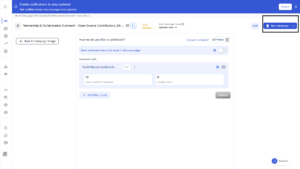
Step 1: Create Your Campaign
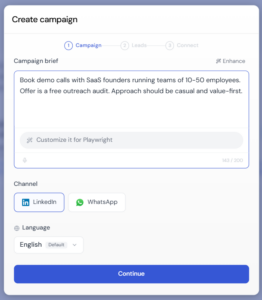
Go to Create Campaign and describe your goal clearly. Include your offer, who you’re targeting, and how you want to approach outreach. The more detail you give, the better results you get.
For example: “Book demo calls with SaaS founders running teams of 10-50 employees. Offer is a free outreach audit. Approach should be casual and value-first.”
Step 2: Select Platform and Add Assets
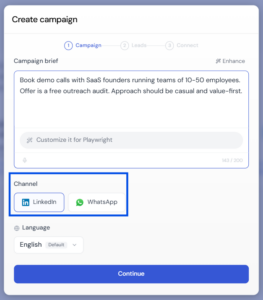
Choose LinkedIn as your platform. You can add PDFs, case studies, or links you want to share with prospects. The system uses these assets intelligently during conversations.
Step 3: Generate and Review Campaign Flow
Click Create Campaign. The system generates a ready-to-use outreach flow within seconds. You can review it, edit messages, and optimize the sequence. There’s even a simulation feature to see how conversations might play out.
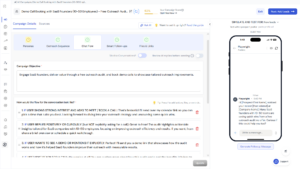
Step 4: Personalize Your Outreach Message
Use smart variables to make messages hyper-personalized for each prospect. This isn’t just first name and company name. The AI pulls recent activity, shared connections, and profile details to make every message feel handwritten.
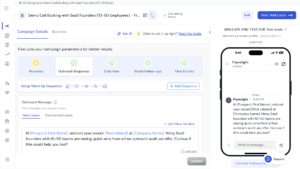
Step 5: Define Chat Flow and Objections
This is where Sbl differs from everything else. You define how the system should handle different responses. Add your tone preferences, common objections you face, and how you want the AI to qualify prospects.
The system learns from your inputs and handles replies automatically. When someone asks about pricing, it responds appropriately. When someone pushes back, it handles the objection.
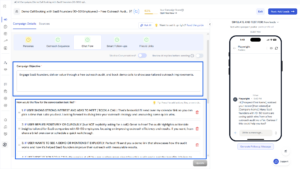
Step 6: Connect LinkedIn and Import Leads
Connect your LinkedIn account. Then either upload a CSV of leads or import directly from Sales Navigator. Just paste your filtered search URL and the system extracts your target list.
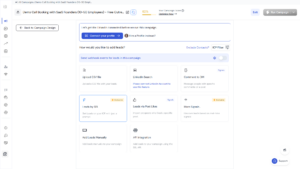
Step 7: Launch Campaign
Click Run Campaign to start automated outreach. Results typically begin within a few hours. The system rotates actions, respects LinkedIn limits, and handles everything in the background.
Step 8: Manage Replies
Use the centralized inbox to track and respond to conversations. You can switch between AI automation and manual replies anytime. If the AI encounters something it can’t handle, it flags it for human intervention.
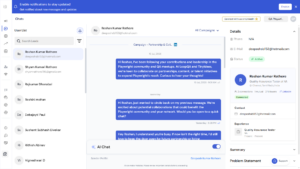
This is LinkedIn outreach chat automation that actually works. You’re not just sending messages. You’re running full conversations at scale.
Top 11 LinkedIn Automation Tools for Automated Messages in 2026
Not everyone needs Sbl’s chat automation features. Maybe you just want basic sequence automation. Here are the top platforms ranked with honest pros and cons.
1. Sbl.so
Best for: Full end-to-end LinkedIn automation with AI chat handling
Pros:
- AI handles replies and conversations automatically
- Sends PDFs, images, and voice notes (cloned from your voice)
- Multi-channel support (LinkedIn + WhatsApp)
- Unified inbox for unlimited accounts
- Lead generation agent built in
- Stays within safe daily limits automatically
Cons:
- Learning curve for the AI training features
- Overkill if you only need basic sequences
Pricing: Starts at $99/month after 7-day free trial
2. Expandi
Best for: Safe cloud-based automation with strong proxy infrastructure
Pros:
- Dedicated IP and proxy for each account
- Smart sequences with multiple touchpoints
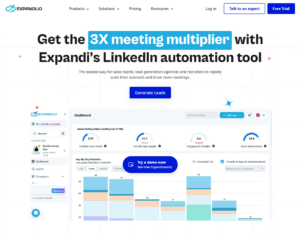
- Good analytics dashboard
- Low ban rates reported
Cons:
- No chat automation, manual reply handling required
- Gets expensive with multiple accounts
- Learning curve for sequence building
Pricing: $99/month per account
You might want to check out this Expandi vs Sbl comparison for a deeper dive.
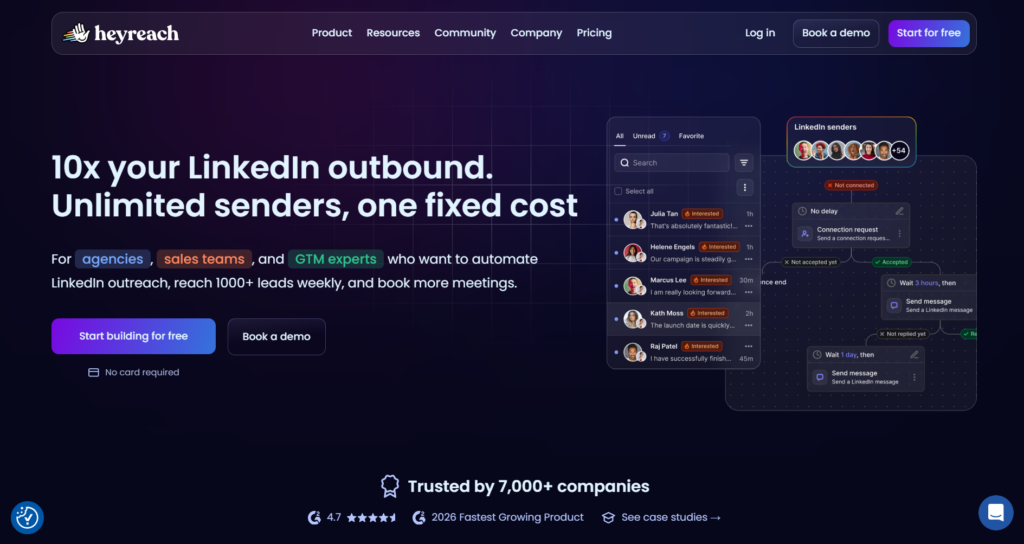
3. HeyReach
Best for: Agencies running multi-account campaigns
Pros:
- Multiple sender accounts in one campaign
- Unified inbox for all connected accounts
- Advanced API integrations with HubSpot, Pipedrive, Clay, and Zapier
- Bypasses daily limits through automatic sender rotation
- White-label reporting for agencies
Cons:
- No AI conversation handling
- Expensive for solo users
- Interface can feel cluttered
Pricing: Starter around $79/sender/month, agency tiers for 25-50+ senders
Here’s a detailed Sbl vs HeyReach comparison if you’re deciding between them.
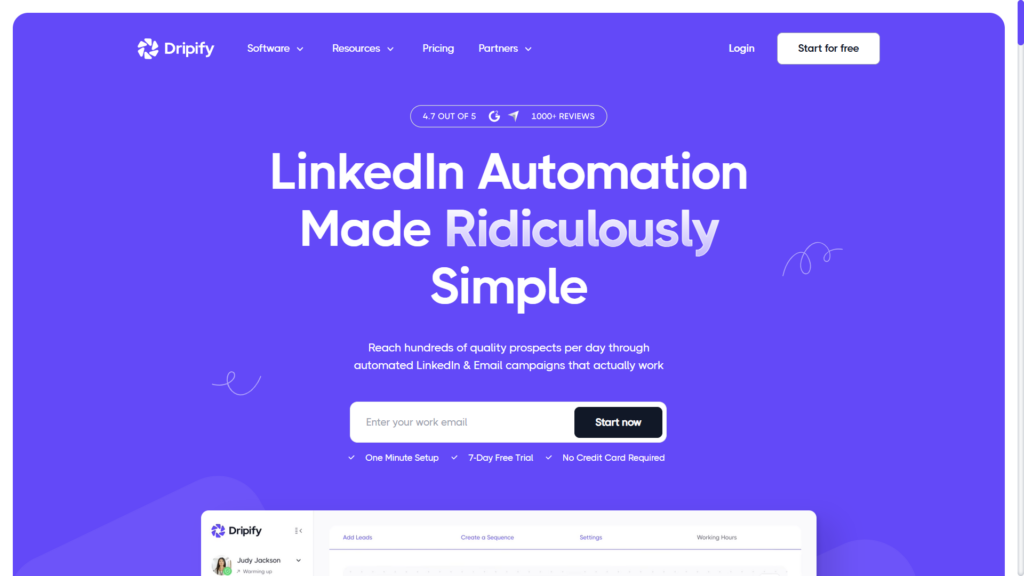
4. Dripify
Best for: Beginners who want simple drip campaigns
Pros:
- Easy to set up and use
- Good template library
- Team collaboration features
- Cloud-based safety
Cons:
- Basic personalization options
- No chat automation
- Limited analytics compared to competitors
Pricing: $59/month
Looking for alternatives? Check out these Dripify alternatives.
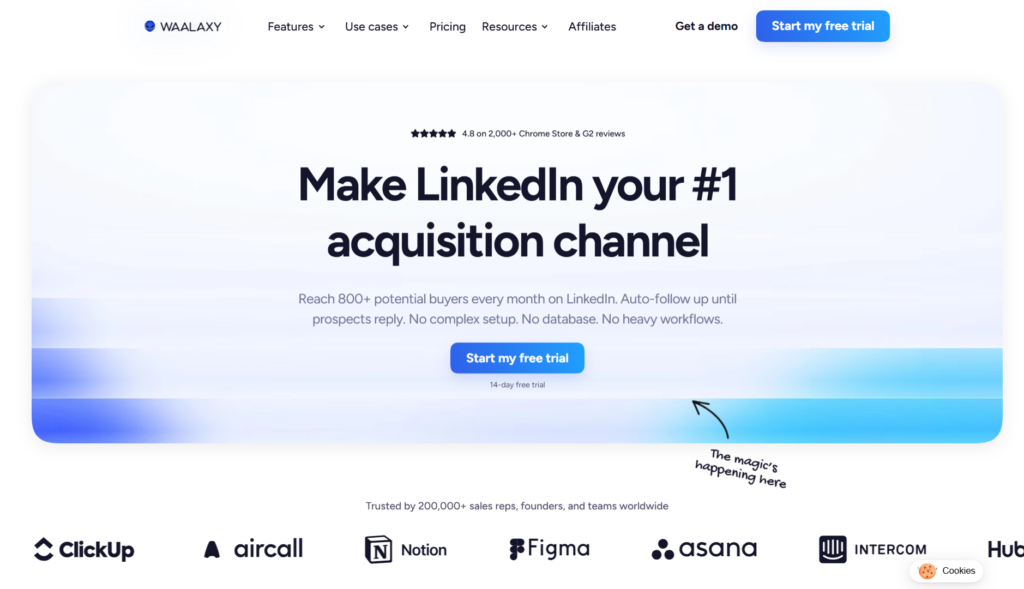
5. Waalaxy
Best for: Freelancers and small teams on a budget
Pros:
- Free tier available
- LinkedIn + email sequences
- Pre-built templates
- Chrome extension simplicity
Cons:
- Chrome extension carries higher detection risk
- Limited daily actions on free plan
- Basic analytics
Pricing: Free tier, Pro at $49/month
Compare it against others in this Waalaxy vs Sbl review.
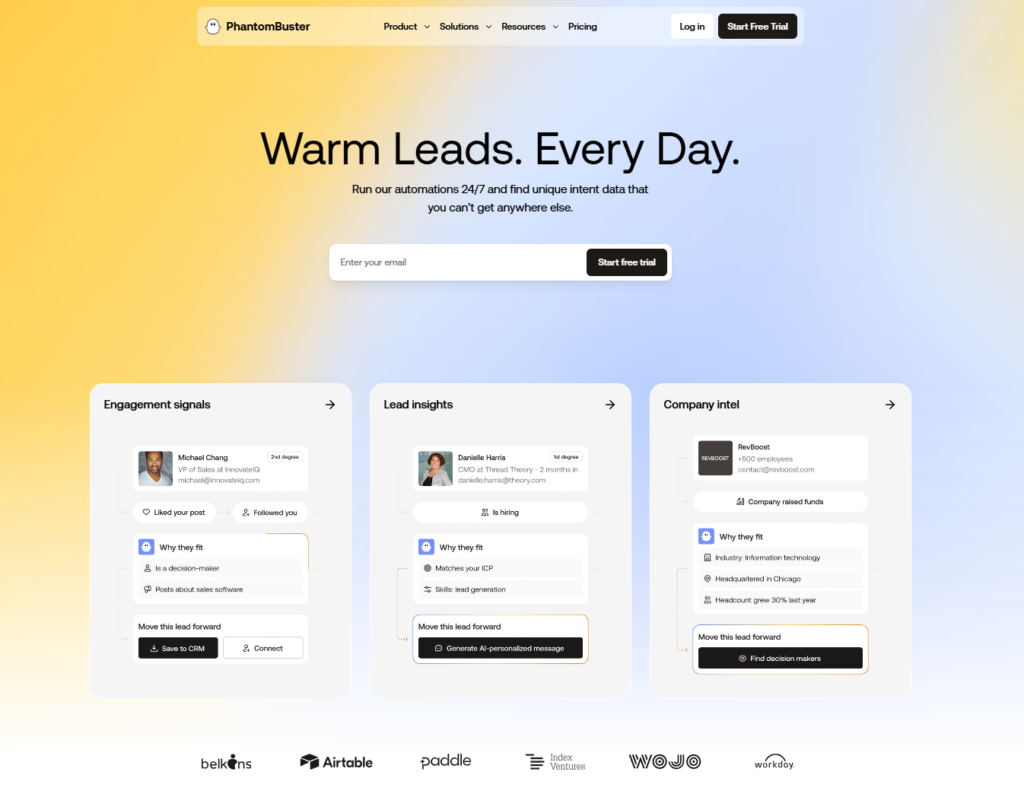
6. PhantomBuster
Best for: Technical users who want custom workflows
Pros:
- API-driven flexibility
- Chains multiple actions together
- Great for data extraction
- Export to any CRM
Cons:
- No native UI for sequences
- Requires technical setup
- Learning curve is steep
Pricing: $59/month
See how it stacks up in this PhantomBuster vs Sbl comparison.
7. Meet Alfred
Best for: Creative outreach with A/B testing
Pros:
- A/B testing for messages
- Image personalization
- Email sync capabilities
- Good for testing message variants
Cons:
- Interface feels dated
- No conversation automation
- Support response times vary
Pricing: $59/month
Exploring options? Here are solid Meet Alfred alternatives.
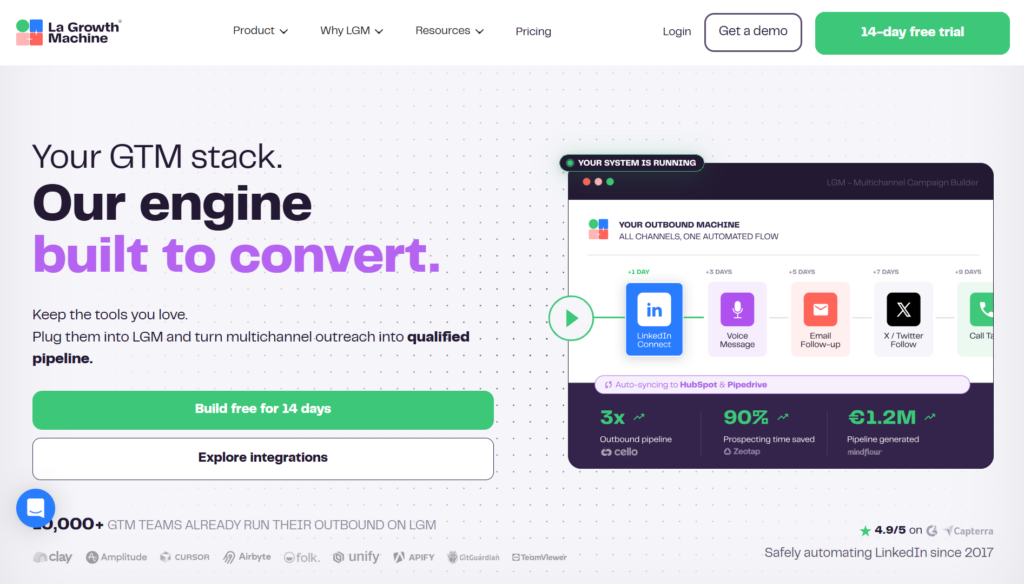
8. La Growth Machine
Best for: Multi-channel campaigns across LinkedIn, email, and Twitter/X
Pros:
- True multi-channel sequences with drag-and-drop builder
- AI enrichment features
- Multi-step warming (profile visits/likes before messages)
- Good for enterprise teams
Cons:
- Enterprise pricing
- Complex for simple use cases
- Overkill for LinkedIn-only needs
Pricing: Around $100/month
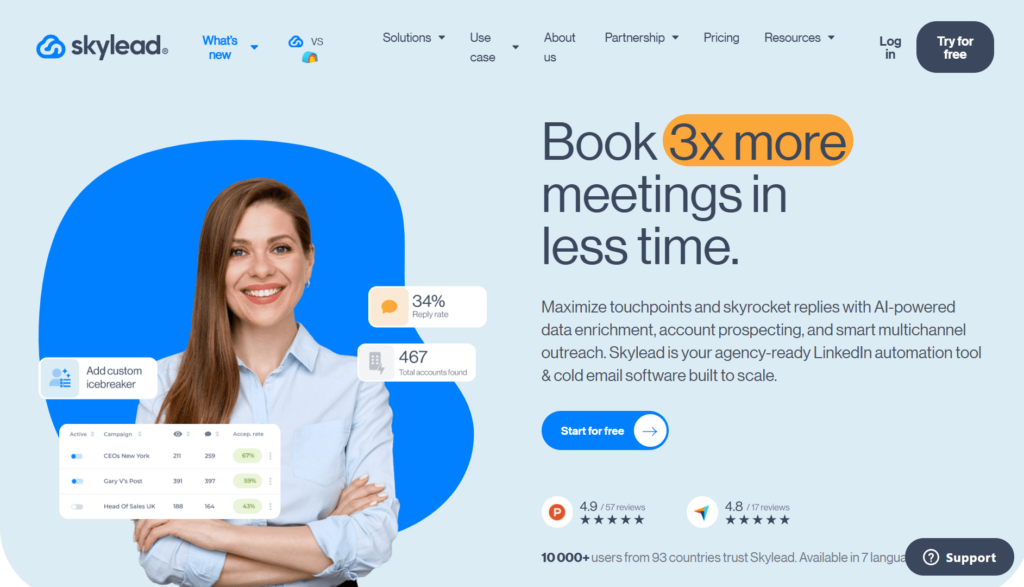
9. Skylead
Best for: All-in-one outreach with warmup features
Pros:
- Smart sequences with conditions
- Account warmup built in
- Clean analytics
- LinkedIn + email in one platform
Cons:
- Premium pricing
- No chat automation
- Limited customization
Pricing: $100/month
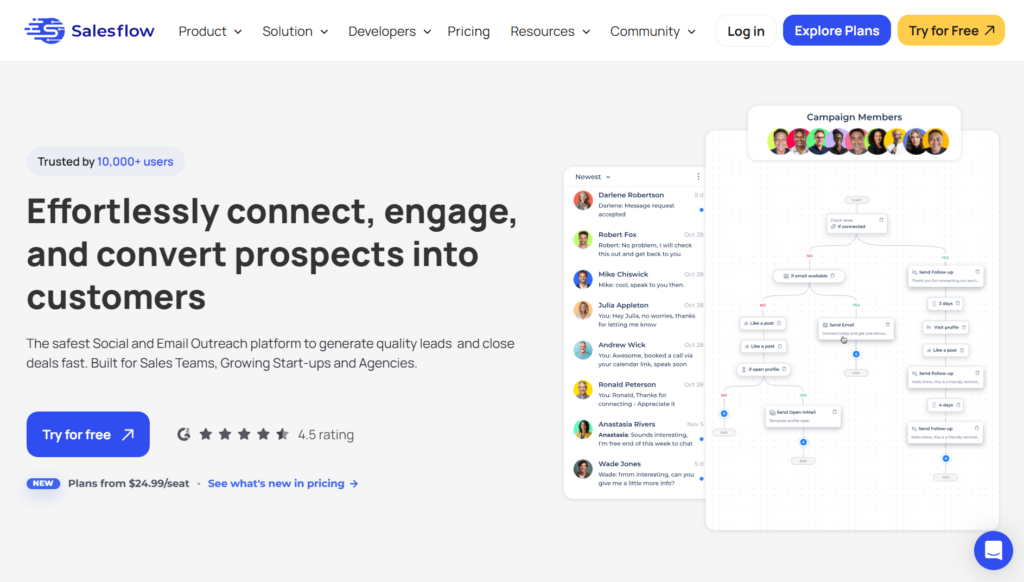
10. Salesflow
Best for: Outreach-focused teams wanting conditional sequences
Pros:
- Auto-messages with conditions
- Good for sales teams
- Reasonable pricing
- Clean interface
Cons:
- Basic feature set
- No AI capabilities
- Limited integrations
Pricing: $79/month
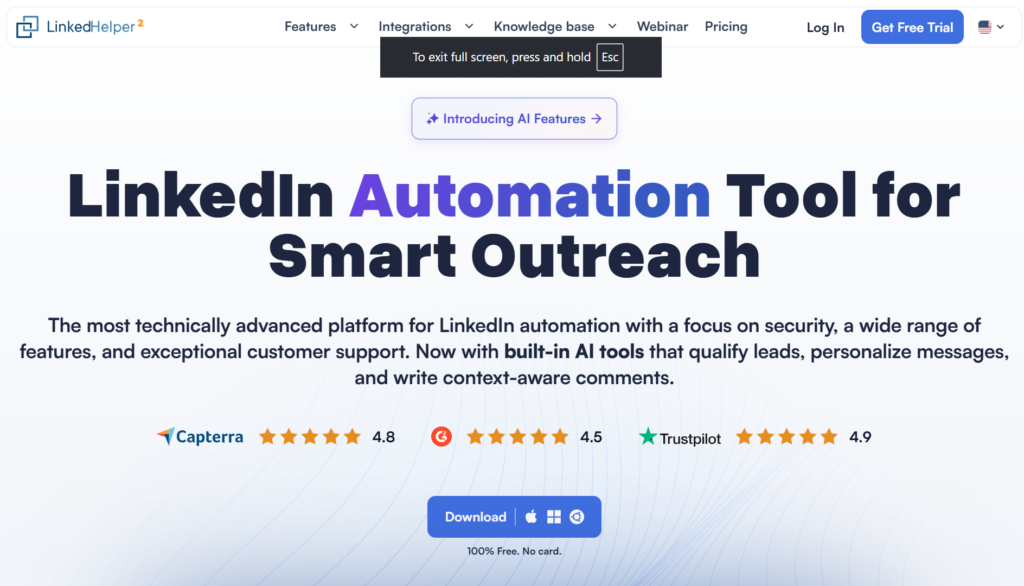
11. Linked Helper
Best for: Power users who want granular control over automation
Pros:
- Highly customizable workflows
- Strong community and documentation
- Works with Sales Navigator
- Affordable for what it offers
Cons:
- Desktop-based (not cloud)
- Steeper learning curve
- No AI reply handling
Pricing: Starts around $15/month
Check out our Linked Helper review for more details.
How to Avoid Getting Banned When Sending Automated Messages on LinkedIn
This is where most people mess up. They focus on features and forget about safety. LinkedIn will restrict your account if you don’t follow these rules.
Keep daily limits conservative. I know tools claim you can do 100+ actions per day. Start with 15-30 connection requests and 50-80 messages. Scale up slowly over weeks, not days.
Warm up new accounts. Don’t connect automation to a fresh LinkedIn profile and blast messages. Spend 2-3 weeks using the account manually first. Post content, engage with others, build some activity history.
Use cloud-based tools over Chrome extensions. Extensions run from your browser, which means inconsistent IP addresses and timing patterns. Cloud tools use dedicated infrastructure that looks more like normal LinkedIn usage.
Personalize everything. Sending identical messages to hundreds of people triggers spam detection. Even simple personalization variables like name and company help, but AI personalization based on profile data works best.
Avoid weekends and late nights. Schedule automated messages during normal business hours. LinkedIn knows when real users are active. Messages sent at 3am look suspicious.
Watch your acceptance rate. Accounts with high acceptance rates and low spam reports can operate near the upper end of safe ranges. Low-quality outreach gets throttled faster. If your acceptance rate drops below 20%, fix your targeting before sending more.
Rotate sender accounts. If you’re doing high-volume outreach, use multiple LinkedIn profiles and rotate between them. This is where tools like Sbl and HeyReach shine because you can connect unlimited accounts and the system rotates automatically.
What Daily Limits Should You Set for LinkedIn Message Automation?
LinkedIn doesn’t publish official limits, but based on testing thousands of accounts and cross-referencing 2025-2026 safety guides, here’s what works safely:
- Connection requests: 15-30 per day, staying under 100 per week for standard accounts. High-reputation Sales Navigator accounts can push toward 150-200 per week, but start lower.
- Messages to 1st degree connections: 50-80 per day is the safe range. Established accounts with good engagement can scale toward 100-150 per day.
- InMails: Follow your subscription limits
- Profile visits: 80-100 per day
The key is consistency. Don’t do 80 connections one day and 5 the next. Keep activity patterns steady and human-like.
LinkedIn increasingly tracks weekly limits rather than just daily caps. The commonly accepted ceiling is around 100 connection requests per week for most accounts, with higher allowances for accounts that have strong Social Selling Index scores and low spam reports.
If you’re using LinkedIn automation through Sbl, the system enforces safe limits automatically. You don’t need to worry about going over.
Can You Send Images, PDFs, and Voice Notes Through LinkedIn Automation?
Most tools only send text messages. That’s a limitation because richer content gets better engagement.
LinkedIn’s native messaging supports several attachment types:
- Documents: PDF, DOC/DOCX, PPT/PPTX, XLS/XLSX, CSV, TXT
- Images: JPEG, PNG, GIF, BMP
- Videos: MP4
- File size limits: Up to 50 MB per attachment for InMails, with general attachments often supporting up to 100 MB for certain document types
- Per-message limits: You can typically attach up to 5 files per message
For voice messages, LinkedIn allows up to 1-minute voice notes to 1st-degree connections. Recording is only available in the mobile app, though desktop can receive and play them.
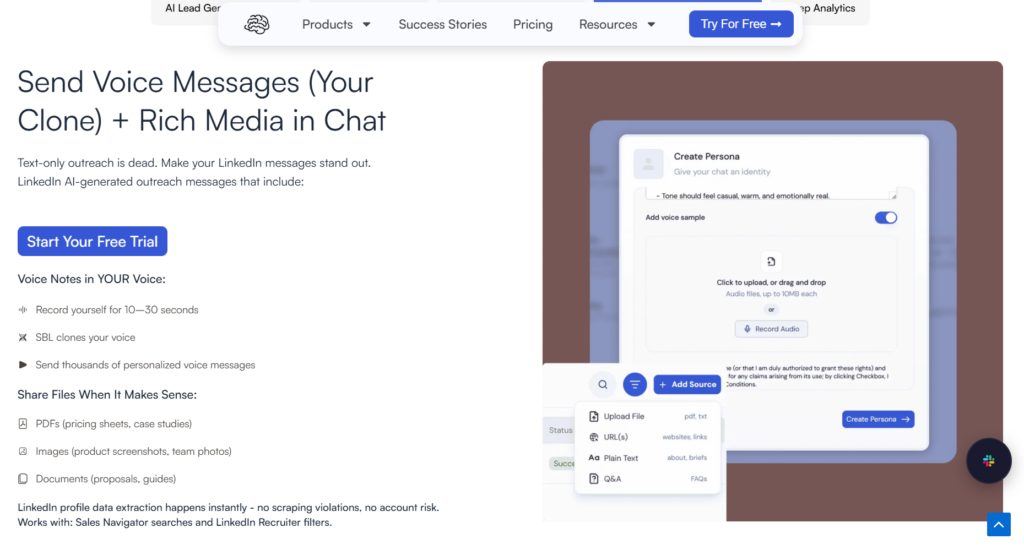
Sbl.so lets you automate messages with attachments. You can send PDFs, images, documents, and even voice notes. The voice note feature is particularly interesting because you can clone your voice from a 10-30 second sample. The AI then generates personalized voice messages that sound like you.
Think about the impact. Instead of a generic text message, your prospect gets a voice note where you mention their company by name and reference something specific about their situation. That converts way better.
You don’t set up rigid if-else rules for when to send files. You just tell the system: “Share the pricing PDF when the prospect asks about cost” and the AI handles it contextually during conversations.
How to Scale LinkedIn Outreach Beyond Account Limits
One LinkedIn account can only send so many messages per month. If you want email-level scale, you need multiple sender profiles.
There are two approaches:
Connect your team’s accounts. If you have sales reps, connect all their LinkedIn profiles to your automation platform. A team of 10 people gives you 10x the outreach capacity while each account stays within safe per-account limits.
Use fractional SDR profiles. Sbl has a network of verified LinkedIn users who can run outreach on your behalf. They use their own real profiles, not bots. You pay them a monthly fee starting around $35, and they become your affiliate partners.
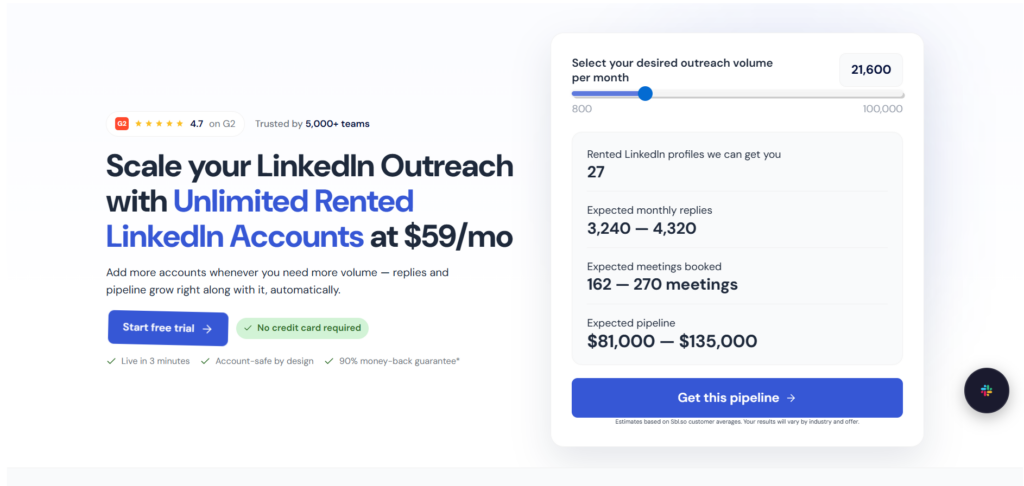
This multi-account rotation approach is what current agency-oriented tools like HeyReach and Sbl recommend. It’s how agencies and startups hit 40,000+ reach-outs per month on LinkedIn. It’s email-level scalability without the spam folder problem.
How Does AI LinkedIn Message Automation Actually Work?
Most tools calling themselves “AI” just use templates with variables. Real AI automation understands context and responds appropriately.
Here’s what happens with a proper AI sales automation system like Sbl:
- Prospect receives your message with personalization based on their profile data, recent posts, and company info
- They reply with a question or objection
- AI analyzes their response for intent, sentiment, and context
- System generates an appropriate reply based on your training and goals
- Conversation continues until the prospect books a call or disqualifies
The AI is trained on persuasion principles and sales psychology. It knows how to handle “I’m not interested” differently from “Send me more info.” It knows when to push and when to back off.
Beyond conversation handling, 2026 AI tools now offer:
- AI icebreakers at scale: Tools read a prospect’s headline, about section, recent posts, and company data to generate custom opening lines
- AI sequence writing: Generate entire outreach sequences in different tones, then edit manually
- Intent and enrichment: Some systems use LLMs to clean lead lists, infer missing fields, and detect buying signals
If the AI encounters something it can’t handle confidently, it flags the conversation for human intervention. You get notified, jump in to help, and the system learns from your response for next time.
What About LinkedIn’s Terms of Service?
Let me be direct here. LinkedIn technically prohibits automation tools in their terms. They don’t actively endorse any third-party automation.
The accounts that get banned are usually:
- Sending identical messages to hundreds of people
- Exceeding daily and weekly limits aggressively
- Using browser extensions with inconsistent patterns
- Operating on new accounts without warmup
- Getting high rates of “I don’t know this person” reports
Cloud-based tools with smart limits, personalization, and human behavior patterns rarely get flagged. I’ve run automation on accounts for 18+ months without restrictions.
The key is treating automation as an efficiency tool, not a spam machine. If every message you send could theoretically be sent by hand, you’re probably fine.
How to Measure Success with LinkedIn Message Automation
Don’t just track how many messages you sent. Track what matters for your goal.
Connection acceptance rate: Aim for 30-50%. Below 20% means your targeting or connection message needs work.
Reply rate: 10-20% is solid for cold outreach. Above 25% is excellent.
Conversation to call rate: Track how many conversations convert to booked meetings. This is where chat automation makes a huge difference.
Call show rate: If people book but don’t show, your qualification process needs improvement.
Meetings booked per 100 connection requests: This end-to-end metric tells you how efficient your entire funnel is.
Sbl’s analytics go deeper than most tools. You get sentiment analysis, lead interest scoring, and qualitative insights based on actual conversation content. It shows you what’s working in your messaging and what’s falling flat.
Can You Automate LinkedIn Messages Without Premium?
Yes, but with limitations. Free LinkedIn accounts have lower connection request limits (around 100 per week) and no InMail access.
Premium accounts (Sales Navigator specifically) get:
- Higher effective daily limits due to better account reputation
- InMail credits
- Advanced search filters
- Lead recommendations
- More search capacity
For serious automation, Sales Navigator is worth the investment. The search filters alone let you build highly targeted prospect lists that convert better.
You can import leads from Sales Navigator directly into automation tools like Sbl. Just copy your filtered search URL and paste it in. The system extracts all matching profiles automatically.
What’s the Best LinkedIn Automation Strategy for 2026?
Based on everything I’ve tested, here’s the approach that works:
Start with targeting. Spend time defining exactly who you want to reach. Job titles, industries, company sizes, recent activities. Better targeting beats better messaging every time.
Lead with value. Your first message should give something, not ask for something. Share an insight, offer a resource, reference their content. Make them want to reply.
Follow up thoughtfully. Most responses come from follow-ups, not initial messages. Space them 3-5 days apart. Change the angle with each touch.
Automate the conversation. This is the part most people miss. Set up your system to handle replies, qualify prospects, and push toward your goal. Don’t make automation just about sending.
Use multiple accounts instead of pushing one to the limit. If you need more volume, add sender accounts rather than cranking up limits on a single profile. This is safer and more sustainable.
Track and optimize. Test different messages, different targeting, different offers. Use A/B testing when available. What works for one audience might bomb with another.
If you’re ready to try actual LinkedIn automation that handles the full cycle, check out Sbl.so. The 7-day free trial lets you test everything without commitment. Most people see results within the first few days.
Common Questions About Sending Automated Messages on LinkedIn
Is LinkedIn automation safe in 2026?
Yes, with the right tool. Cloud-based platforms using dedicated proxies and smart limits report under 5% restriction rates. Chrome extensions and aggressive tools are riskier. Keep volumes conservative (15-30 connection requests per day, 50-80 messages), warm up accounts, and send personalized messages.
What’s the best free LinkedIn automation tool?
Waalaxy has a free tier, but it’s limited. For anything meaningful, expect to pay $50-100/month. The ROI on good automation usually justifies the cost within the first few weeks.
How many LinkedIn connection requests can I send per day?
Safely: 15-30 per day, staying under 100 per week for standard accounts. Premium accounts with high Social Selling Index scores can push toward 150-200 per week. Start conservative and scale up based on acceptance rates.
How many LinkedIn messages can I automate per day?
50-80 messages per day to 1st-degree connections is the safe range. Established accounts with good engagement can scale toward 100-150. Start low and increase gradually.
Can LinkedIn detect automation?
LinkedIn looks for patterns: consistent timing, identical messages, excessive volume, suspicious login locations, sudden spikes in activity, and high “I don’t know this person” reports. Good tools randomize behavior to avoid detection.
What’s better for LinkedIn automation: extension or cloud?
Cloud-based every time. Extensions run from your browser, creating inconsistent patterns. Cloud tools use dedicated infrastructure that’s more stable and safer.
How do I integrate LinkedIn automation with my CRM?
Most tools offer native integrations or API/Zapier connections. Sbl syncs chat data directly to your CRM in real-time. HeyReach has strong integrations with HubSpot, Pipedrive, and Clay.
Can I automate LinkedIn messages from my phone?
The automation runs in the cloud, but you can manage and monitor campaigns from mobile dashboards. Sbl’s inbox works on any device.
Can I send PDFs and attachments through LinkedIn automation?
Yes, subject to LinkedIn’s attachment formats and size limits (up to 50 MB for InMails, various document types supported). This depends on your tool’s capabilities.
Can I automate voice notes on LinkedIn?
LinkedIn’s voice messaging allows 1-minute voice notes to 1st-degree connections, but recording is mobile-only. Some tools like Sbl offer voice-note automation through specialized workflows.
What happens if my LinkedIn account gets restricted?
Most restrictions are temporary. Follow LinkedIn’s appeal process, reduce automation activity, and warm the account back up slowly. Using safer tools and conservative limits prevents this in the first place.
LinkedIn message automation isn’t complicated once you understand the rules. Pick a tool that fits your needs, respect the platform’s limits, and focus on quality over volume. The accounts doing this well are booking calls consistently without ever touching their inbox.